Installation and Operation Manual
Fishfinder can be connected to external
devices with NMEA0183 and display
information such as followings.
DSC VHF Radio
• GPS antenna(NMEA 0183)
• Navtex
• AIS receiver
DSC VHF radio
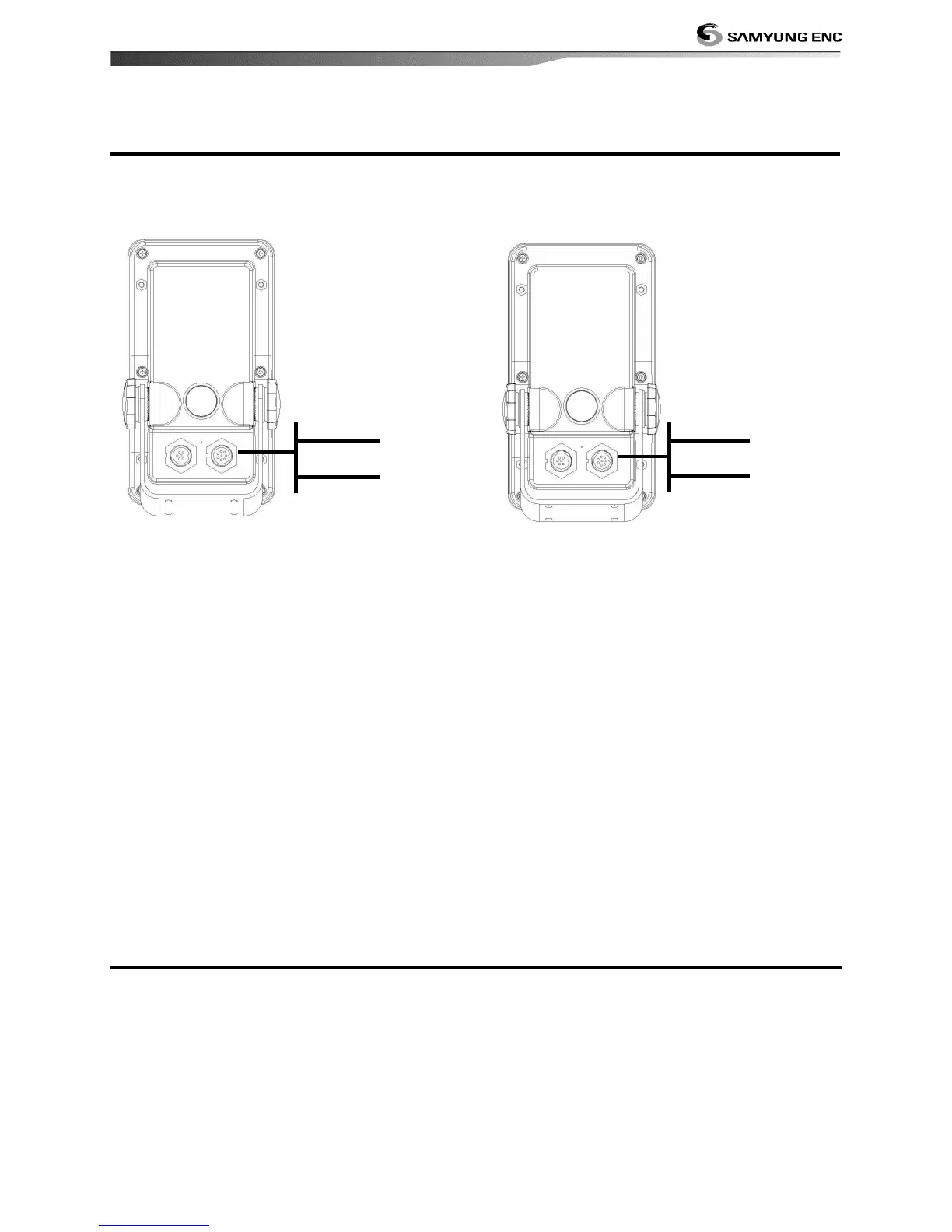
Fit and set up the optional DSC VHF radio as
above Pictures: NMEA 0183(1) IN and NMEA
0183(2) IN.
Other NMEA instruments
NMEA is an industry standard for
interconnecting instruments. The chart plotter
can be connected to other NMEA instruments.
Set up the optional NMEA instruments as
above pictures.
• The chart plotter can receive and display
depth, paddlewheel boat speed and water
temperature from an optional compatible
instrument.
• The chart plotter can receive data from an
optional compatible GPS or GPS/DGPS source.
• The chart plotter can send GPS position
and other navigation data to an autopilot
or other instrument. An autopilot requires
APB, APA and VTG sentences
For information on sending NMEA data to
the instrument, contact Samyung ENC.
During setup to send NMEA data to other
instruments, set NMEA out and specify the
NMEA data to send.
1 Put a blanking cap on any unused connector on the back of the display unit. Ensure all
connectors are plugged in and the display unit is in place.
2 If the display unit is bracket mounted, adjust tilt and rotation for best viewing and hand
tighten the knob.
3 Insert any required NAVIONICS chart card.
4 Enter setup data to set up the chart plotter to your requirements and to set up any optional
sensors or instruments.


 To Next Page