Installation and Operation Manual
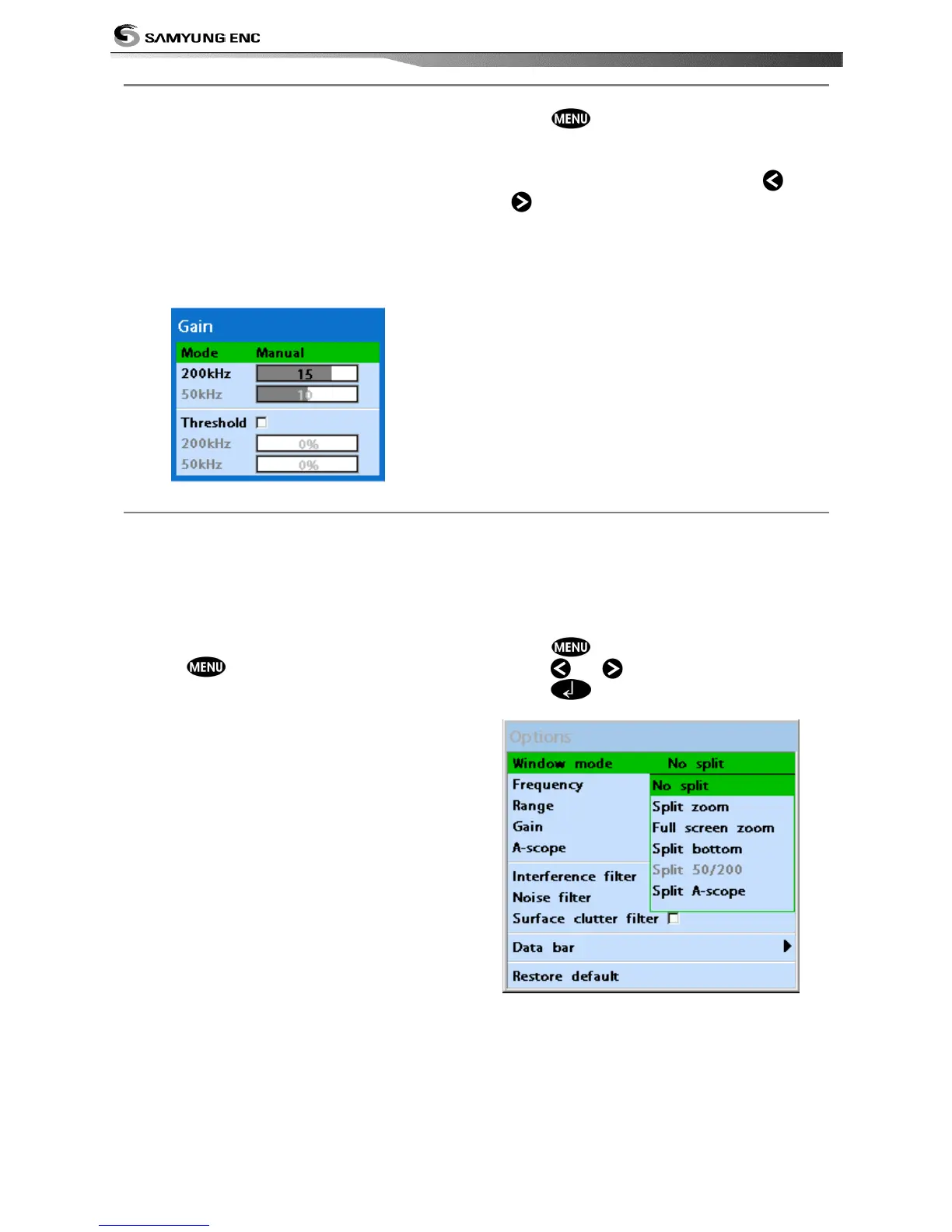
The gain menu
The gain is a signal strength received from
the transducer and the threshold is the level
of ultrasonic that is ignored by a set value.
When you use the manual mode and
threshold, the values of gain and threshold
need to be set very carefully.
In the Gain window, you can set for a gain
mode and threshold.
To change a mode,
1 Press , select Gain.
2 Select a mode.
3 If you select a Manual mode, adjust each
frequency gain value by pressing
or
. Even though you select the Auto
mode, it will be changed to manual mode
if you change the values of frequency.
3-4-6 Sonar window display
Five sonar display windows are available and
each display window has unique
characteristics. Select a display window
depending on your needs. The default display
is single frequency display.
To change a Sonar display window in
the sonar window:
1 Press , select Window mode.
2 Select the sonar display you want.
No split: Display Sonar history at a given
frequency
(see section 3-4-7)
Split zoom: This mode expands chosen area
of the normal picture in full vertical size on
the left-half part of the window.
Full screen zoom: Display a zoomed section
on full screen (see section 3-4-8)
Split bottom: Display Sonar history and a
bottom trace focus in a zoomed section (see
section 3-4-9)
Split A-Scope: Display Sonar history and
echo strength (see section 3-5-11)
Partial enlargement, lower ground
enlargement, A-Scope display may
change the split ratio of display.
1 Press
and select Window split.
2 Press or to adjust the ratio.
3 Press .


 To Next Page