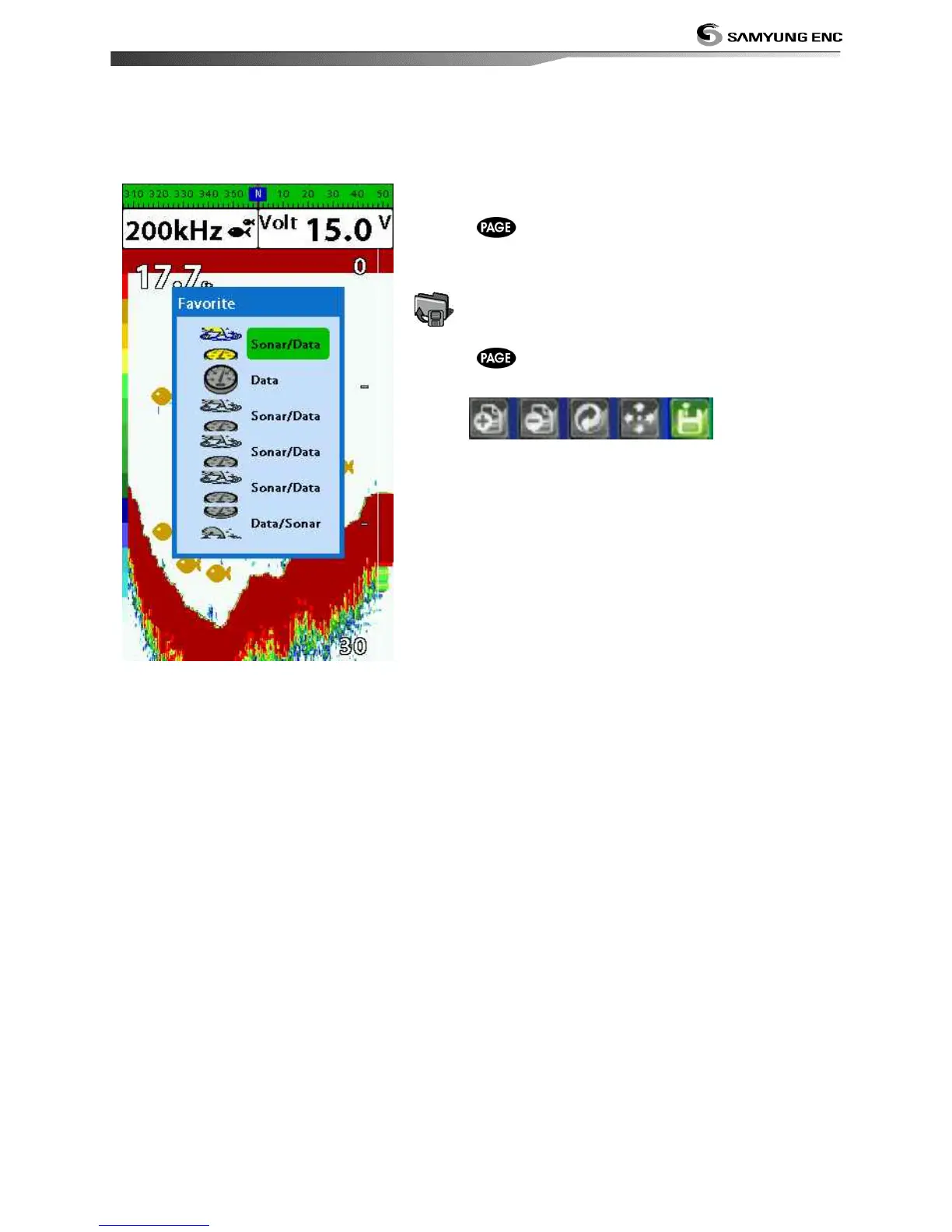
Favorite displays
The most commonly used windows are called favorite displays and up to six favorite windows
can be saved. Also each favorite display can have data bar and compass.
Displaying a favorite display
1 Press twice.
2 when above window pops up select a desire display you
want.
Adding a favorite display
1 Organize a window as you want.
2 Press to show the main window.
3 Select Save icon at the bottom
4 Select an icon where you want to add your favorite
display. If you add the new favorite display on existing
favorite display new display will overwrite the old display.


 To Next Page