6.3.7 GPS/FMS
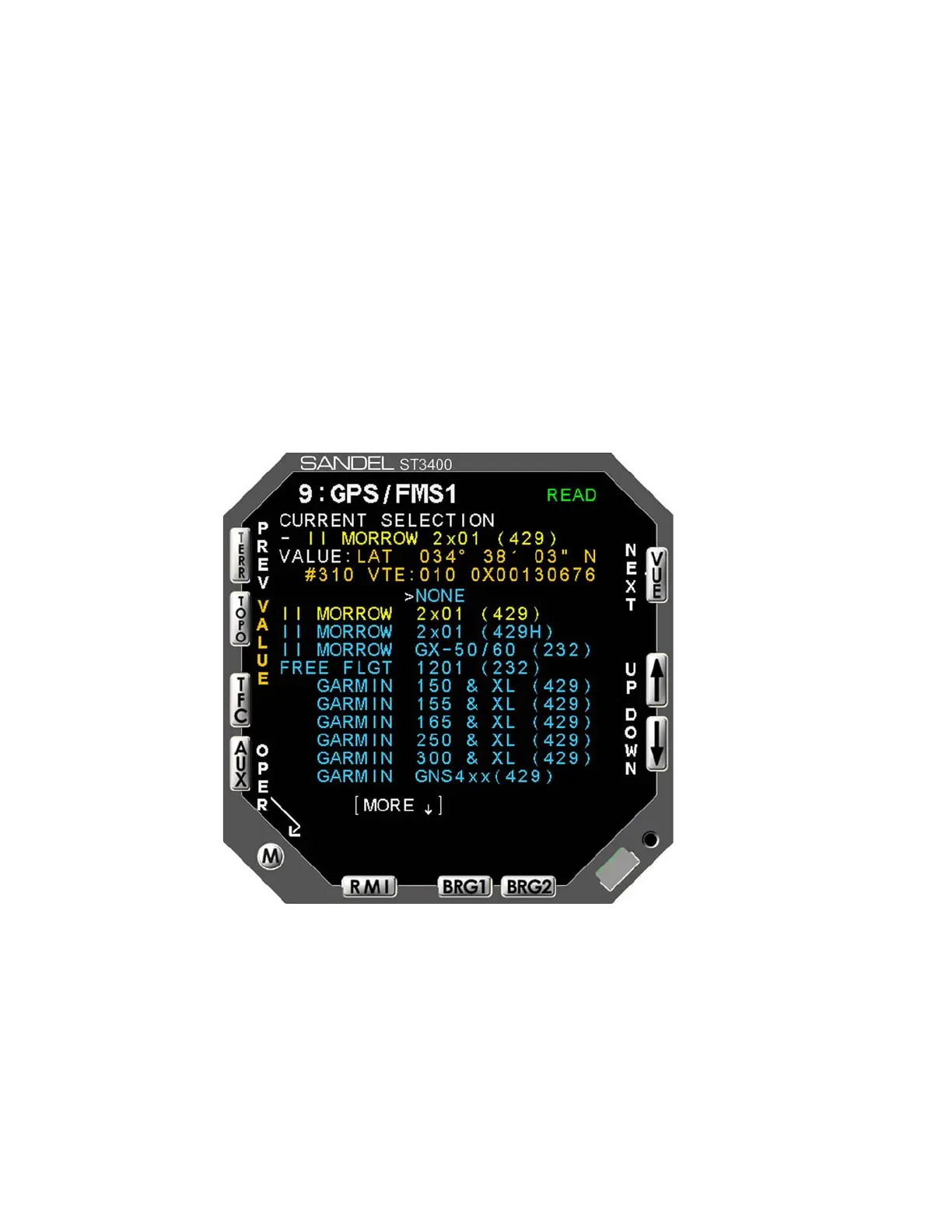
There are two GPS/FMS pages (see Figure 6-8) for selection of Primary and
Secondary receivers respectively.
The multiple–choice list allows the operator to specify the type of GPS/FMS
connected to the primary GPS/FMS port. Select the desired receiver using the
[UP]/[DOWN] Soft keys and use the [SET] softkey to make the selection.
Once a selection is made, the port configuration for FMS will be automatically
made based on the selection chosen and data will appear in the data VALUE area.
The data VALUE shows only a single data item. This page has an additional
softkey labeled VALUE which can be used to scroll through all of the GPS/FMS
DATA coming from the receiver. Use the [UP]/[DOWN] Soft keys to scroll
through the various data items. Press the [MODEL] Soft key to exit the "Value"
scroll function.
Figure 6-8: GPS/FMS 1 Select Maintenance Page (typical)
6.3.7.1 More Indicator
The More Indicator (see Figure 6-8) indicates more choices than the listings
currently displayed on the screen. An arrow pointing down indicates that more
choices exist below the last listing currently being displayed.
6-12 ST3400 INSTALLATION MANUAL 82002-IM-L



 To Next Page