SRT55D Off-Highway Truck
3-7
Safety, Operation and Maintenance Manual
Controls and Operating
on the monitor, and press again to turn off the
monitor.
The Power Supply Indicator (Red) will be on
when the monitor is turned on and it will be off
when the monitor is turned off.
2.Contrast Control
Press the MENU key until Contrast appears
on the screen, then press “+” or “-” key to
increase or decrease image contrast.
3.Brightness Control
Press the MENU key until Brightness appears
on the screen, then press “+” or “-” key to
increase or decrease image brightness.
4.Volume Control
Press the MENU key until Volume appears
on the screen, then press “+” or “-” key to
increase or decrease volume.
5.Mirror/ Normal Selection
Press such button to set reversal effect of
image.
Reversal image can be displayed when switch
is placed at MIR position.
Normal image can be displayed when switch
is placed at the NOR position.
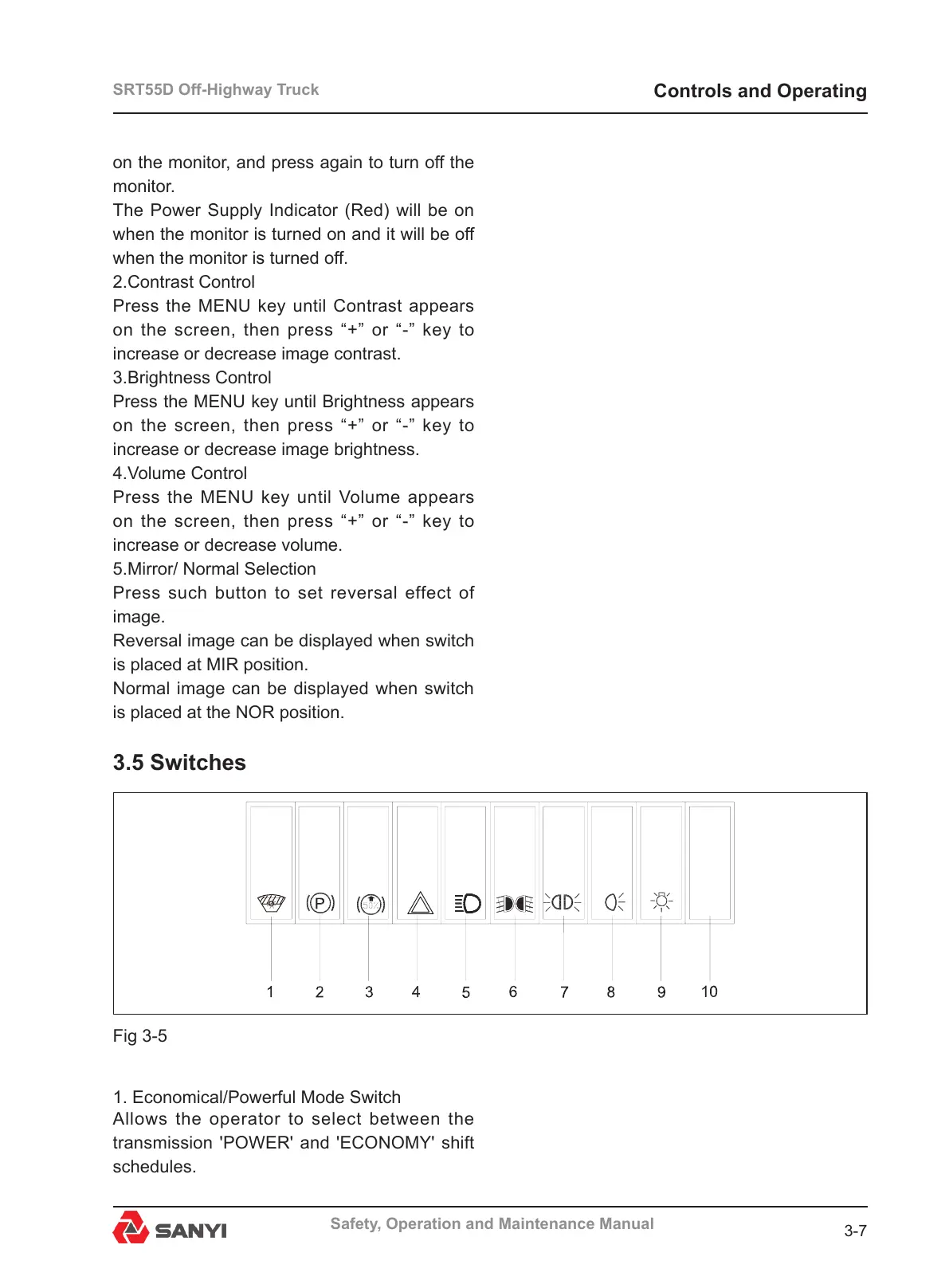
3.5 Switches
1. Economical/Powerful Mode Switch
Allows the operator to select between the
transmission 'POWER' and 'ECONOMY' shift
schedules.
Fig 3-5



 To Next Page