nova250 Touch Panel
Start screen
12 7001064003 T1 Sauter Systems
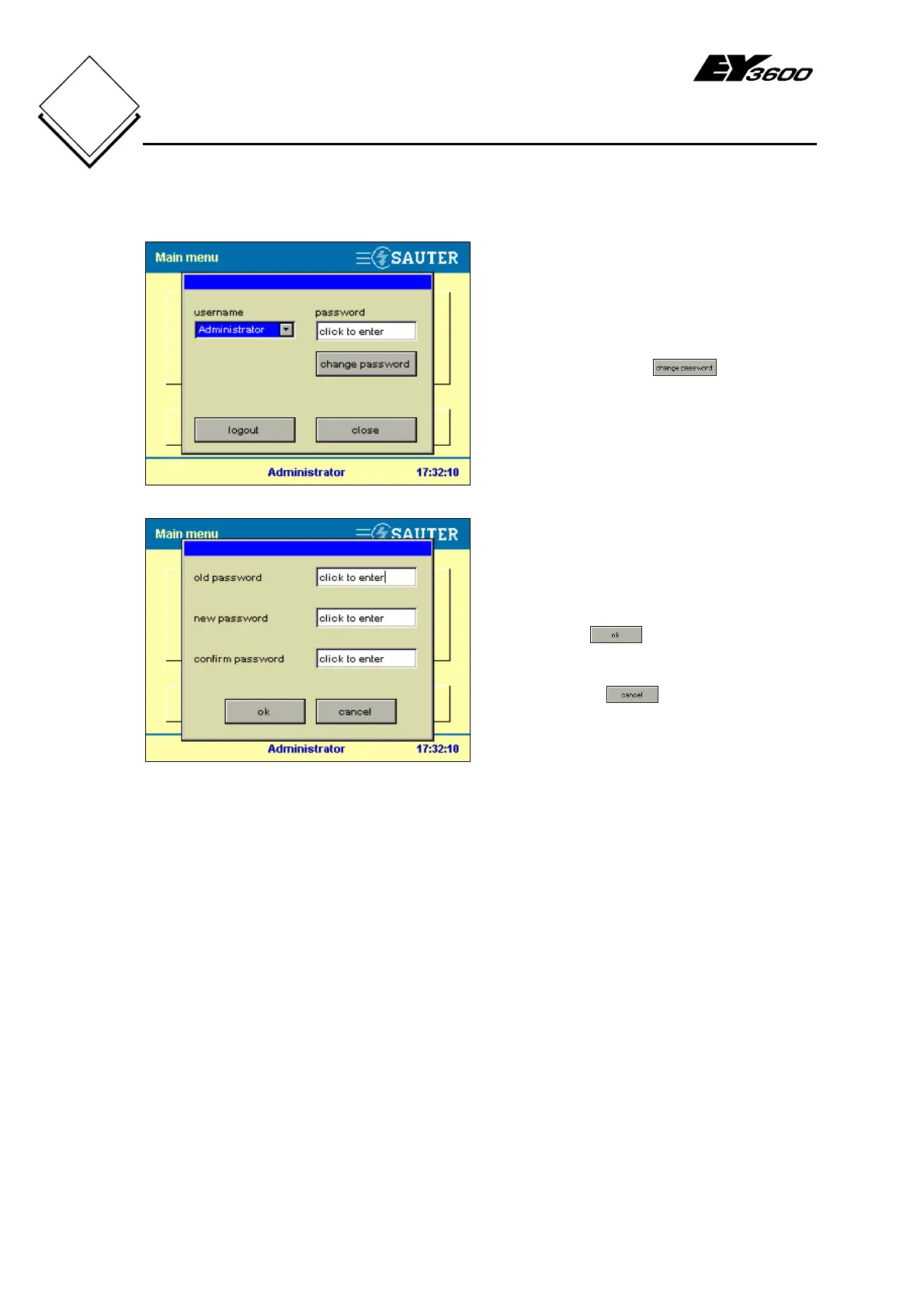
2.2.2 Change password
Fig. 2-5: Change Password
If you want to change the password, you
must already be logged in as a user. In this
case, you will see the
button,
which you have to press in order to change
the password.
Fig. 2-6: Entries to Change a Password
Make the following entries in sequence:-
-
Enter the old password
-
Enter the new password
-
Confirm the new password
-
Press the
button to save and
return
If you press the button, you return
to the previous screen without making any
changes (Fig. 2-5).


 To Next Page