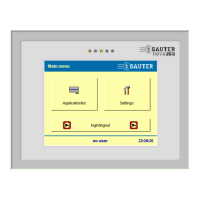
nova250 Touch Panel
Table of Contents
7001064003 T1 Sauter Systems 3
1 Overview................................................................................................................. 5
1.1 Introduction....................................................................................................... 5
1.2 Installation ........................................................................................................ 5
1.3 Connections...................................................................................................... 6
1.4 Light-emitting diodes......................................................................................... 7
1.5 Configuration .................................................................................................... 7
2 Start screen............................................................................................................ 9
2.1 Main menu........................................................................................................ 9
2.2 Login, logout................................................................................................... 10
2.2.1 Login and enter password ..................................................................... 11
2.2.2 Change password.................................................................................. 12
3 Applications ......................................................................................................... 13
3.1 Application list................................................................................................. 13
3.2 Select an application....................................................................................... 14
4 Standard application............................................................................................ 15
4.1 Data points ..................................................................................................... 15
4.1.1 View data-point list ................................................................................ 15
4.1.2 Change command or value from data-point list...................................... 16
4.2 Alarms ............................................................................................................ 18
4.2.1 Visualise alarm list................................................................................. 18
4.3 Time programs and calendar .......................................................................... 19
4.3.1 Data points for time programs................................................................ 19
4.3.2 Time program for days of the week........................................................ 19
4.3.3 Time program entry ............................................................................... 21
4.3.4 Time program for special days............................................................... 22
4.3.5 Send time programs .............................................................................. 23
4.3.6 Calendar................................................................................................ 23
4.4 Historical data................................................................................................. 25
5 Settings................................................................................................................. 29
5.1 Calibration ...................................................................................................... 30
5.2 Reboot............................................................................................................ 31
5.3 System information......................................................................................... 31
5.4 Other settings ................................................................................................. 32
5.5 Display parameters......................................................................................... 33
5.6 Clock .............................................................................................................. 33
5.7 Profile ............................................................................................................. 34
5.7.1 Password time-out................................................................................. 34
5.7.2 Create new user profile.......................................................................... 35
5.7.3 Delete or edit user profile....................................................................... 37
5.8 Filters.............................................................................................................. 37
6 Additional information......................................................................................... 39
6.1 Training at Sauter........................................................................................... 39
6.2 Additional literature......................................................................................... 39


 To Next Page