nova250 Touch Panel
Settings
34 7001064003 T1 Sauter Systems
5.7 Profile
The touch-panel can manage various user profiles with password input. These user
profiles can be assigned to one of three user groups, and they are saved in the touch-
panel as user profiles.
The three user groups are defined as follows:-
User group Description
Guest
User with viewing rights only (as well requests of historical data)
User
User with viewing rights, with rights for historical data requests and
the option of entering setpoints, switching commands and time
programs.
Administrator
User with viewing rights, with rights for historical data requests and
the option of entering system parameters, setpoints, switching
commands and time programs.
No group
This group cannot be selected and is only used internally for a user
who has logged out ('no user'), who also has viewing rights only.
To make changes in the Profile settings, you must be logged in as an administrator.
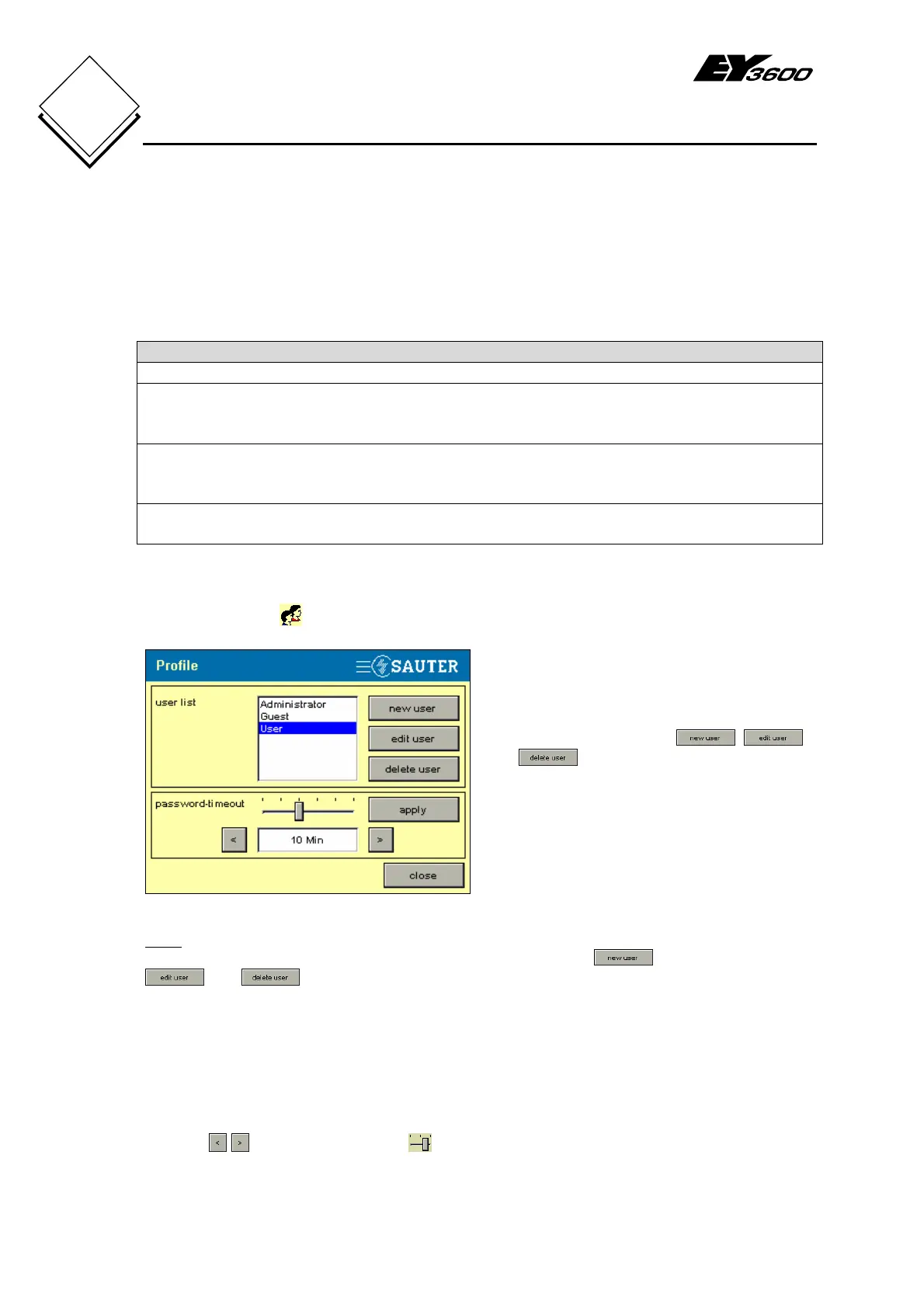
Press the Profile
button to see Fig. 5-11.
Fig. 5-11: Profile
The user list shows all defined users.
Use these three buttons:
,
and to create new user profiles,
and edit or delete existing profiles.
The password time-out section defines a
period after which a user is automatically
logged out.
Note
If the logged-in user (administrator) is selected, only button is shown. The
and buttons are not visualised. This means that at least one user in the
administrator group will always be present.
5.7.1 Password time-out
In the Password time-out area at the bottom (see Fig. 5-11), you can define the time
after which a new login is required ('Automatic logout')
Use the
buttons or the slider to adjust the setting. You have the following
options for password time-out:-
1 min., 5 min., 10 min., 30 min., 60 min. and none.


 To Next Page