nova250 Touch Panel
Overview
7001064003 T1 Sauter Systems 7
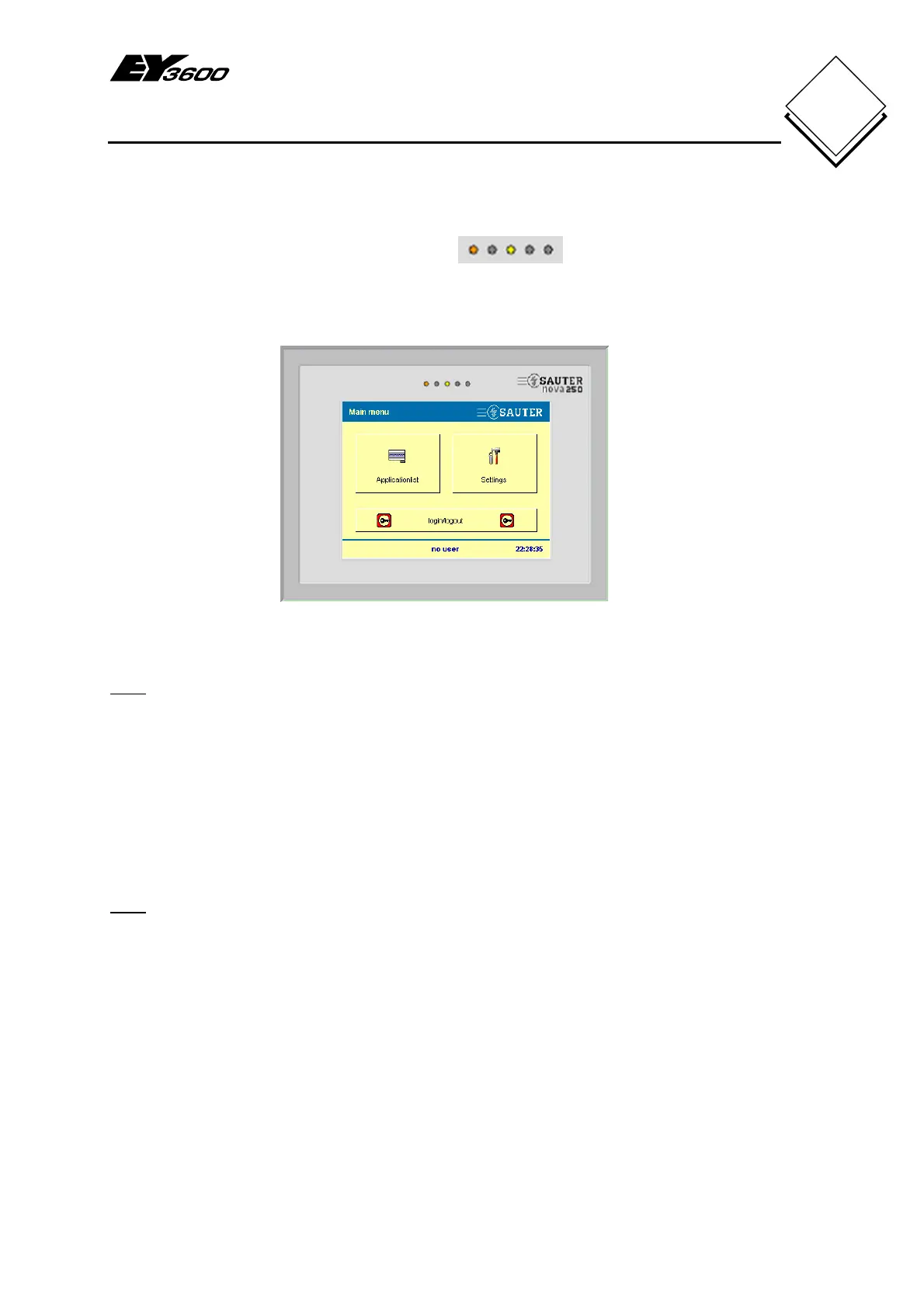
1.4 Light-emitting diodes
The touch-panel has two light-emitting diodes that are used. The green
one in the middle flashes when the touch-panel has the correct voltage supply. The red
light-emitting diode on the left flashes when an active application is showing an alarm
status.
Fig. 1-3: Touch-panel with light-emitting diodes
Note
The alarm LED never flashes in the main menu or in the application list menu, i.e. if an
application is not enabled.
1.5 Configuration
The touch-panel can be used directly, without configuration, with the Sauter EY3600
system. When you do this, the configuration of the automation stations is read
automatically and the touch-panel application is created. Sections 3 and 4 describe the
standard functions and section 5 explains the touch-panel settings.
Note
If you do not wish to use this application, individual applications and dynamised pictures
can be created with the CASE Touch-panel Configurator (CASE TPC). All the options
that can be configured and programmed with the CASE TPC require technical input and
are not covered by these Operating Instructions. More information is available in the
CASE TPC manual (7001020Fig. 5-6). Sauter will be happy to provide further
information.


 To Next Page