nova250 Touch Panel
Settings
7001064003 T1 Sauter Systems 33
5.5 Display parameters
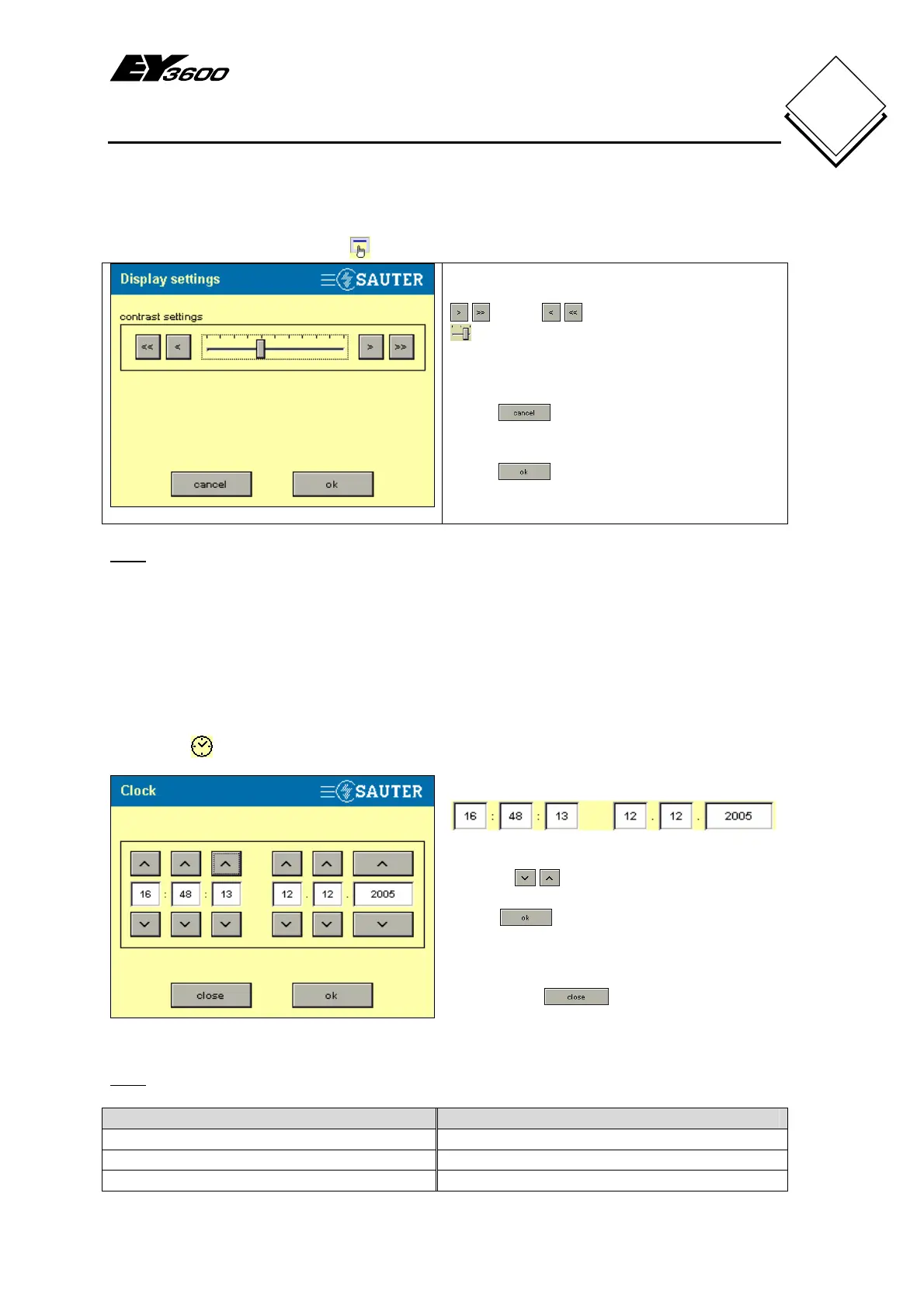
Press the Display parameters button to show settings for the display.
Fig. 5-9: Contrast Setting
Adjust the contract setting with the right
or left arrow keys or the slider
. As you do this, the background
illumination becomes brighter (left) or
darker (right).
Press
to return to the settings
without making any changes.
Press to save the new setting and
return to the settings (Fig. 5-1).
Note
The background illumination has a guaranteed lifetime of 10,000 hours and it switches
off automatically after one minute if no operations are performed. Touch the screen to
reactivate the background illumination.
5.6 Clock
If you detect a discrepancy between the time shown in the touch-panel and the real
time, you can set the time and date on the touch-panel.
Touch the
clock button or the time shown at the bottom right to display Fig. 5-10.
Fig. 5-10: Clock Setting
The information appears in the boxes as
follows:-
HH MM SS DD MM YYYY
Use the
buttons to adjust the values
in the boxes.
Press
to accept the entries; the
time and date are sent to all AS that are
connected to the novaNet and the window
closes.
If you press
, no entries are
accepted and the time and date stay the
same.
Note
Time Date
HH: hours (in 24h) DD: day
MM: minutes MM: month
SS: seconds YYYY: year


 To Next Page