nova250 Touch Panel
Settings
7001064003 T1 Sauter Systems 29
5 Settings
As described in section 2.1, it is possible to make various settings for the touch-panel.
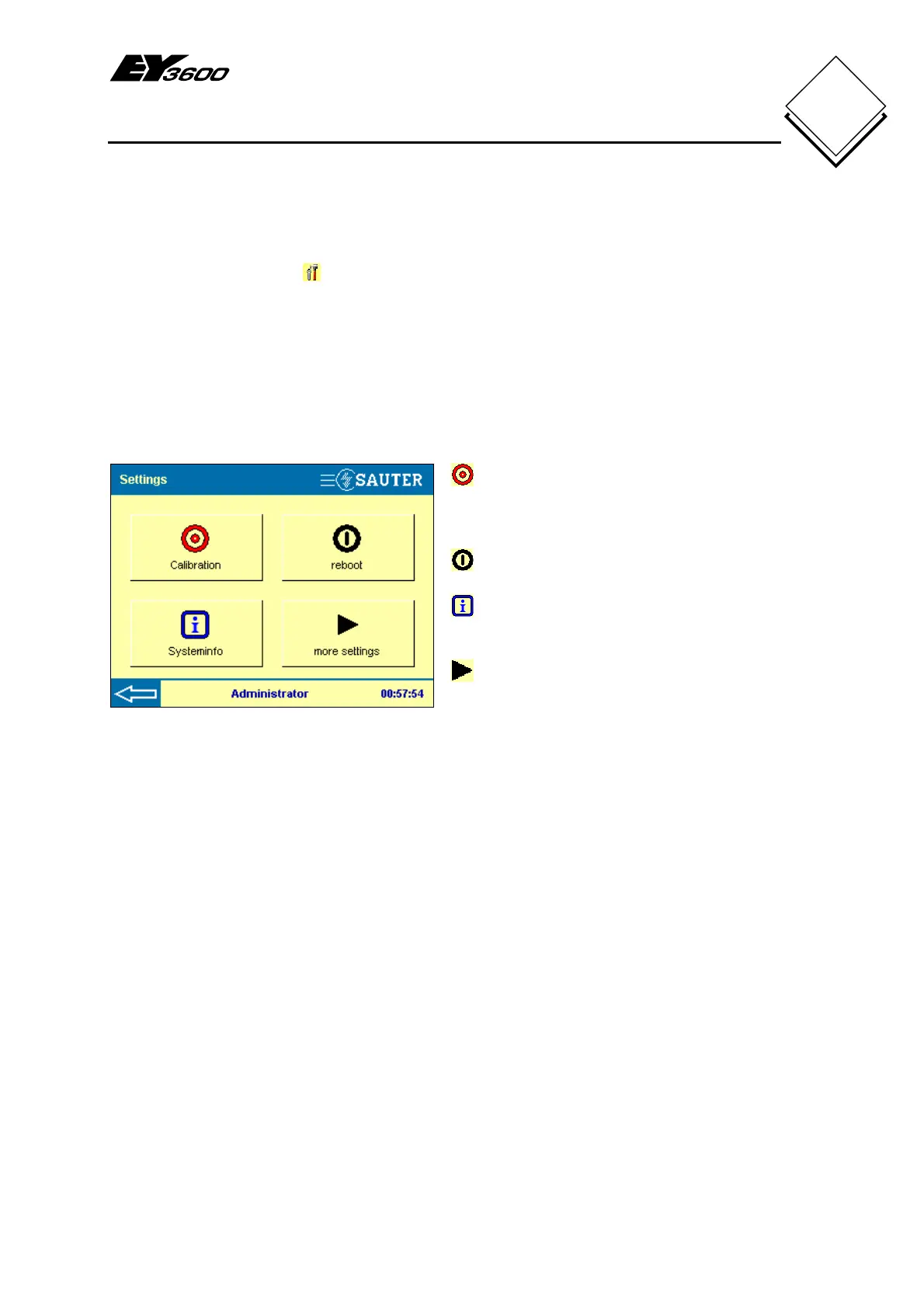
Press the settings button in the main menu to see Fig. 5-1.
To change all settings, you must be logged in as a user in the administrator group.
A user who is not logged in ('no user') and users from the Guest user group can only call
up the calibration, the system info and the reboot settings.
A user in the 'user' group can also access the display parameters, accessible under
more settings.
Fig. 5-1: Settings
Calibration. If a button cannot be
correctly assigned to the action, a
calibration must be carried out. (all)
Reboot: reboots the touch-panel. (all)
System info. Important system
information can be visualised. (all)
More settings. This button takes you
to more settings. (user and administrator)
The next sections describe these and other settings.


 To Next Page