nova250 Touch Panel
Standard application
7001064003 T1 Sauter Systems 17
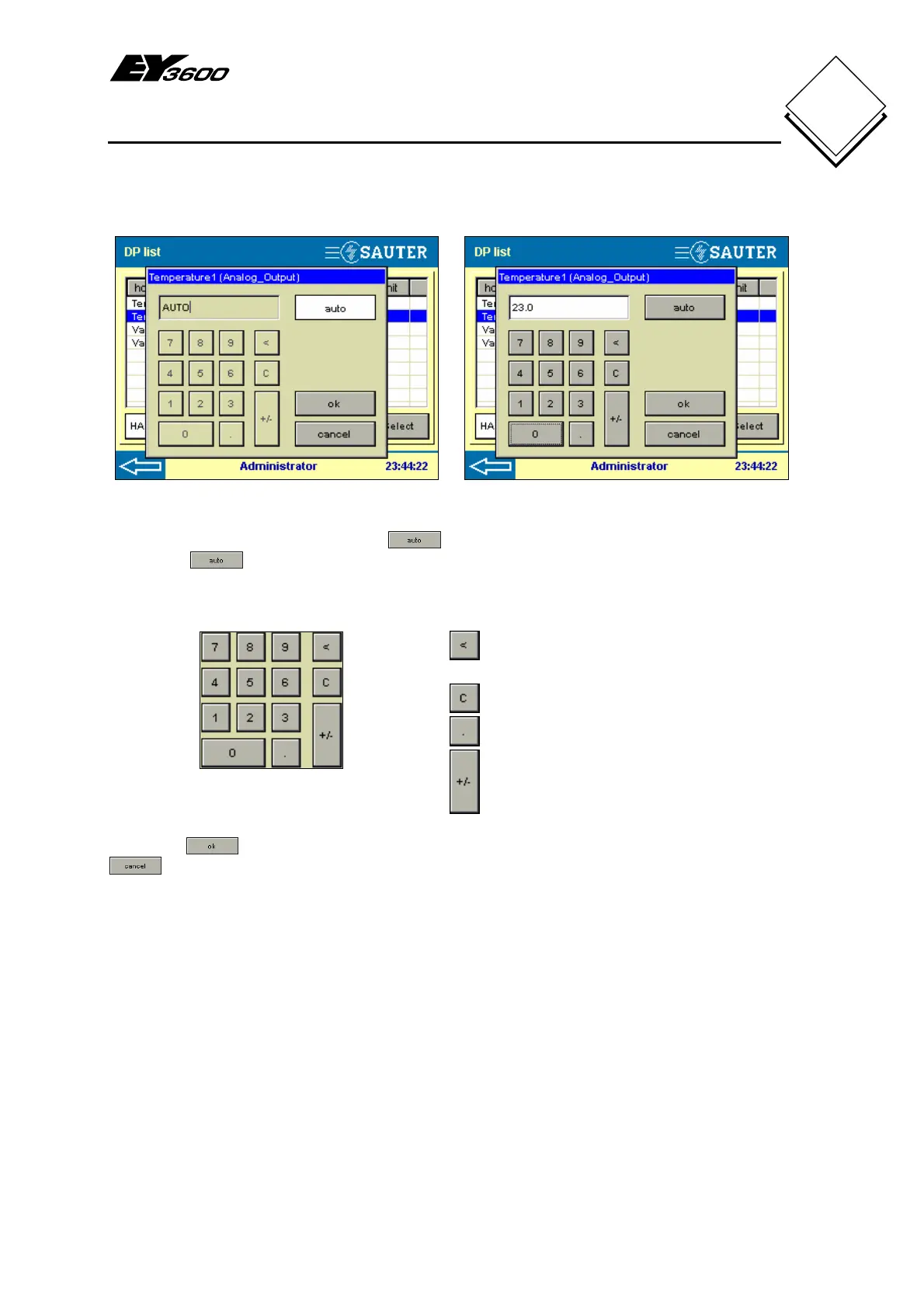
These windows are shown for analogue values.
Automatic mode Manual mode
Fig. 4-4: Analogue Output, Automatic Fig. 4-5: Analogue Output, Setpoint
You can select automatic mode with . To select a manual value for the analogue
output the
button has to be deselected and the analogue (setpoint) value as
23.0, for example, can be entered. Numerical buttons are available to enter the
numbers.
Fig. 4-6: Numerical entries
: 'Backspace' deletes the previous
character
: 'Clear' deletes the whole entry
: decimal point
: change prefixed sign
Press the
button to apply the value and the window will be closed. Press the
button to return to the previous screen (Fig. 4-1).


 To Next Page