nova250 Touch Panel
Standard application
24 7001064003 T1 Sauter Systems
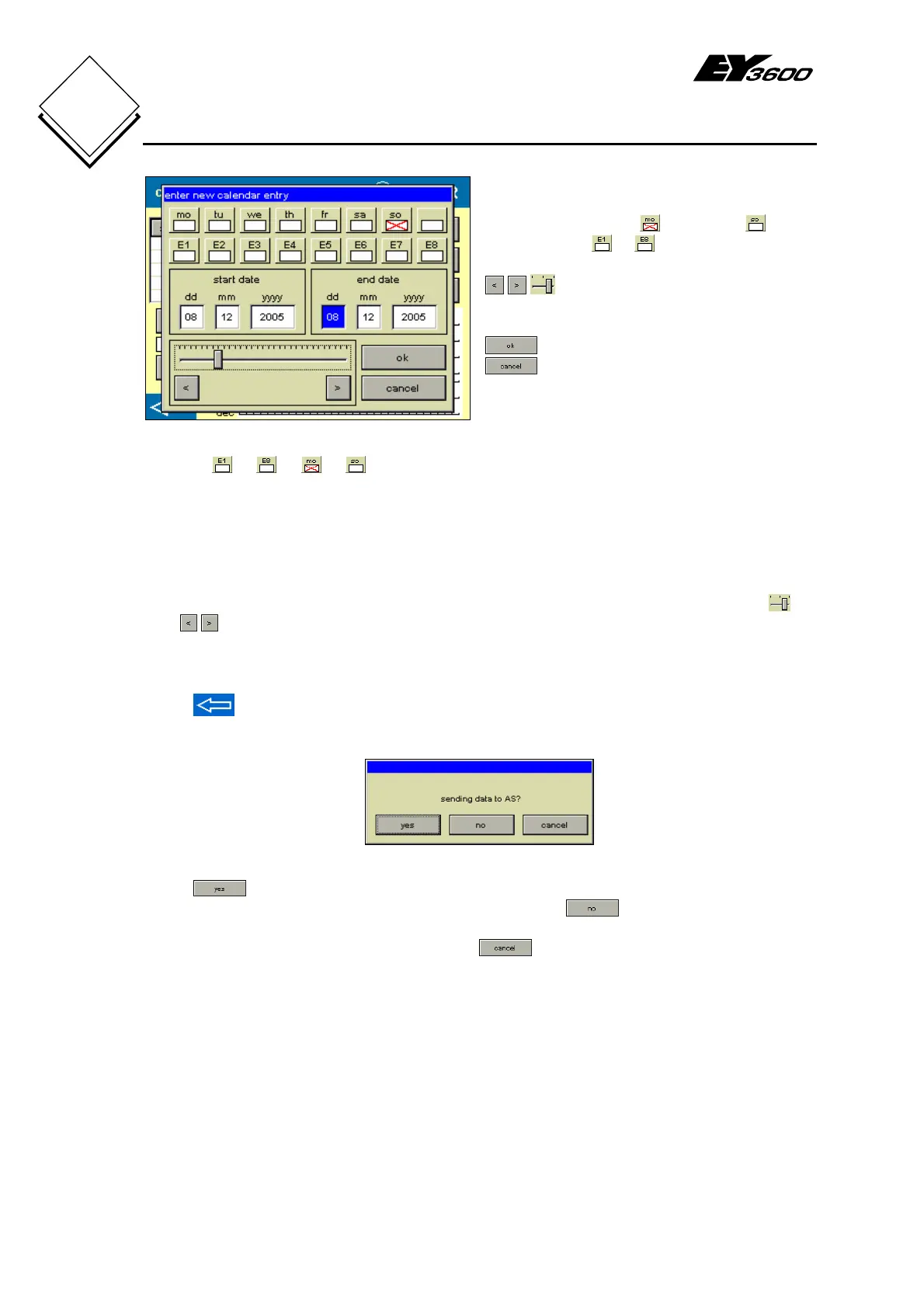
Fig. 4-16: Calendar Entry
Weekdays: Monday to Sunday
Special days: to
: buttons and slider to set the start
and end dates of the special day period
: confirm entry
: cancel entry
Click on to or to to select a desired special day or a (different) weekday for
the calendar entry.
A time program for a data point can use these special days (e.g. 'special day period
during works holidays'), or it uses a time program for a different weekday instead of the
time program for the real weekday (e.g. 'Sunday time program on a public holiday').
The period (from start to end date) for the calendar entry can be set with the slider
or
with
('special day period'). The slider resolution changes depending on the date
box that is activated (DD/MM/YYYY: day/month/year). If the calendar entry is defined
only on one specific day, the start and end dates must be identical ('special day').
Press
in the calendar (Fig. 4-15) to prepare for writing the (2-year) calendar to the
AS. Before the calendar is sent, you see a confirmation window.
Fig. 4-17: Send Calendar
Press to send the calendar to all AS that are connected to the novaNet or are
included in any filter that may be activated. If you press
, the calendar will not be
sent and you 'lose' any entries that may have been changed. In both cases, you exit the
calendar and go to the data-point list. Press
to stay in the calendar.


 To Next Page