SAVE / RECALL
Saves the Waveform or the Data on the display. Data is saved to the internal memory of the
meter and can be recalled and displayed on meter the meter or in the software.
Hold the key longer than 1 second.
Use Sub Menu keys to Save, Recall or Erase
2. How to Measure Main Functions
AC Voltage measurement
Meter is capable of accurate RMS measurement readings of various AC signals.
True RMS measurement is available for Sign, Square, Triangle waveforms, as well as other
types of signals.
Press the main function key.
Next press the Menu key and select “VAC" among VAC, VDC, VAC+DC,
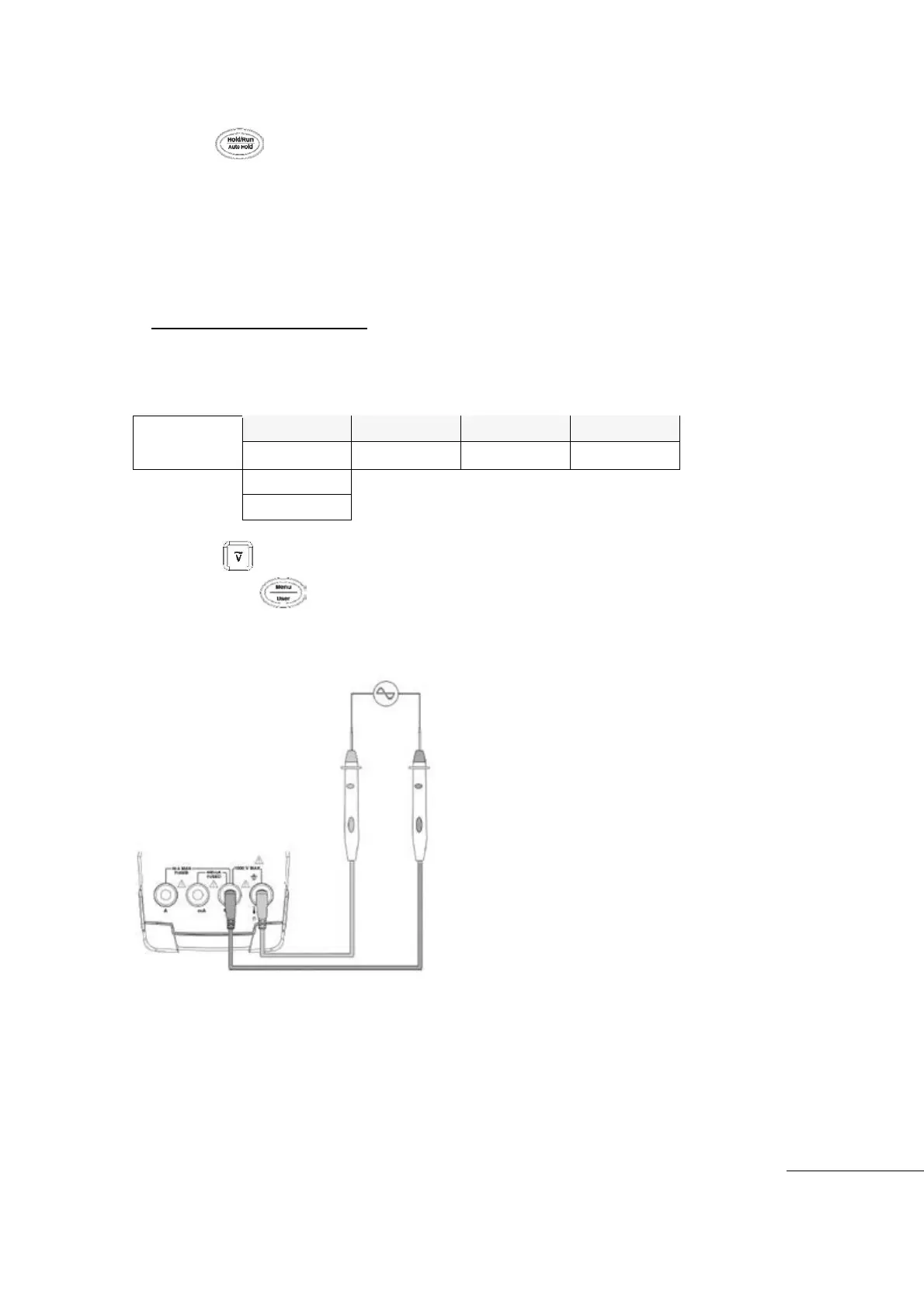
Insert Black (-)Test Lead to COM input terminal and insert Red (+)Test Lead into “V” input
terminal
Start measurement
[AC Voltage Measurement]
Measurement Range can be selected by Auto Range or Manual Range..
Auto Ranging Scales: : 5V, 50V, 500V, 600V (4 ranges)
Manual Ranging Scales: : 50㎷
, 500㎷, 5V, 50V, 500V, 600V (6 ranges)
The measured Voltage value is displayed on the main display and lower the area will
display Frequency and Duty cycle values.



 To Next Page