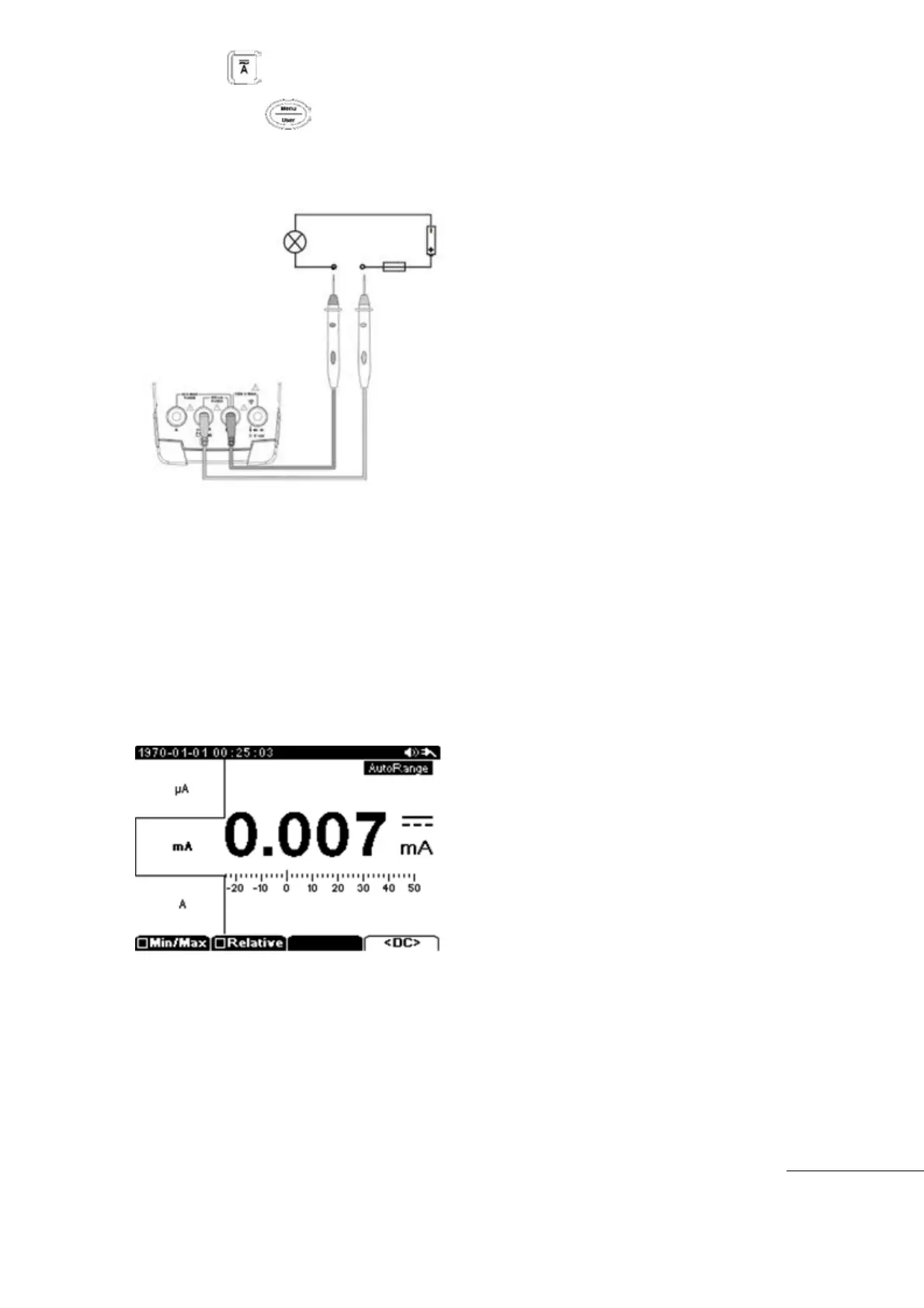
Press the main function key.
Next press the Menu key and select m-Amp or µ-Amp range
Insert Black (-) Test Lead to COM input terminal and insert Red (+) Test Lead into mA input
terminal.
Start measurement
[㎃, ㎂ measurement]
Measurement Range can be selected for Auto Range or Manual Range.
㎂
: 500㎂, 5㎃(auto ranging)
㎃: 50㎃, 500㎃(auto ranging)
Th
e measured Current value is displayed on the main display and the lower portion of the
display will show Frequency and Duty (in AC Only)
Protection: 500㎃/250V Fuse
The Sub Menu allows for: : Min/Max, Relative, ㏈m, DC, AC, DC+AC
Test Equipment Depot - 800.517.8431 - 99 Washington Street Melrose, MA 02176 - TestEquipmentDepot.com



 To Next Page