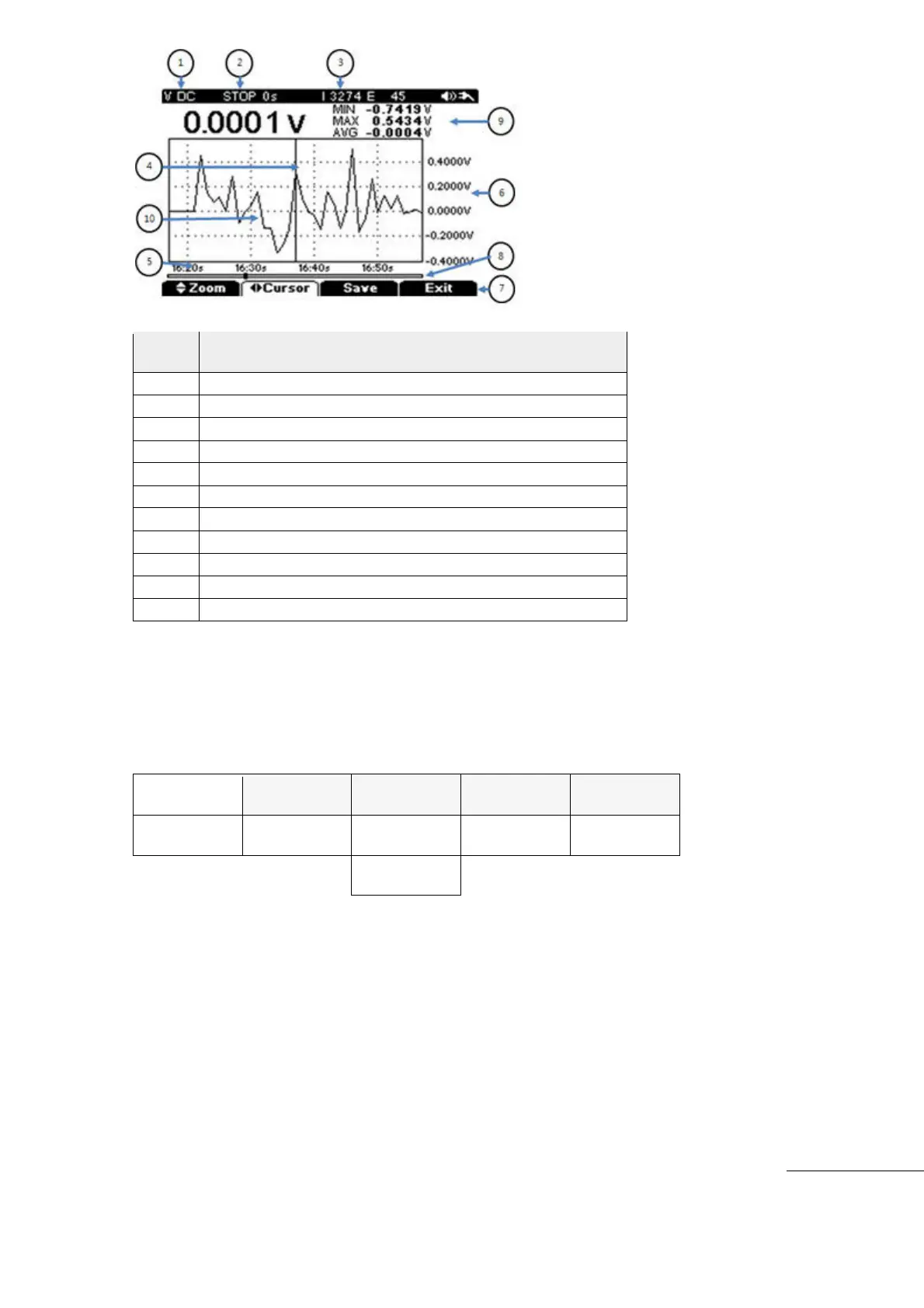
Logging Mode(RUN or STOP)
Measure Value(Min/Max/Avg)
5) ZOOM
Logged Data is accumulated continuously and saved during Data Logging.
To review data in a specific period, the user can zoom the Data in “STOP” mode.
[Data Logging Stop menu]
[How to operate]- While in STOP mode.
When Data Logging is active, press “F4” (Stop) key to pause the data logging. Press Sub
Menu “F1” key to Zoom the Data.
Use “F2” Cursor key (Left/Right) to expand the area to observe.
Press “F1” Zoom key and set Zoom with up/down keys (Expansion ▲(up) up to the minimum
Time Ratio. Decrease with ▼(down) key.
To review the specific area again, press “F2” PAN key and select the area to review again
with Left/Right direction key and check Trend Data.



 To Next Page