Other
OPM 100 en-GB 101
© Scania CV AB 2023, Sweden
Cleaning the reductant tank
filler filter
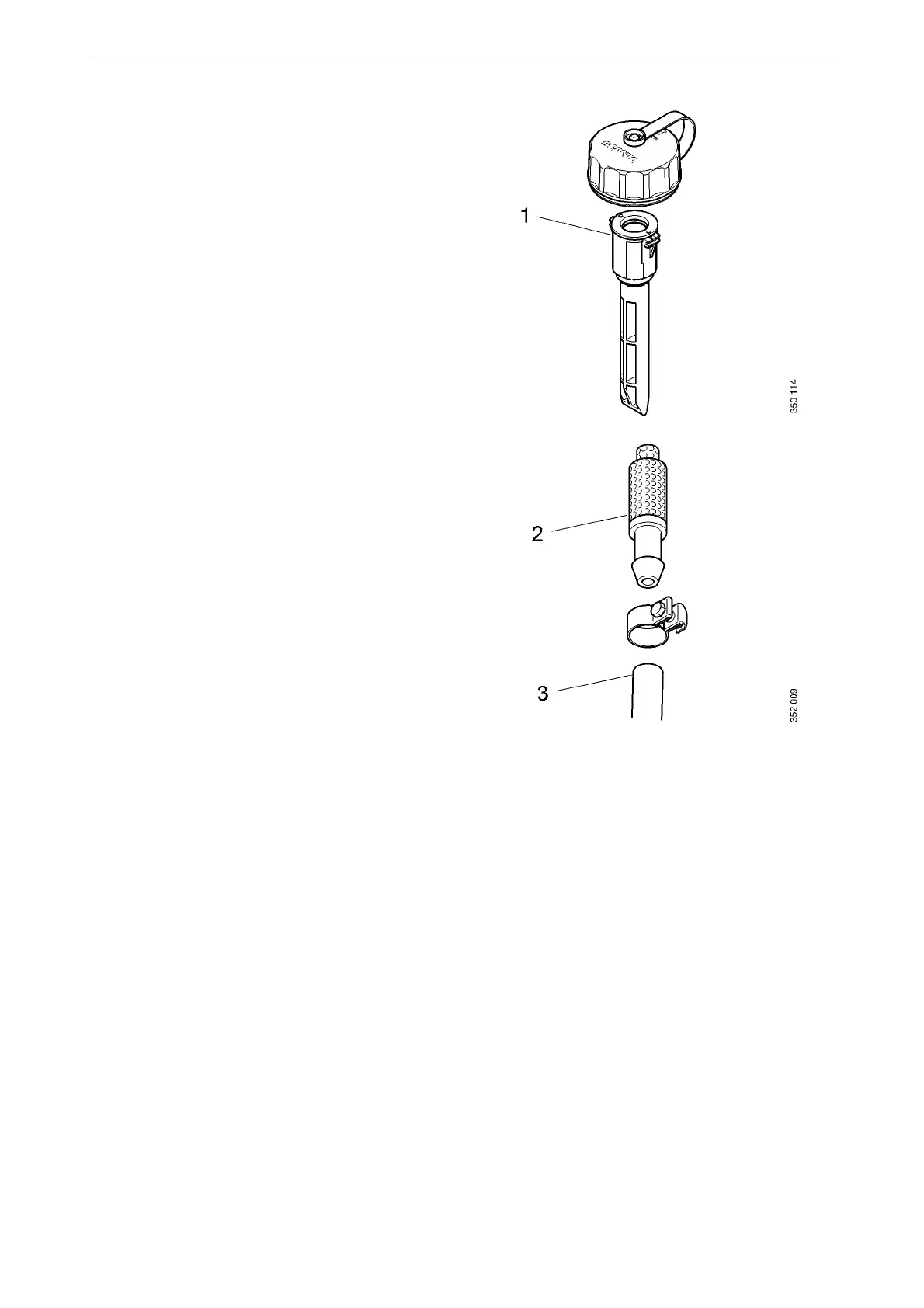
Make sure that the filler filter (1) is clean. If it is
dirty: Clean the filler filter with clean water and
refit it.
Checking vent functionality
1. Open the tank filler cap.
2. Remove the ventilation filter (2).
3. Blow air into the hose (3) and check that air
passes along the hose and comes out through
the filler. If not: detach the bleed hose and
check it and examine the vent opening in the
tank. Clean with clean water if necessary.
4. Refit the filler cap.
5. Blow the filter clean; clean it with clean wa-
ter.
6. Refit the filter.



 To Next Page