Lubrication system
OPM 100 en-GB 53
© Scania CV AB 2023, Sweden
Checking the oil level
Leave the engine off for at least 7 minutes before
you check the oil level.
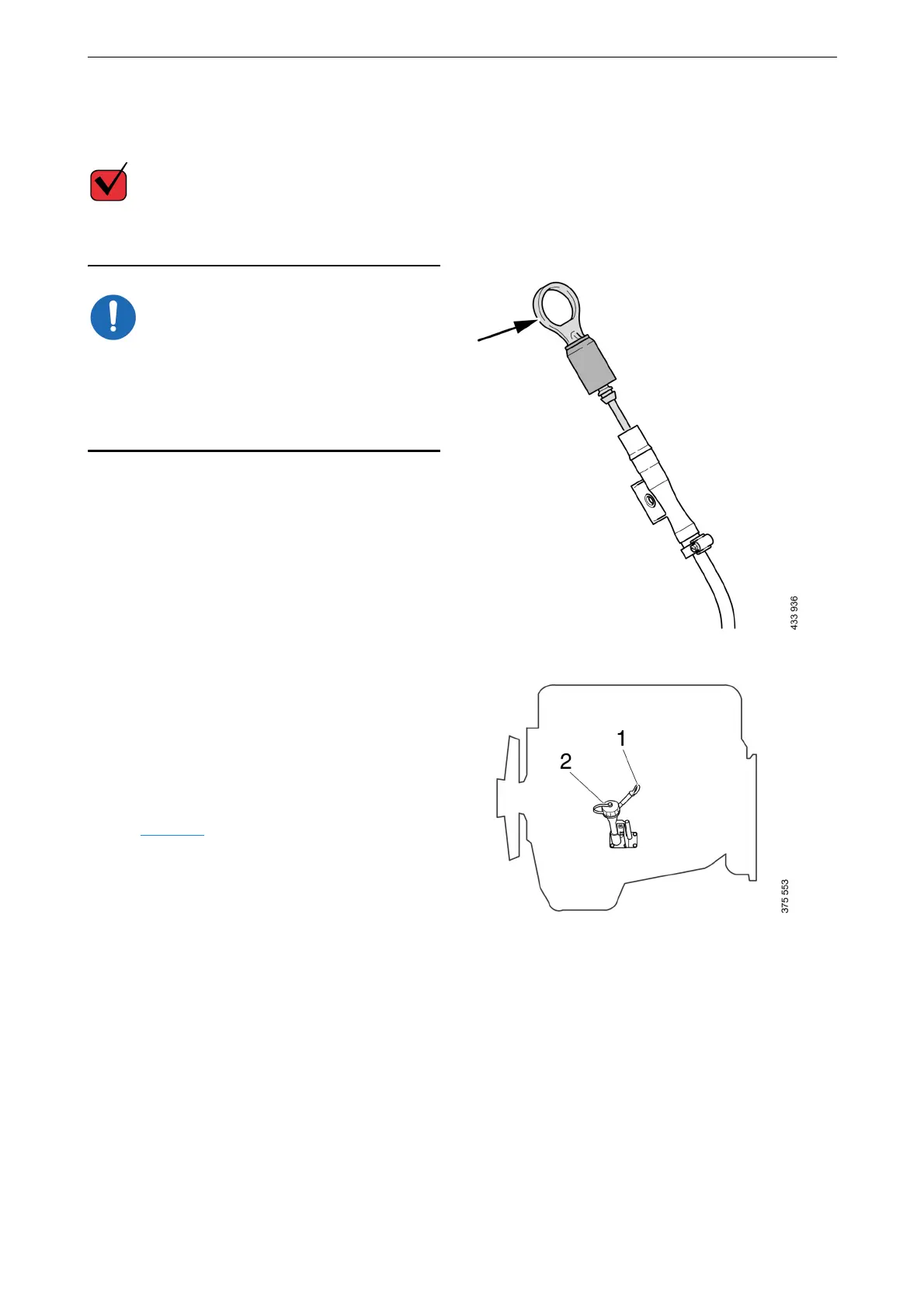
The oil dipstick is supplied with a protective rub-
ber sleeve that may be damaged in the event of a
malfunction. Pull out the oil dipstick by holding
the ring designated for this purpose and let the
rubber sleeve follow with it without effect.
1. Pull out the oil dipstick and check the oil lev-
el. The correct level is between the minimum
and maximum marks on the oil dipstick.
2. Top up with more oil via the oil filler if the
oil level is at or below the minimum mark.
For information on the correct oil grade, see the
section Oil grade
.
1. Oil dipstick
2. Oil filler



 To Next Page