OPM 250 en-GB 49
©
Scania CV AB 2016, Sweden
Cooling system
Filling coolant
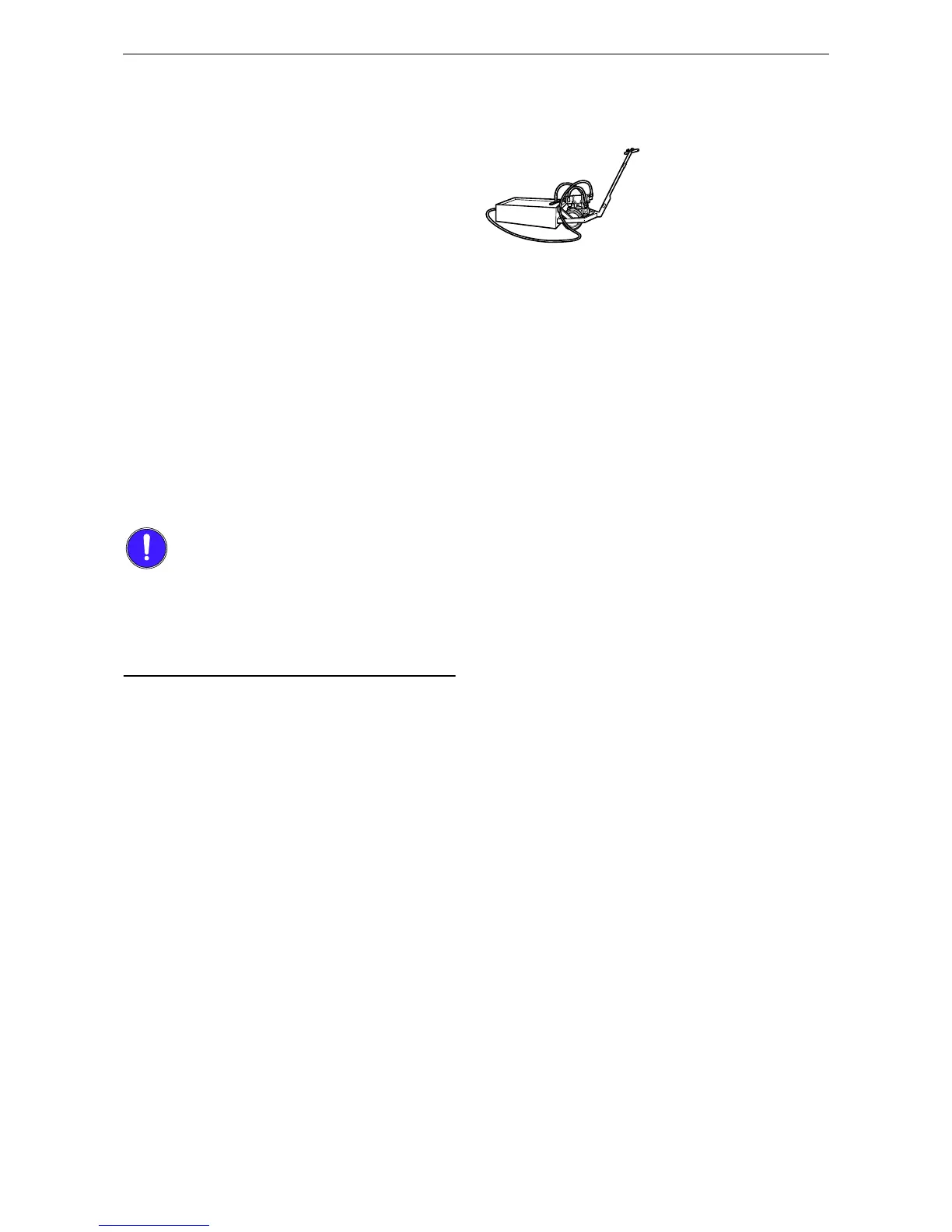
1. Connect the hose from unit 588 540 to the
engine's drain valve.
2. Open the expansion tank cap.
3. Pump in coolant using coolant unit 588 540.
Fill with coolant to the max. level of the ex-
pansion tank.
4. Disconnect the hose
5. Set the heating control to maximum heating
and start the engine. Idling speed must not
exceed 600 rpm. Leave the engine idling for
15 minutes.
6. Stop the engine and top up with coolant to
the maximum level through the expansion
tank.
7. Air pockets may still be left in the cooling
system, which will disappear after the engine
has been operated for a period of time. It
may, therefore, need some topping up to start
with.
When it is necessary to fill a large quantity of
coolant, it must be pumped in from underneath.
This is to ensure that air does not get into the
cooling system, which can cause the coolant
pump to overheat.


 To Next Page