OPM 250 en-GB 60
©
Scania CV AB 2016, Sweden
Fuel system
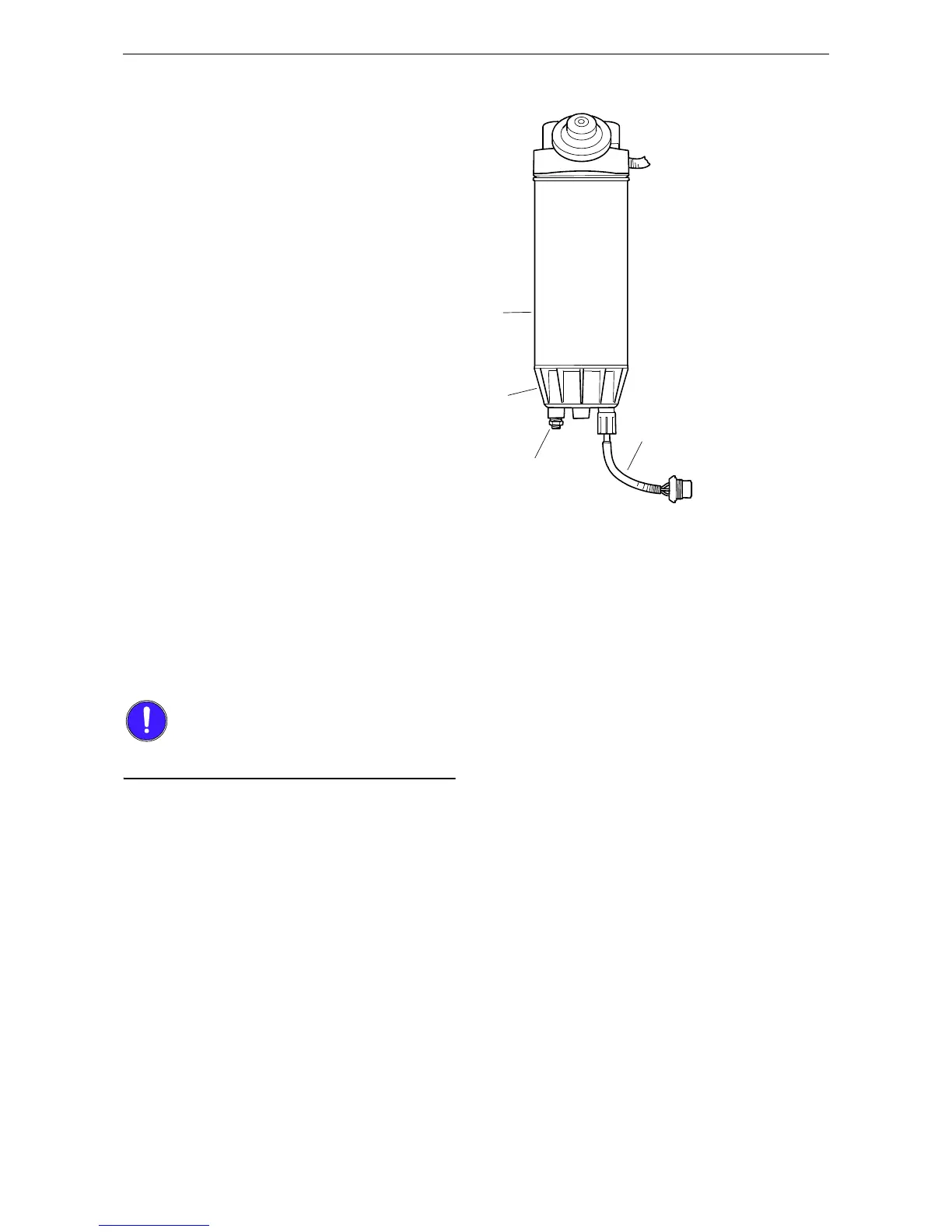
Renewing the water separat-
ing fuel filter
1. Close the shut-off cock in the fuel pipe and
position a container under the filter.
2. Undo the sensor cable from the connector on
the filter bracket.
3. Open the drain tap in the filter cover and let
the fluid run down into the container.
4. Unscrew the filter cover.
5. Unscrew the filter from the filter head.
6. Discard the old filter and use a new filter.
7. Lubricate the O-ring in the filter cover with
engine oil.
8. Screw the filter cover onto the new filter by
hand. Make sure that the drain tap is fully
closed.
9. Lubricate the O-ring on the filter with engine
oil.
10. Fill the width of the filter with clean fuel.
11. Screw the filter into position until the O-ring
rests against the filter head. Tighten the filter
another 1/2-3/4 turn by hand.
12. Open the shut-off cock and check the system
for leaks.
13. Connect the sensor cable to the connector on
the filter bracket.
14. Bleed the fuel system.


 To Next Page