Page 15
Art. no.: 2.511076 Rev.: g
Introduction 2
User Guide The medilog
®
DARWIN2 Program 2.2
BR-102 plus / BR-102 plus PWA
2.2 The medilog
®
DARWIN2 Program
The medilogDARWIN2 program supplied with the recorder is used to
display, save, edit, analyse and print recordings. In addition to blood
pressure recordings, the medilogDARWIN2 can upload and view
Holter ECG recordings and SpO
2
recordings. Details of the program
are given in the medilogDARWIN2 user guide (see Documentation,
page 63).
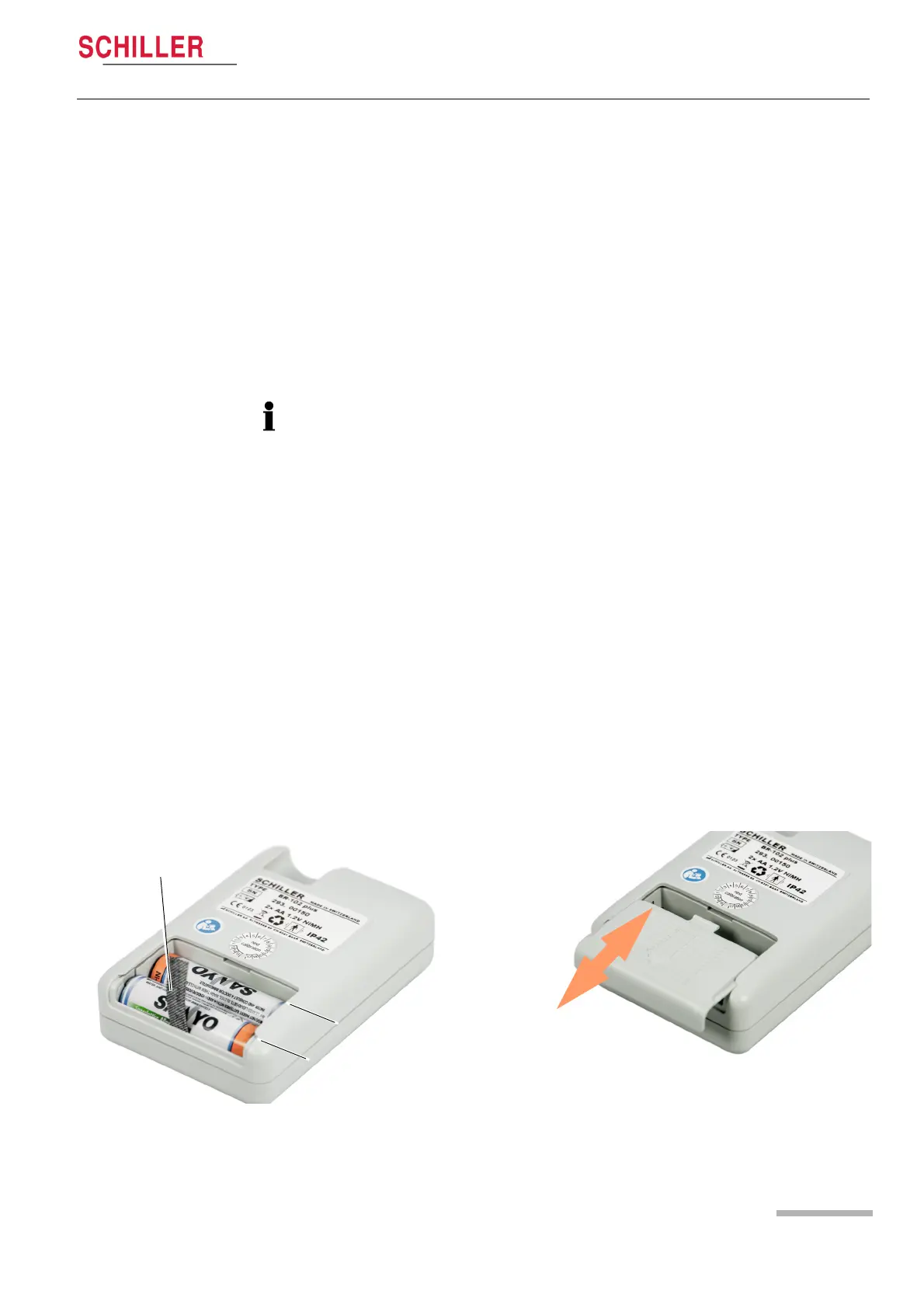
2.3 Inserting/Changing the Batteries
1. Open the battery compartment by pressing and sliding the battery
cover away from the recorder.
2. Use the battery removal ribbon to remove the two batteries.
3. Insert two fully charged batteries.
– Ensure that the battery removal ribbon is positioned under the
batteries so that the batteries can be removed from the recorder
when depleted.
– Ensure that the batteries are inserted with the correct polarity as
shown.
4. Position the battery cover in the cover slides and slide back in
place until it clicks to secure.
Use NiMH rechargeable batteries supplied or recommended by
SCHILLER. Full capacity of new NIMH batteries are only reached
after three charge/discharge cycles.
Eneloop Pro NiMH rechargeable batteries (Panasonic 2450 mA)
or Energizer Ultimate Lithium batteries (ENERGIZER L91-FR6)
can also be used.
Do not mix batteries. Only use two batteries of the same type.
Do not use any other type of battery. The capacity of other
battery types may not be sufficient for a 24-hour recording and the
battery capacity symbol may be incorrect.
Battery compartment
cover. Position in grooves and slide until clicked
positive
negative
Battery removal
ribbon














 To Next Page