6 Maintenance
6.4 Measurement Check
Page 56
BR-102 plus / BR-102 plus PWA
Art. no.: 2.511076 Rev.: g
6.4.3 Measurement accuracy
1. Remove the pressure hose and microphone from the BR-102 plus
/ BR-102 plus PWA and connect the manometer to the unit as
shown.
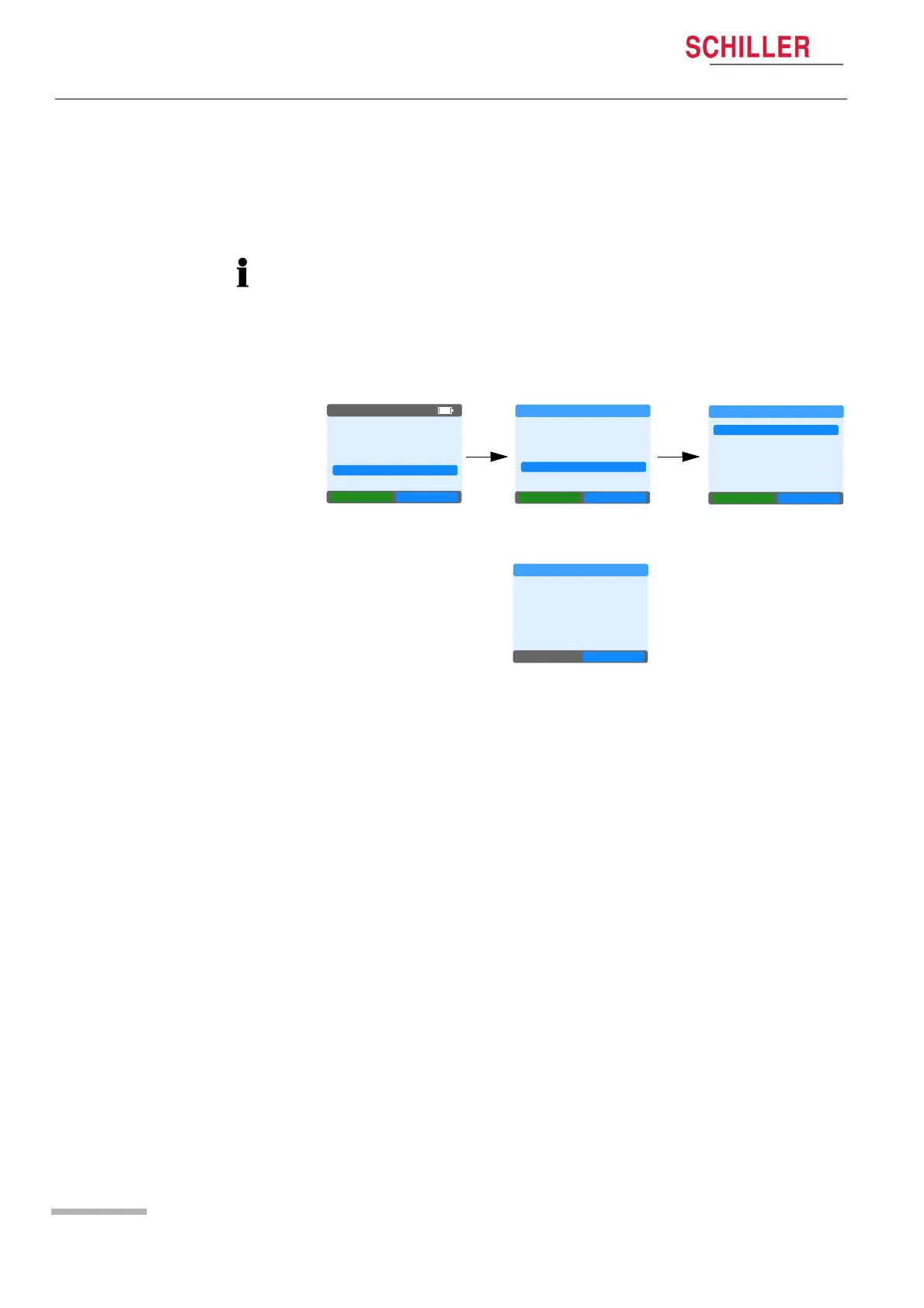
2. Select System > Service Area > Test Calibration.
3. Pump once or twice to pressurise to approximately 200 mmHg.
4. The pressure will slowly drop. Check the reading on the BR-102
plus / BR-102 plus PWA against the calibrated pressure gauge.
The two measurements should be within 3 mmHg. After 120
seconds the BR-102 plus / BR-102 plus PWA releases the
pressure.
The setup shown is an example connection only. Dependent on the
type of manometer and hose connector used, the cuff connector can
be removed from the BR-102 plus / BR-102 plus PWA and connected
directly to the manometer.
NEW RECORD
LAST RECORD
SINGLE MEAS.
SYSTEM
NEXT OK
05:16PM
Settings
TIME/DATE
INFO
SERVICE AREA
BACK
NEXT OK
SYSTEM
NEXT OK
SERVICE AREA
TEST CALIB.
HW SETUP
LOGBOOK
BACK
Cuff pressure
180
mmHg
OK
TEST CALIBRATION














 To Next Page