Page 39
Art. no.: 2.511076 Rev.: g
BP recording 3
User Guide Long Term Recording 3.4
BR-102 plus / BR-102 plus PWA
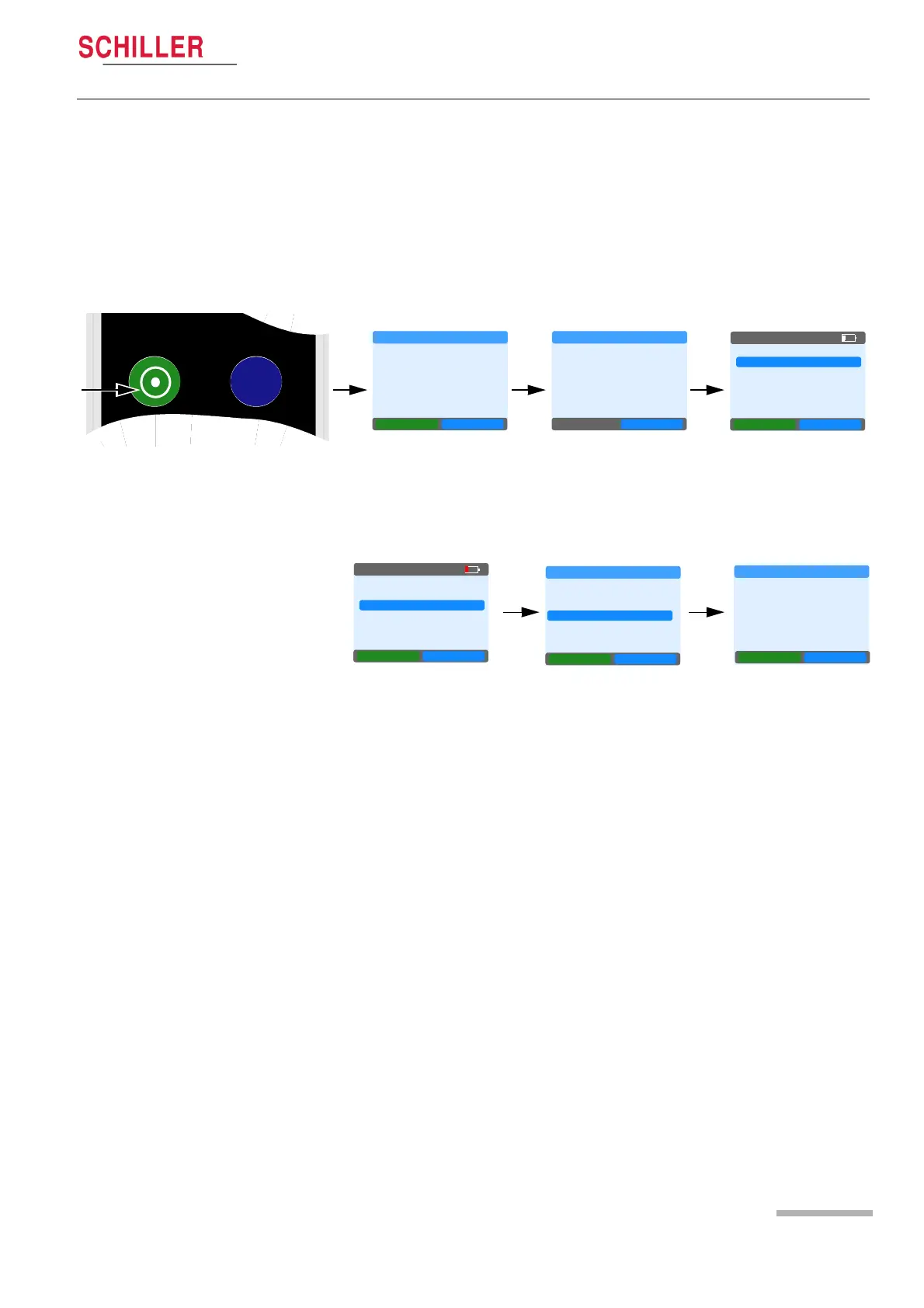
3.4.5 Stopping the Recording
The recording will stop automatically after 24 or 48 hours and no user
intervention is required. The recorder can however, be stopped
manually if required. Do this as follows:
Press and hold left green Function key for 4 seconds and confirm
with YES - blue right Function key.
If no confirmation is received within 30 seconds, the recording
continues.
3.4.6 Displaying a Recording on the BR-102 plus
1. Select Last Record from the main menu.
2. Select Measurements to display all measurements.
3. The measurements are displayed giving:
– Date and time.
– Measurement method:
KOR = Auscultatoric (Korotkoff/Riva-Rocci)
OSC = Oscillometric
– Systolic Pressure in mmHg.
– Diastolic Pressure in mmHg.
– Mean Arterial Pressure (MAP) in mmHg.
– Pulse rate (PULS) in beats / minute (bpm).
4. Next continues to the following measurement and Back returns to
the previous measurement.
5. To return to the main menu press Back for approximately 4
seconds. The recorder also returns to the menu automatically
when no key is pressed for approximately one minute.
NO YES
STOP RECORDING
Do you want
to stop the
BP recording?
OK
STOP RECORDING
BP recording
Stopped
NEW RECORD
LAST RECORD
SINGLE MEAS.
SYSTEM
NEXT OK
05:16PM
NEXT OK
LAST RECORD
NEW RECORD
LAST RECORD
SINGLE MEAS.
SYSTEM
NEXT OK
05:16PM
RECORD DATA
PATIENT DATA
MEASUREMENTS
BACK
MEASUREMENTS
12.05.2013 10:19
KOR
SYS 128 99 mmHg
mmHg
DIA 86 71 bpm
MAP
BACK NEXT
PULSE














 To Next Page