3 BP recording
3.4 Long Term Recording
Page 36
BR-102 plus / BR-102 plus PWA
Art. no.: 2.511076 Rev.: g
3.4.3 Starting a Recording
1. Position the cuff on the patient (see Applying the Cuff, page 28).
2. Insert fully charged batteries in the BR-102 plus / BR-102 plus
PWA (see Inserting/Changing the Batteries, page 15).
3. Check that the correct time (and date) is displayed. These can be
changed in System Setup.
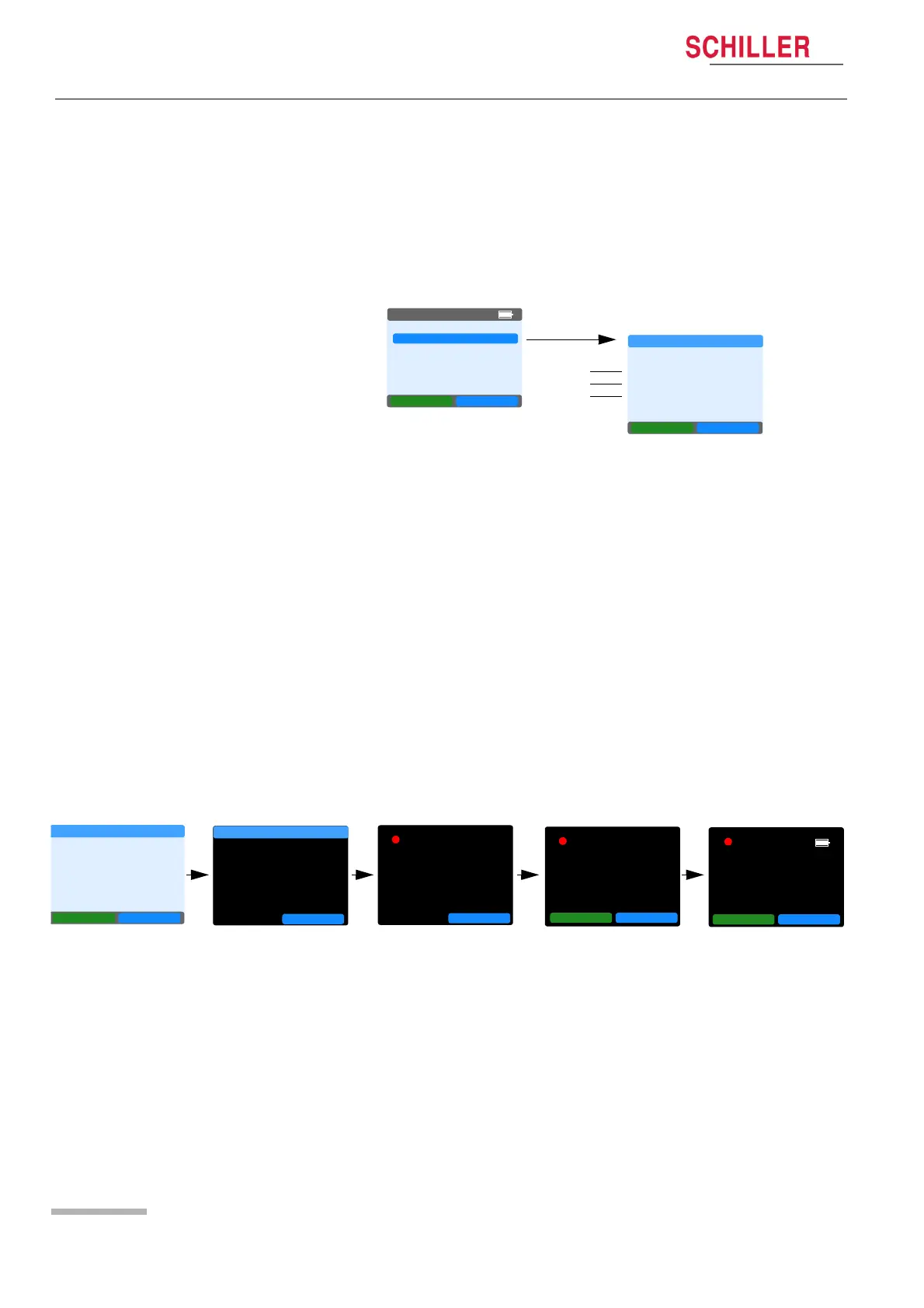
4. Select NEW RECORD.
5. Select Program (a) - check/set recording and program setup (see
previous page).
6. Select Patient ID (b) to record or listen to the audible Patient ID.
– The audible patient ID can be played back at the end of the re-
cording and registered when the recording is uploaded to the
DARWIN2 program.
–Select Start Recording and speak the patient data into the de-
vice.
– Speak clearly into the microphone. Hold the unit approximately
15 - 20 cm distant. To ensure recording clarity, do not hold the
unit too far away.
–Select Stop Recording when the Patient ID has been stated.
– The recording time allowed for Patient ID is up to 30 seconds.
7. Select Start (c) to start the recording. You are prompted to
confirm.
8. After confirming the recording screen is displayed. The initial
measurement will be taken within a minute.
NEW RECORD
LAST RECORD
SINGLE MEAS.
SYSTEM
NEXT OK
05:16PM
NEXT OK
NEW RECORD
RECORD SETUP
PROGRAM
PATIENT ID
START
BACK
a
b
c
NO YES
START RECORDING
Do you want
to start a
BP recording
OK
START RECORDING
BP recording
Started !
REC 16.37
BP recording .
Next
meas. . . 16.40
REC
BP recording .
1st measurement
about to start
REC
BP recording .
Started !
MEASURE MEASUREM
OK
MEASURE MEASUREM














 To Next Page