2Introduction
2.4 Connecting the Pressure Hose and Microphone
Page 16
BR-102 plus / BR-102 plus PWA
Art. no.: 2.511076 Rev.: g
2.4 Connecting the Pressure Hose and
Microphone
Two hoses are compatible with the BR-102 plus: see Cuff and Cuff
Accessories, page 64.
• The battery capacity indicator is detailed in the operating section
(see Battery Status for NiMH Rechargeable Batteries, page 20).
• Battery charging details, disposal, and safety relevant precautions
are detailed in the maintenance section (see Battery Maintenance,
page 54).
• Battery and battery charger part numbers are detailed at the end of
this book (see Accessories, page 63).
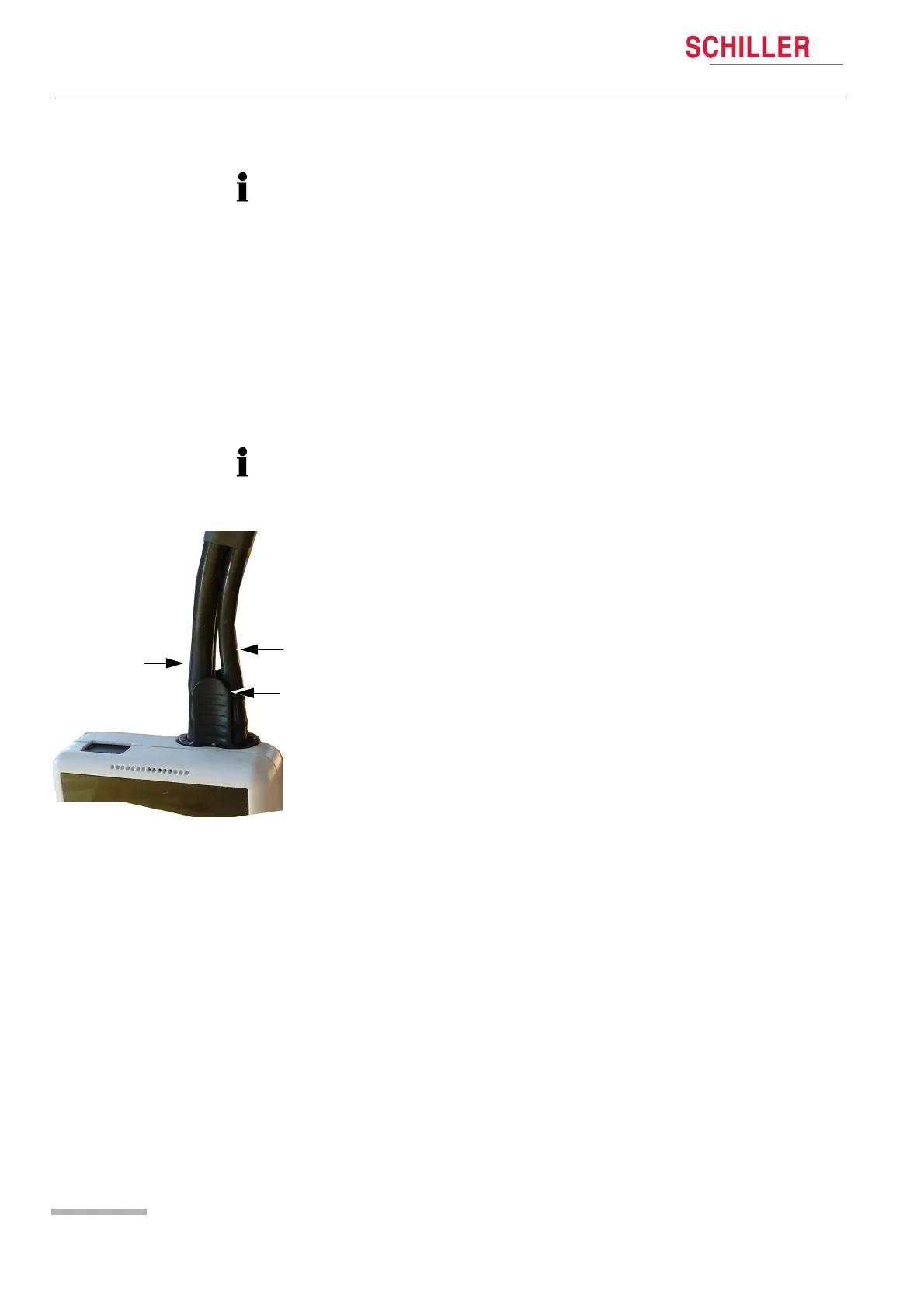
The hose / microphone assembly can only be inserted in one
direction. Take care when positioning the assembly not to damage
any connectors. Do not pull directly on the hose or microphone cable.
Position the pressure hose connector (a) and attach to the BR-102
plus / BR-102 plus PWA by gently pressing until the connector clicks
in place. If the version is with a microphone (c), the plug is combined
with the hose and the assembly is inserted into BR-102 plus / BR-102
plus PWA at the same time.
Removing the Pressure Hose
Gently press the securing catch (b) to release and remove the hose
connector (and microphone jack plug) from the BR-102 plus / BR-102
plus PWA.














 To Next Page