PAGE 18
© 2022. All rights reserved. Used under license by Schlüter-Systems KG.
Frost Protection
Frost Protection mode is used when heating is not needed but the temperature must
be kept above freezing point until changed manually.
1. Tap the “Other” button on the home screen.
2. Tap the “Frost Protection” button.
A confirmation screen will then be displayed briefly before the thermostat
automatically enters the Frost Protection home screen.
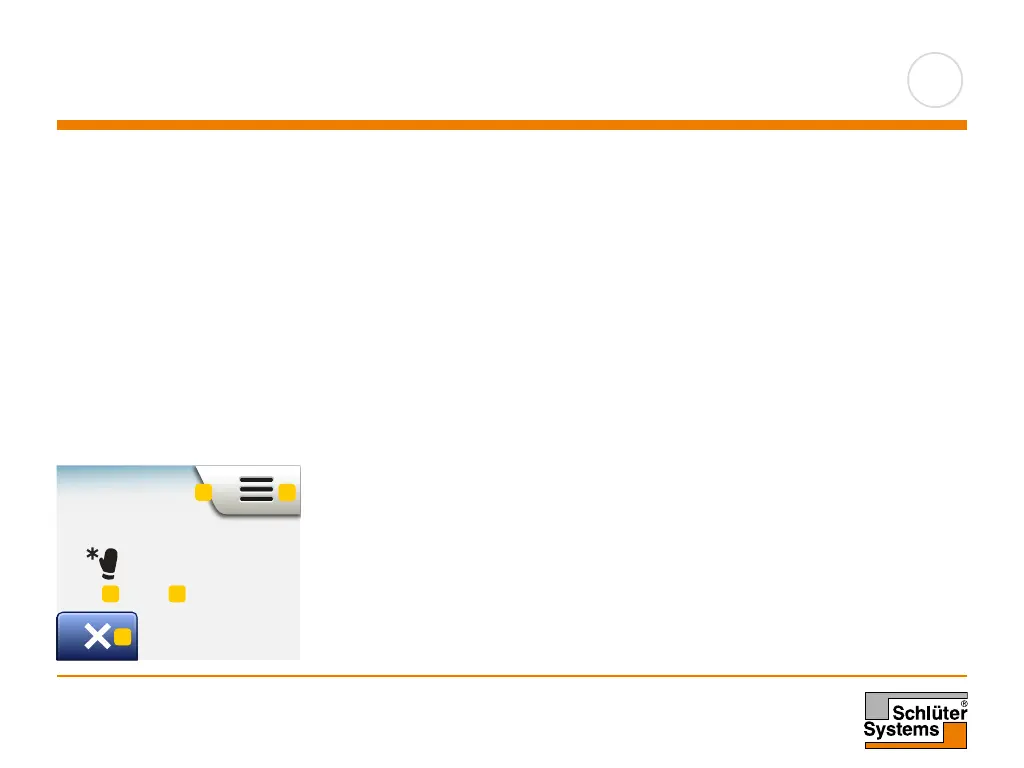
While in Frost Protection mode an ice crystal and glove are displayed on the home
screen together with the target/setpoint temperature (5.0°C).
Frost Protection home screen:
1. Indication of Frost Protection mode.
2. Tap here to access the menus.
3. Icon indicating the current operating mode (ice crystal and glove = Frost
Protection).
4. Fixed target/setpoint temperature (if shown in red, heating is being provided).
5. Tap here to return to Scheduled Operation.
Frost Protect
5
°
1 2
3 4
5
Mon 11:15
17:00
23.5
°
Manual Other...
1
Mon 11:15
17:00
23.5
°
Manual Other...
1
Comfort
Boost
Frost Protect
Holiday
Comfort
Boost
Frost Protect
Holiday



 To Next Page