WORKING LOGICS
Four different working logics can be selected.
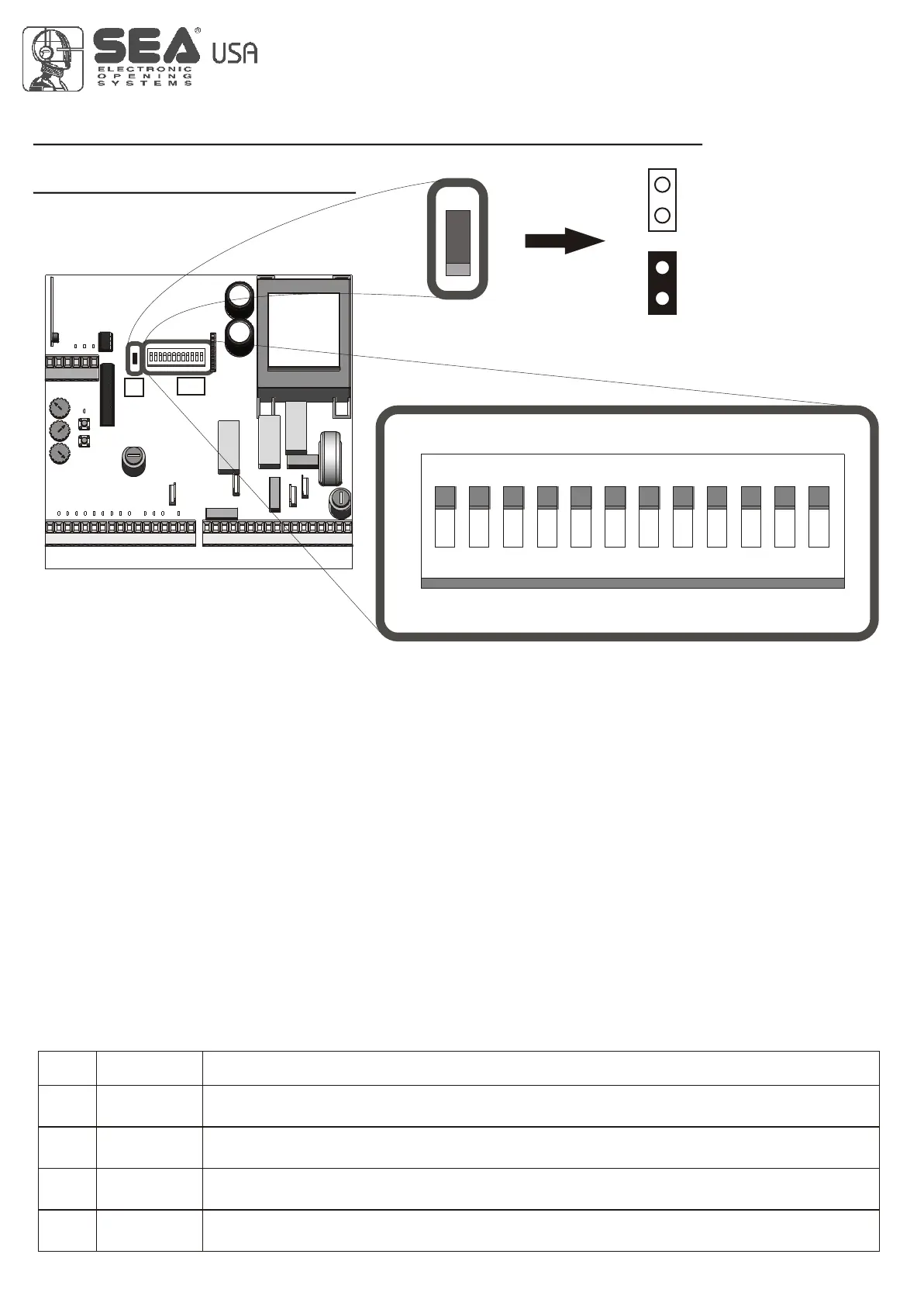
The programming takes place using DIP1 and DIP2.
- MANUAL LOGIC
A START command opens the gate. A second START while it is opening stops the motor.
A START command while it is closing stops the motor.
Important note: For the automatic re-closure, set DIP 6 on ON
- SAFETY LOGIC
A START command opens the gate. A second START while it is opening reverses the motor.
A START command while it is closing reverses the motor.
Important note: For the automatic re-closure, set DIP 6 on ON
- AUTOMATIC LOGIC 1
A START command opens the gate. A second START while it is opening is not accepted. A START while it is closing
reverses the direction.
P. N.: for automatic closing, set DIP SWITCH 6 to the ON position.
Important note: For automatic closing, set DIP SWITCH 6 to the ON position.
Important note: If Dip 6 of the automatic closing is not activated the start in pause will be accepted.
- AUTOMATIC LOGIC 2
A START command opens the gate. A second START while it is opening is not accepted. A START during the pause time closes the
gate immediately. A START while it is closing reverses the direction.
P. N.: for automatic closing, set DIP SWITCH 6 to the ON position.
P. N.: For automatic closing, set DIP SWITCH 6 to the ON position.
OPENED
CLOSED
OFF / OFF
ON / OFF
DIP1 AND DIP2 PROGRAMMING FOR THE SELECTION OF THE WORKING LOGIC
If Dip1 and Dip2 are programmed in this way, the control unit will work with Manual Logic
If Dip1 and Dip2 are programmed in this way, the control unit will work with Safety Logic
DIP
1 / 2
1 / 2
OFF / ON
ON / ON
If Dip1 and Dip2 are programmed in this way, the control unit will work with Automatic 1 Logic
If Dip1 and Dip2 are programmed in this way, the control unit will work with Automatic 2 Logic
1 / 2
1 / 2
GATE 2
DIP
1 2 3 4 5 6 7 8 9
ON
DIP
10 11 12
SLOW-DOWN MODE, DIP SWITCHES,
LOGIC PROGRAM
J1
J1
Slow-down mode
(only DIP 10 ON)
1
2
Choose the slow down
modality which can be
more appropriate for
the installation.
1: Jumper unconnected
2: Jumper connected
7
International registered trademark n. 2.777.971
REV 05 - 10/2010


 To Next Page