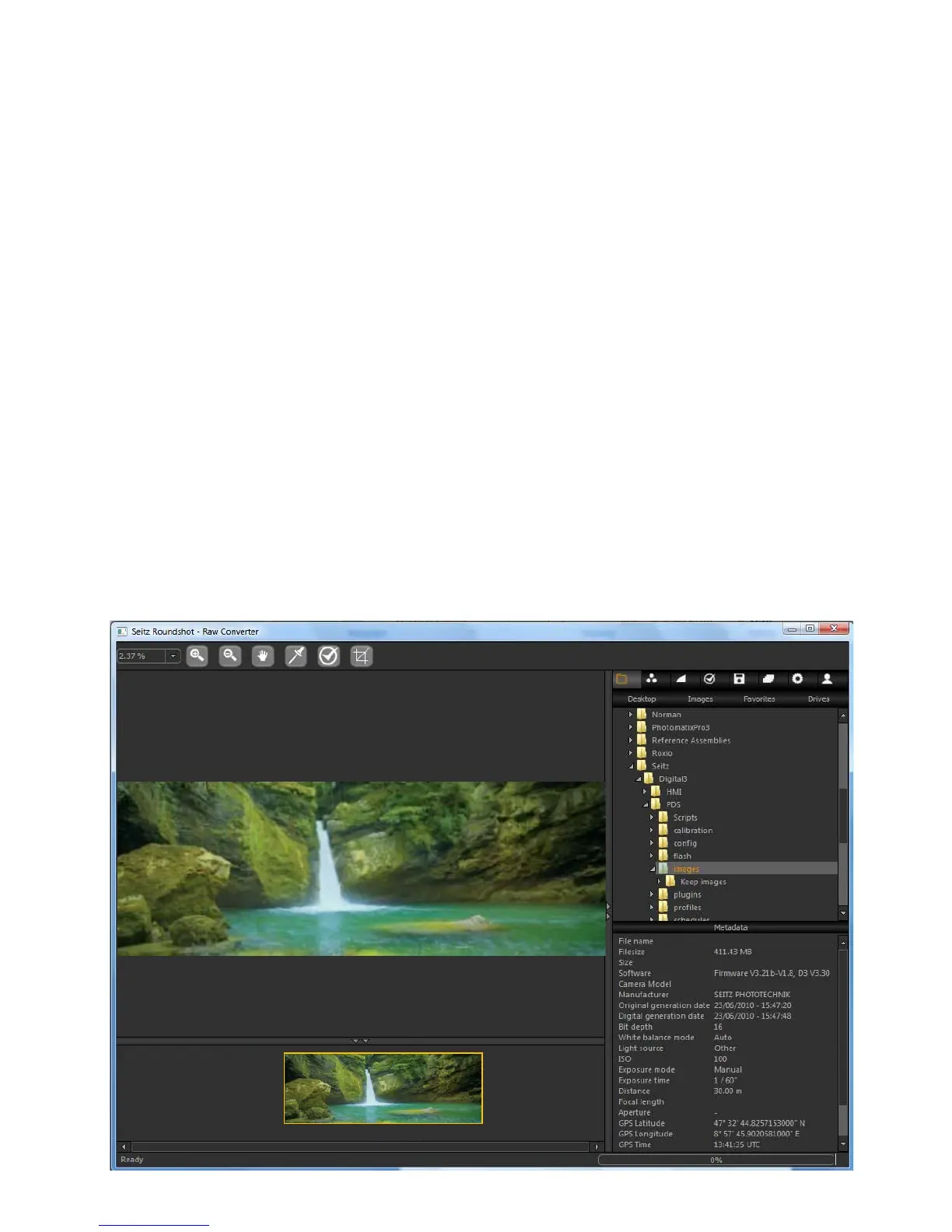
Browsing
After Opening the Seitz raw conversion software the first step is to browse and open
the desired file:
Open the correct folder: use the browsing tree on the right side of the window to
open the folder containing the dng images
Image selection: the thumbnails of all the dng images of the folder will be
displayed. By clicking one time on every image, the corresponding metadata are
displayed on the bottom right field.
Load image: when the image is selected double click on the thumbnail and the
image will be loaded
Image preview: the image preview is then displayed on the centre field and the
colour tab is automatically open in the parameter menu
2008-09-15-1631.dng
2008-09-15-1631.dng
2008-09-15-1631.dng
21,250 x 7,500 pixels
Seitz 6x17 Digital
90mm
5.2 RAW workflow: Seitz raw converter (continued)
Instruction Manual Seitz 6x17 Digital - version 4.05 - May 2013- © by Seitz Phototechnik AG / Switzerland www.roundshot.ch page 68



 To Next Page