M4200 - User manual
Revision: 07.03.2017 Page 24
ASCI settings
The HyperTerminal dialogue appears on the screen.
To make sure that communication between Microsoft
®
HyperTerminal and the alarm monitor will work
properly, some settings regarding transmission of data are needed:
1. Click on the menu Files.
2. Click on the menu item Properties.
When the properties dialog appears on the screen:
3. Click on the tab Settings.
4. Click on the button ASCII-settings.
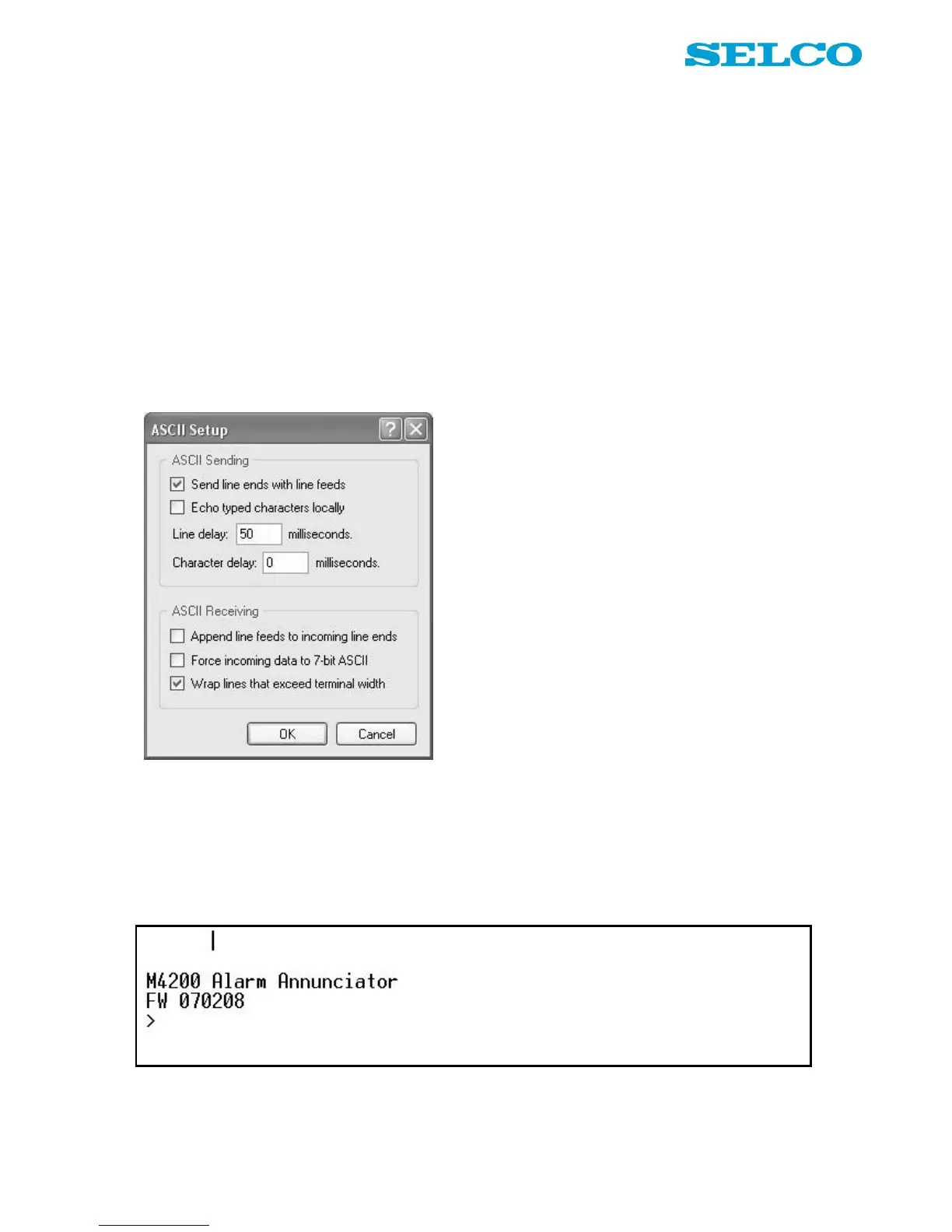
When the ASCII Setup dialogue appears on the screen:
Please make sure that the dialog is filled out exactly like the picture above!
5. Click on the button OK.
The alarm monitor is now connected to the PC through RS232. The screen dump below shows the welcome
message, transmitted by the M4200 alarm monitor, which indicates that it is ready for configuration.


 To Next Page