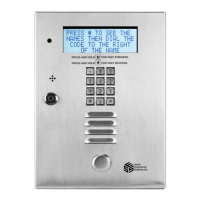
SELECT GATE SG-1A V1.X
SELECT ENGINEERED SYSTEMS 11/01 11
TO HOUSE PHONES
TO TEL
CO
8
5
4
1
3.1.4.1 CONNECTING RJ-31X
1) The Select Gate is provided with a USOC type RJ-31X jack and plug. Terminals 4 and 5 of the
RJ-31X are the terminals that connect to the lines coming from the telephone company. They will
usually be green and red in color. Make certain to connect the wires between the washers of the
screw terminal and NOT under the screw head of the screw terminals. The line should measure
approximately 48 to 52 volts DC across the wires coming from the phone company. Verify this
before attaching wires to terminals 4 and 5.
2) Connect the wires going to the residence (the house phone wiring) to terminals 1 and 8 of the
RJ-31X jack. These wires will be various colors, depending on the manufacturer of the jack, but
probably slate and brown.
3) To verify correct connection, remove the RJ-31 plug from the jack. Check for continuity from
terminal 1 to 4. Next check for continuity from terminal 5 to 8.
4) Plug the RJ-31 plug back into the jack. Next, check for 48 - 52 volts DC across terminals 4 and
5 (this is the telephone dial tone voltage).
NOTE: THE RJ-31X JACK MUST BE WIRED CORRECTLY TO PREVENT
DAMAGING TELEPHONE EQUIPMENT



 To Next Page