SELECT GATE SG-1A V1.X INSTALLATION AND USER GUIDE
32
5.6 PROGRAMMING SELECT GATE FROM HOUSE
There are remote programming functions built into
the Select Gate that allow the entrance control to be
configured in different ways. For example, call forwarding
may be enabled, so that when no one is home, anyone
pressing the call button on Select Gate will have the call dial
out to whatever phone number has been programmed into
call forwarding by your installer. Refer to the Customer
Setup chart in Appendix A on Pg. 33-35 for whatever call
forwarding number was entered. These operating choices
may be re-programmed at any time.
In order to access these functions, the house must
call the Select Gate and enter a remote programming
password. This password is 4 digits long and will usually be
"7777".
If your installer has changed the password, refer to
the Customer Setup chart in Appendix A on Pg. 33-35 for
the correct remote programming password.
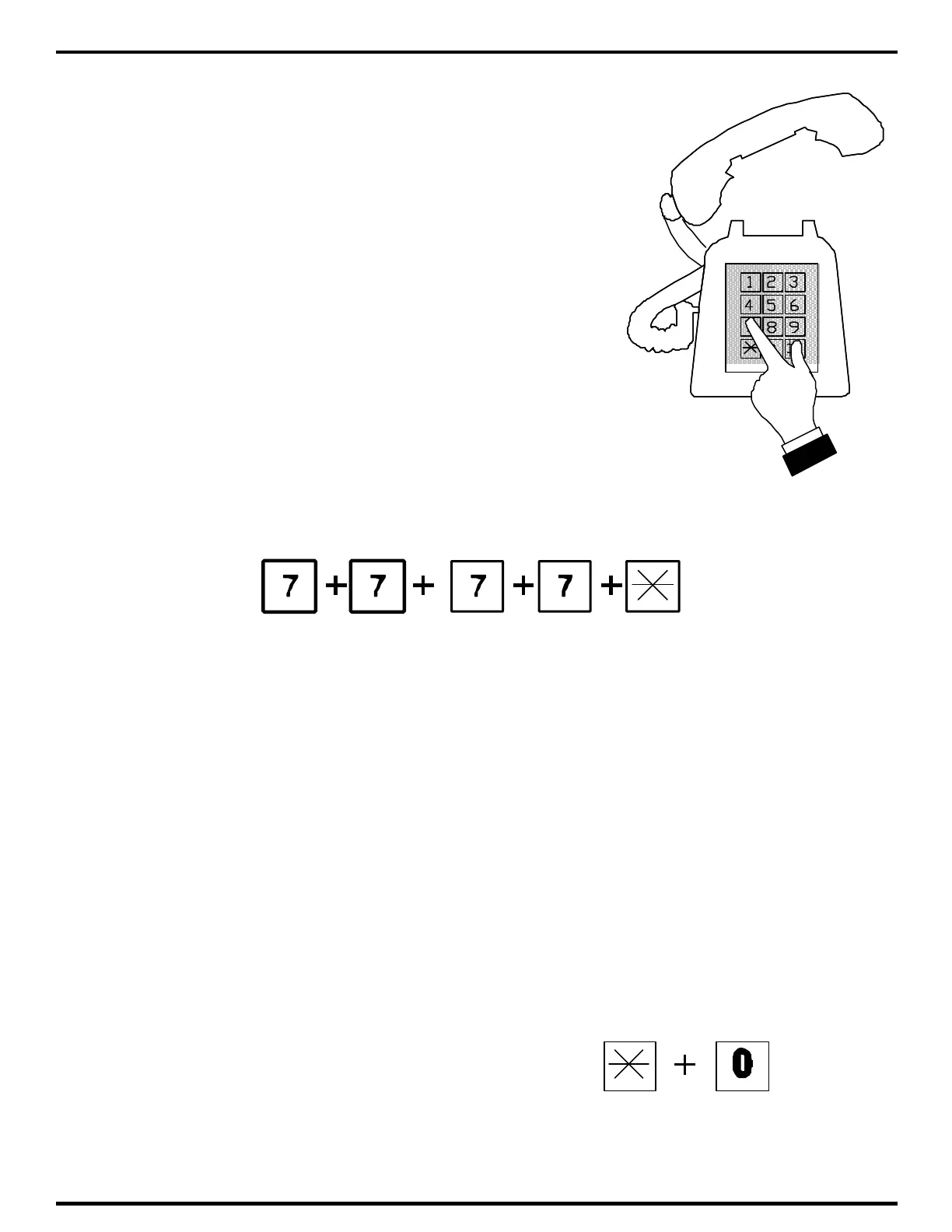
Pick up any Touch-Tone™ phone, wait one second
and dial the remote programming password as shown
below:
After lifting the handset, you have approximately 5 seconds to begin entering the 6 digit
password. All Select Gates leave the factory with a password of 7 7 7 7. Press the "7" key four
times as shown above. Then press the "*" key. If the password is entered correctly, you will hear
three beeps (• ••). This indicates that you are now in program mode.
All the functions described in Section 4.2 are programmed exactly the same from the
telephone keypad as they are from the Select Gate keypad.
5.6.1 PROGRAMMING SELECT GATE FROM OUTSIDE PHONE
In the same way that you just programmed the Select Gate from the house, you can also
program it from an outside phone, (from your office for example). Just remember that the factory
default for Select Gate to answer the phone line is 9 rings. If someone is at the house, they will
have to be notified not to answer the phone until programming is complete. Call the Select Gate
using the phone number it is connected to, and after it answers, enter the 4 digit password and
follow the procedure just like Section 5.6.
5.6.2 EXITING PROGRAM MODE
To exit program mode from the house phone
simply hang up. To exit program mode from the keypad
on the front of the Select Gate, press the "*" and the "0"
keys simultaneously.



 To Next Page