SELECT GATE SG-1A V1.X
SELECT ENGINEERED SYSTEMS 11/01 29
E
PUSH
TO
CALL
Select
Engineered
Systems, Inc.
Hialeah, FL33016
1(800)343-5737
5.0 SELECT GATE OPERATION
5.1 SELECT GATE CALLING HOUSE
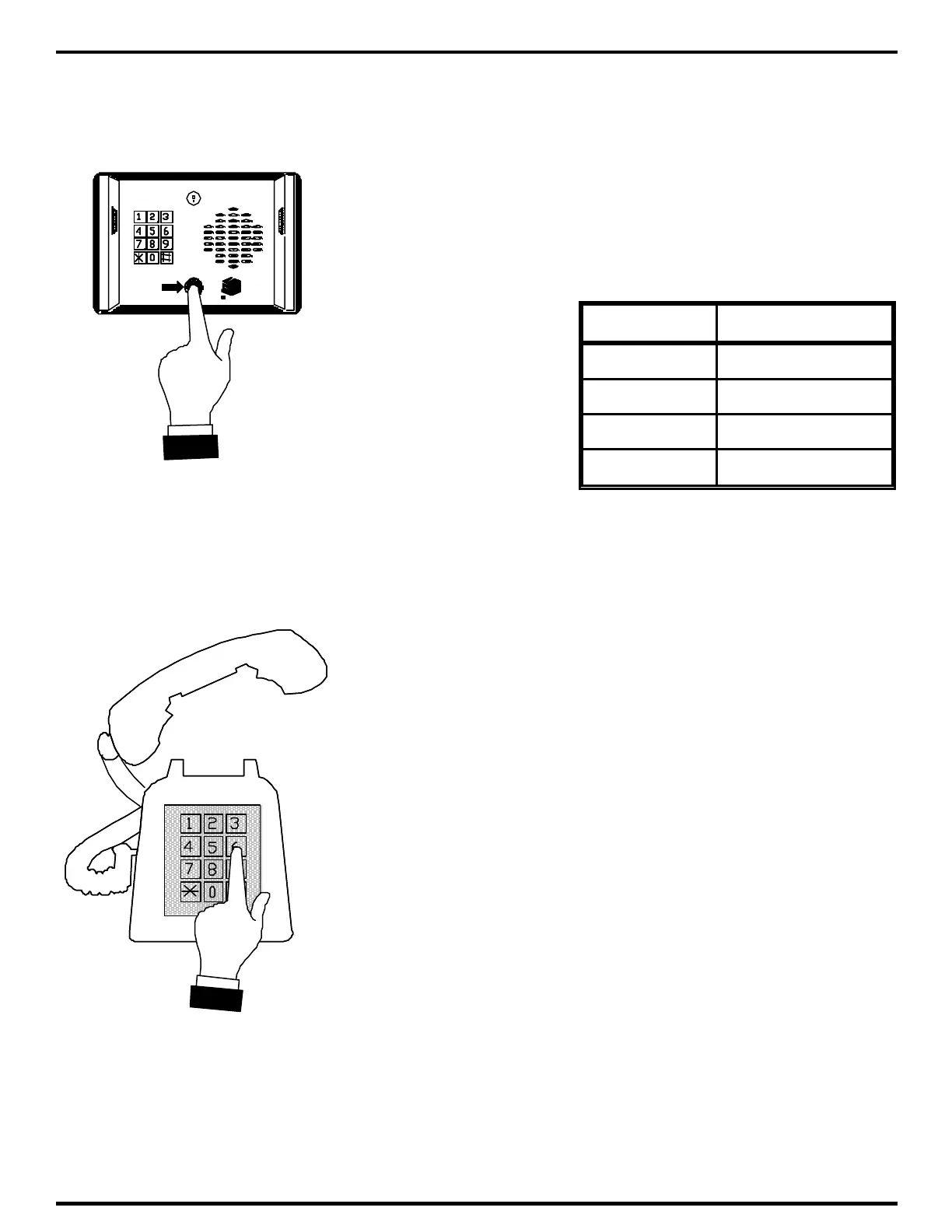
Select Gate starts operation when someone presses the
call button as shown at left, or presses the "#" key on the keypad.
This causes the Select Gate to ring the house or residence. The
ringing pattern may be different from calls placed from outside
phones.
Select Gate has one of 4 ringing patterns, as shown in the
table below:
RING TYPE
1 SHORT SHORT
2 SHORT LONG
3 LONG SHORT
4 LONG LONG
It may be helpful to have your installer indicate which ring
type has been programmed for your Select Gate (See Appendix A
Pg. 33-35). The ring type may be re-programmed at any time.
When your phone rings you will be able to distinguish calls
placed from the Select Gate as opposed to calls placed from outside lines.
Answer the ring from any Touch-Tone™ phone in the house.
Conversation at the Select Gate location is hands free. After
identifying the caller, if access is permitted, press whatever key has
been programmed to open the Select Gate. Press the key
BEFORE you hang up the phone. This number will usually be a "6".
If your installer has changed the timed entry number, locate that
number from the Customer Setup chart in Appendix A on Pg. 33-
35. Use that number as shown at left to open the Select Gate
entrance.



 To Next Page