SELECT GATE SG-1A V1.X
SELECT ENGINEERED SYSTEMS 11/01 15
3.1.7 ADJUSTING SPEAKER VOLUME
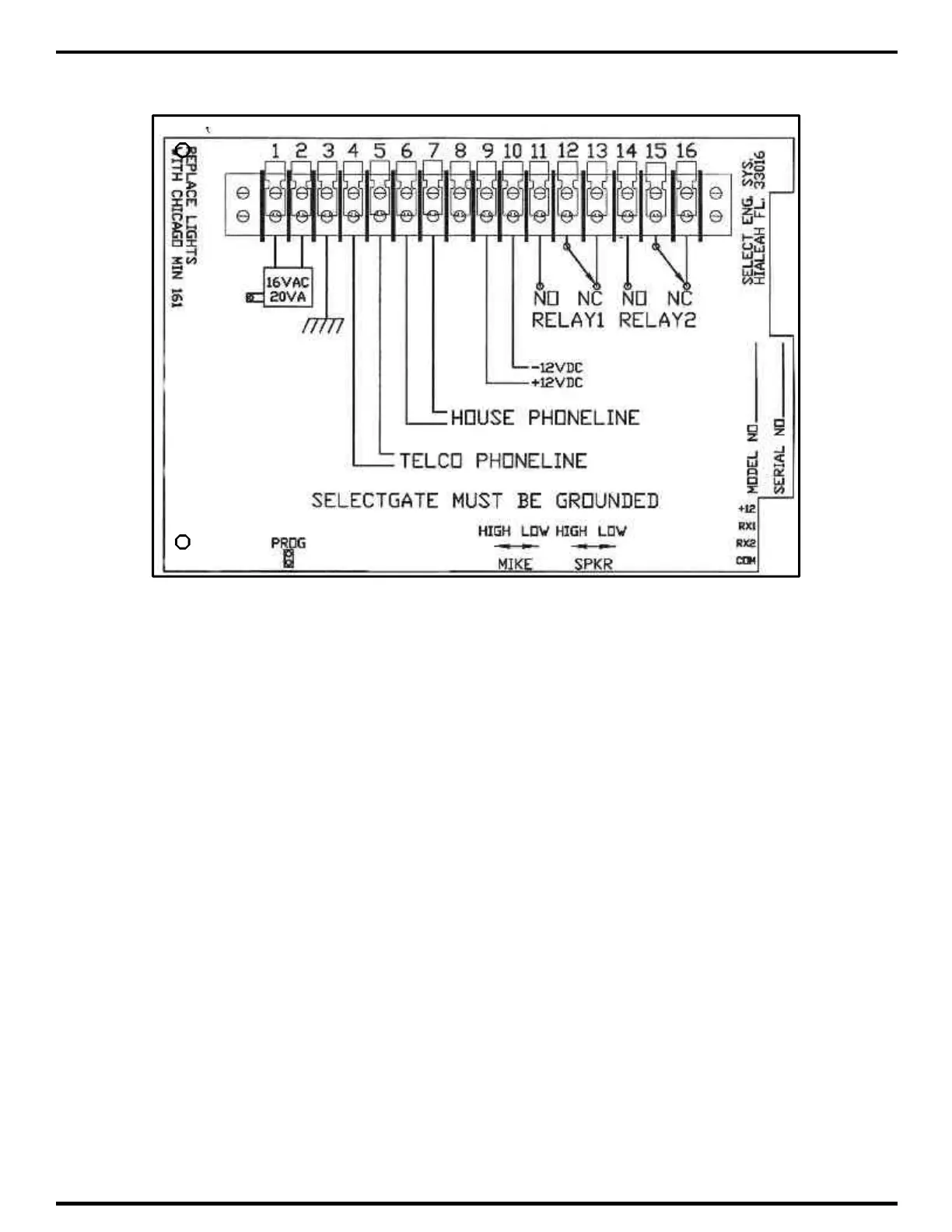
To adjust the speaker volume, move the white nylon wheel in the desired direction. See
diagram above. A good way to make the adjustment is to press the "*" key and adjust the white
nylon speaker adjust wheel. When a moderate beep is heard, there should be adequate voice
audio level. Make any final adjustments by calling the house from Select Gate.



 To Next Page