SELECT GATE SG-1A V1.X INSTALLATION AND USER GUIDE
18
E
PUSH
TO
CALL
Select
Engineered
Systems, Inc.
Hialeah, FL33016
1(800)343-5737
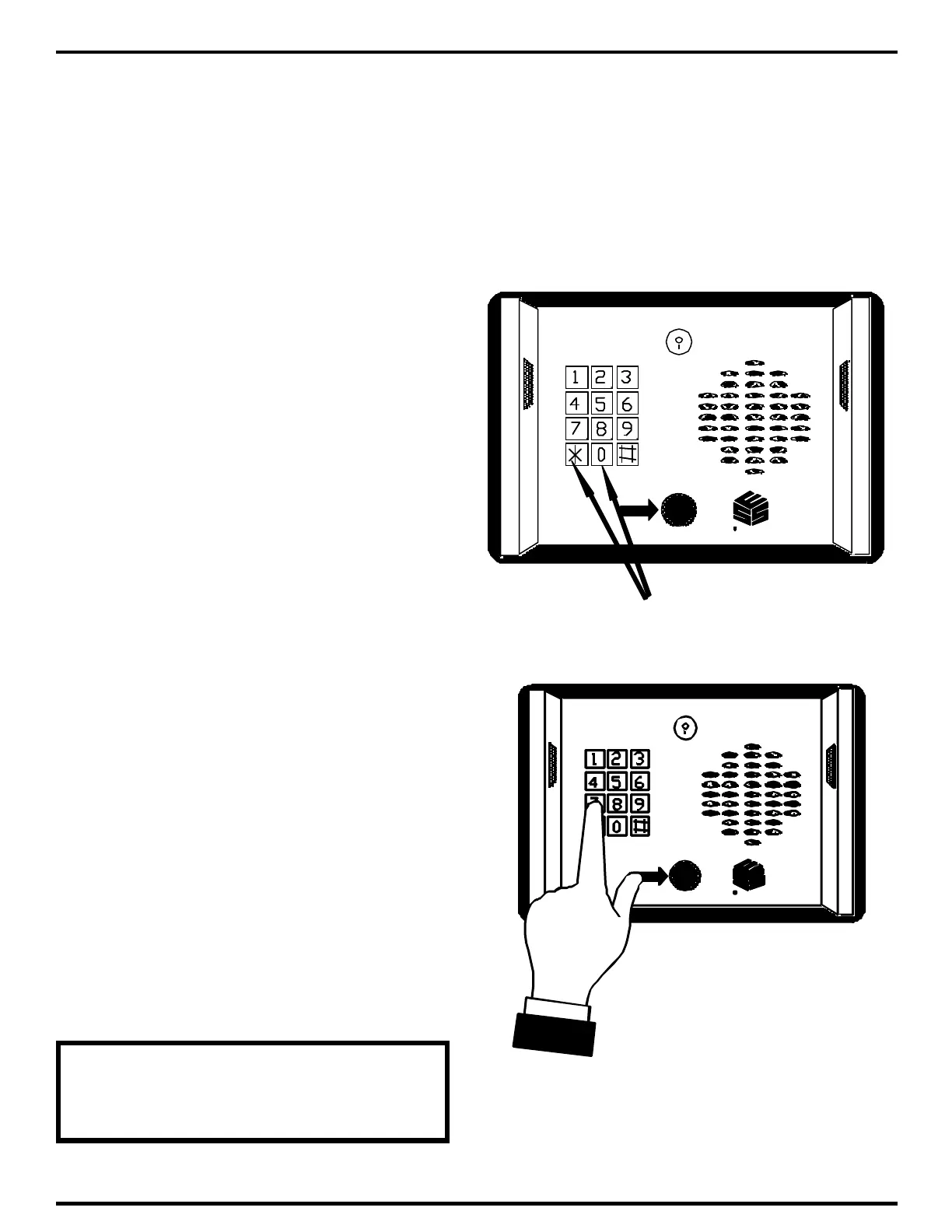
PUSH BOTH KEYS
AT THE SAME TIME
E
PUSH
TO
CALL
Select
Engineered
Systems, Inc.
Hialeah, FL33016
1(800)343-5737
4.0 INITIALIZATION AND PROGRAMMING
Initialization refers to configuration of a Select Gate. This is done during installation and
may include how long the door entry time is, or what Touch-Tone number energizes the door
control relay. These tasks are generally performed by the installer of the Select Gate.
Programming refers to the entry of codes, phone numbers, and PIN (Personal Identification
Numbers). This data is generally entered by the end user or customer, and is updated
periodically as required.
4.1 CONFIGURING SELECT GATE
Select Gate can be entirely
configured from the keypad. No internal
adjustments are required.
To begin configuring Select Gate, a
programming mode must be entered. Do
this by pressing the "*" and the "0" keys
simultaneously as shown at right. You will
hear two beeps (••).
If you get a dial tone you missed the
"*", and if you get a single beep (•), you
missed the "0".
After you hear the two beeps, you
have approximately 10 seconds to begin
entering the 4 digit password. All Select
Gates leave the factory with a password of
7 7 7 7. Press the "7" key four times as
shown at right. Then press the "*" key.
After each key press you will hear an
acknowledgment beep (•) to show the key
actually made contact. If the password is
entered correctly, you will hear the final
acknowledgment beep of the "*" and three
beeps (• •••). This indicates that you are
now in program mode.
TO EXIT PROGRAM MODE
PRESS THE "*" AND THE "0" KEY
AT THE SAME TIME.



 To Next Page