Helmet
Installation
Using the
Glued Surface
Mounting
Adapter
Switching the
Microphone
Earbuds
External Mesh
Intercom
Antenna
30K Motorcycle Bluetooth Communication System | 16
2. InstallIng the
headset on
Your helmet
MENU
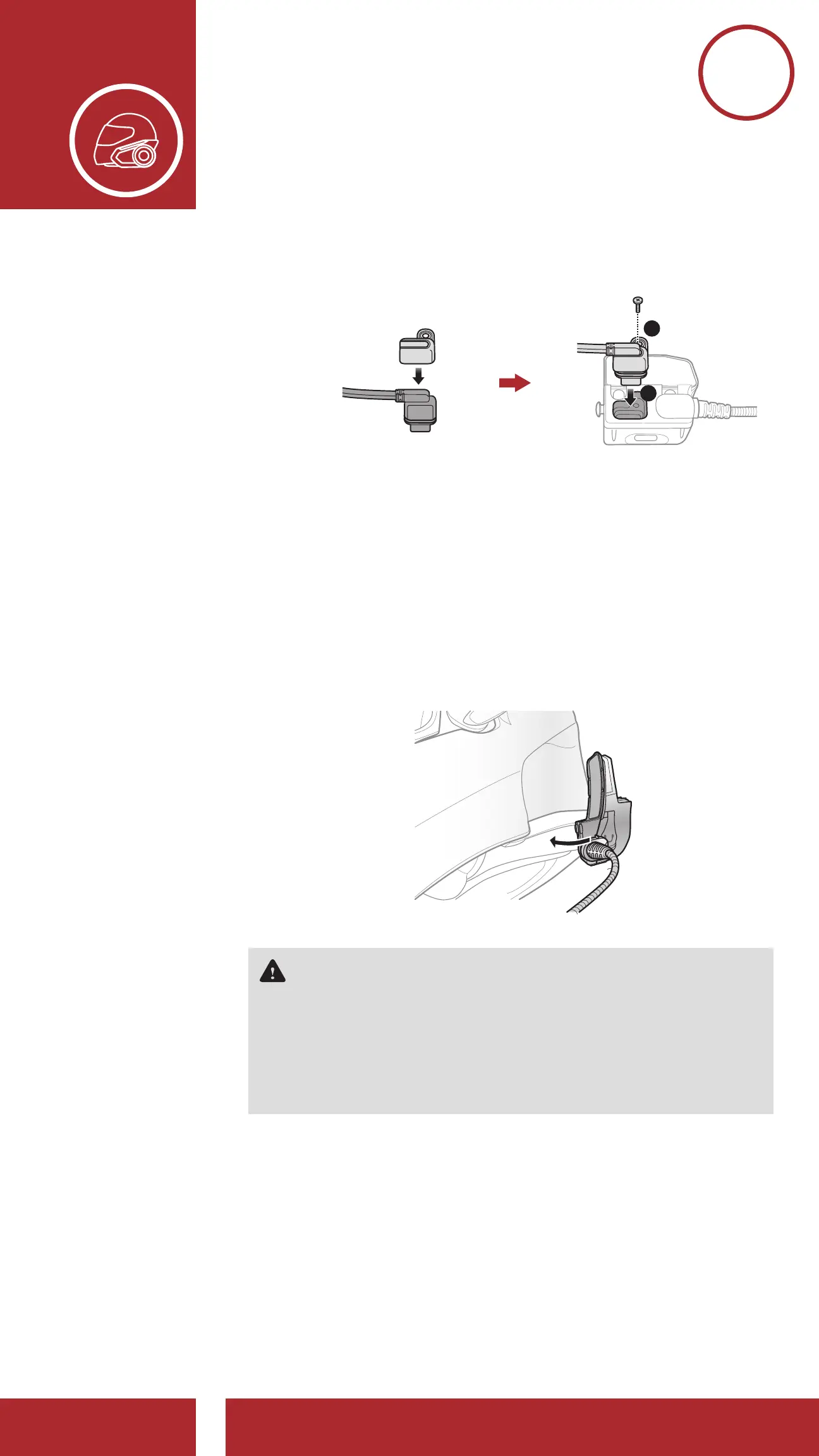
5. Reconnect the speaker cable to the speaker port.
1
2
6. Locate a proper surface on the helmet to
attach the unit then clean the helmet surface
location with a moistened towel and allow to dry
thoroughly.
7. Peel off the cover of the adhesive tape of the
adapter and attach the unit on the proper surface
of your helmet.
Caution: Sena recommends using the
clamp unit. The glued surface mounting plate
is provided for convenience, but is not the
recommended mounting method. Sena is not
responsible for its use.



 To Next Page