Intercom
Pairing
Two-Way
Intercom
Multi-Way
Intercom
Three-Way
Conference
Phone Call
with Intercom
Users
Group
Intercom
Universal
Intercom
Audio
Multitasking
(Always On)
Intercom-
Audio Overlay
Sensitivity
Audio Overlay
Volume
Management
VOX Intercom
Intercom VOX
Sensitivity
HD Intercom
Advanced
Noise
Control™
30K Motorcycle Bluetooth Communication System | 58
7. Bluetooth
Intercom Setup
MENU
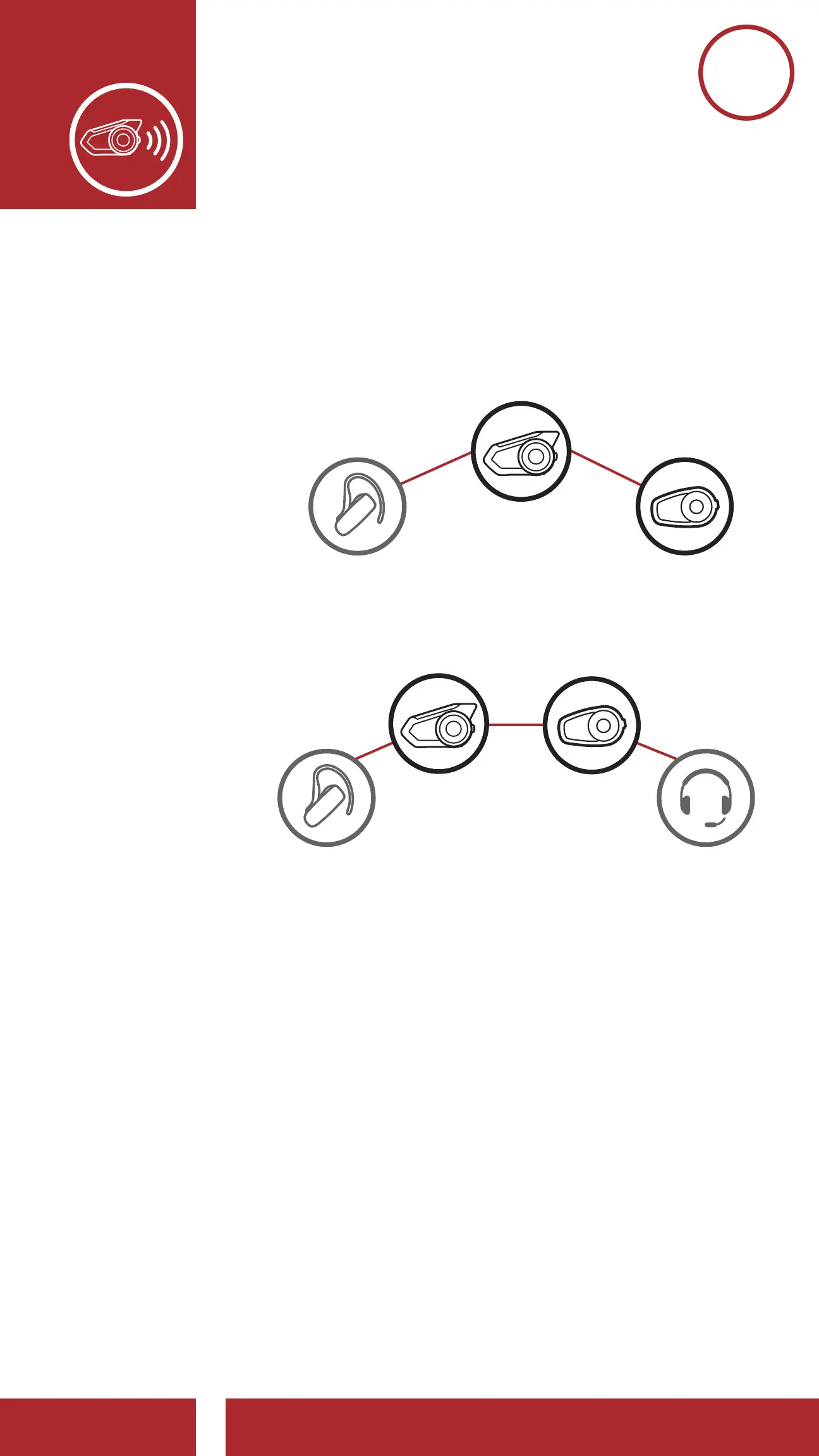
3. You can have Two-Way Intercom or Multi-
Way Intercom communication with up to three
Intercom Friends using non-Sena headsets by
following the procedures described below.
Example of a Three-Way Universal Intercom
Example of a Four-Way Universal Intercom
You
Non-Sena
Headset
Sena
Headset
You Sena
Headset
Non-Sena
Headset
Example of a Three-Way Universal Intercom
Example of a Four-Way Universal Intercom
Non-Sena
Headset
Non-Sena
Headset
Sena
Headset
You Sena
Headset
Non-Sena
Headset
7.7 Audio Multitasking (Always On)
Audio Multitasking allows you to have an intercom
conversation while simultaneously listening to
music, FM radio, or GPS instructions. The overlaid
audio is played in the background with reduced
volume whenever there is an intercom conversation
and will return to normal volume once the
conversation is nished. The Audio Multitasking
feature can be congured through the Intercom-
Audio Overlay Sensitivity and Audio Overlay
Volume Management settings.



 To Next Page