Playing
Music with
Bluetooth
Devices
Music Sharing
Audio Boost
Smart Volume
Control
30K Motorcycle Bluetooth Communication System | 43
6. Stereo muSic
MENU
6.1 Playing Music with Bluetooth Devices
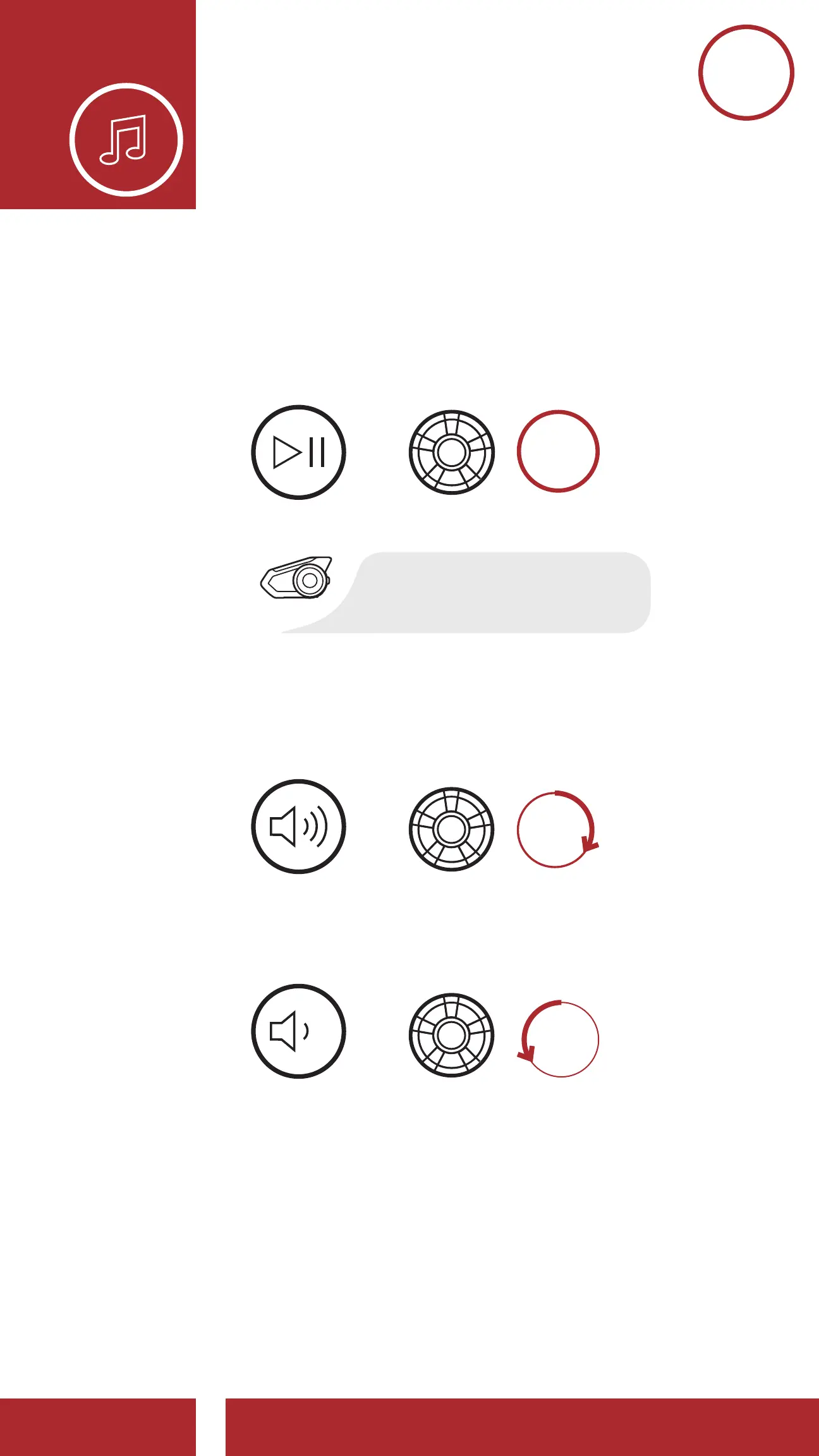
1. To play or pause music, press and hold the Jog
Dial for 1 second until you hear a double beep.
Play/Pause
Track Forward
Track Backward
=
PLAY/PAUSE
SKIP TRACK
FORWARD
SKIP TRACK
BACKWARD
“[Beep, Beep]”
=
Volume Up
Volume Down
VOLUME
DOWN
VOLUME
UP
2. To adjust the volume, rotate the Jog Dial
clockwise or counterclockwise.
Play/Pause
Track Forward
Track Backward
=
=
=
PLAY/PAUSE
SKIP TRACK
FORWARD
SKIP TRACK
BACKWARD
“[Beep, Beep]”
=
=
Volume Down
VOLUME
DOWN
VOLUME
UP
6. STErEO muSIC



 To Next Page