Button
Functions
Powering
On and Off
Charging
Checking the
Bluetooth
Battery
Level
Volume
Adjustment
Downloadable
Sena Software
Configuration
Menu
Sena Cavalry Lite Bluetooth
®
Half Helmet | 14
2. GettinG started:
built-in bluetooth
system
MENU
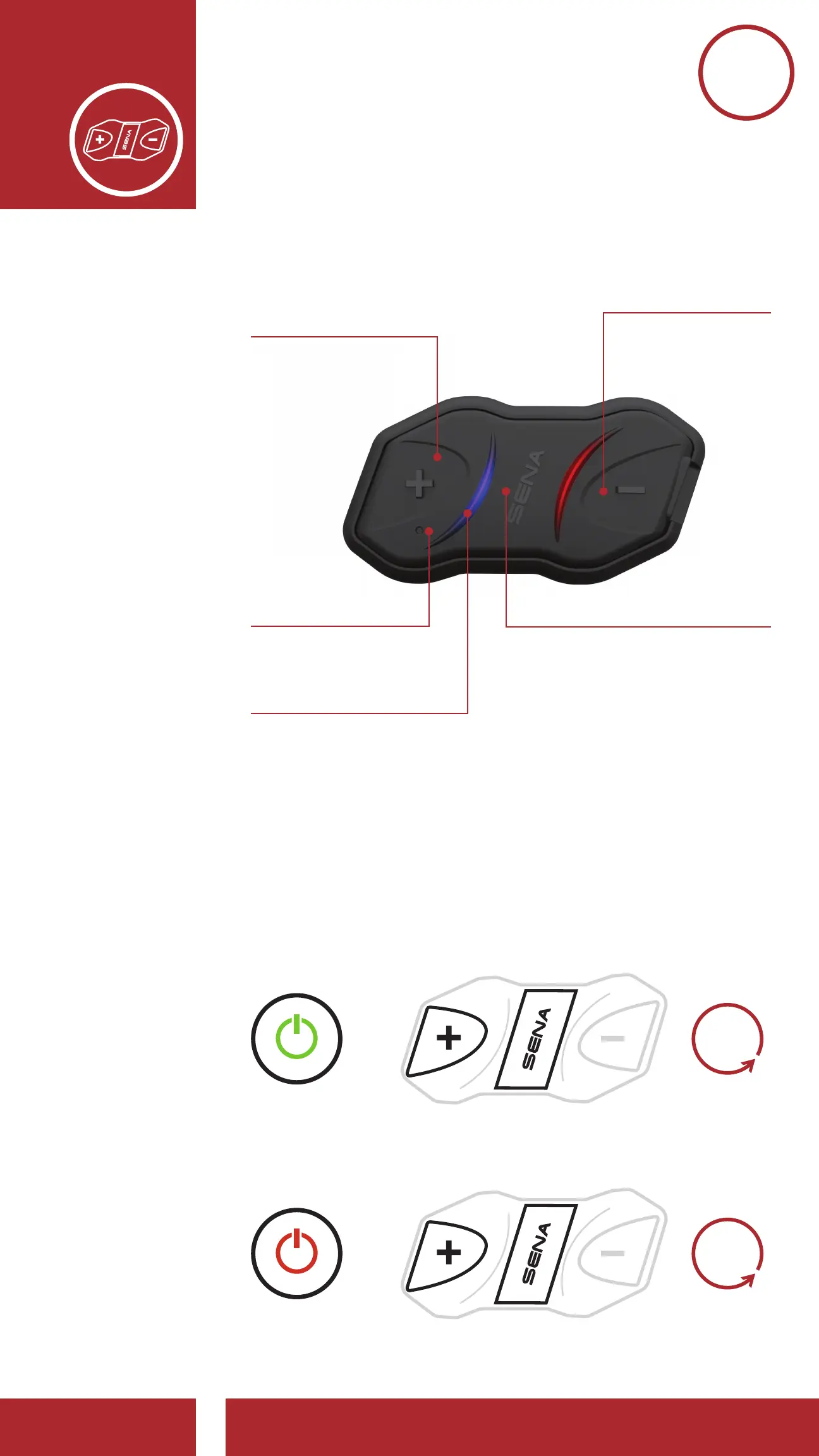
2.1 Button Functions
Answer/End Phone Call
Reject an Incoming Phone Call
Start/End Intercom Conversation
Play/Pause Music
Enter Intercom Pairing Mode
Enter Voice Confi guration Settings
(+) Button
Center Button
Increase Volume
Track Forward
Scan Radio Stations
Speed Dial
Decrease Volume
Track Back
Fault Reset Button
Blue & Red LED Lights
2.2 Powering On and Off
Press and hold the Center Button and the
(+) Button at the same time for 1 second to
turn the headset on or off.
=
=
Powering Off
POWER ON
DEVICE
POWER OFF
DEVICE
1s
HOLD
1s
HOLD



 To Next Page