Mobile
Phone
Additional
Mobile
Phones, GPS,
MP3 Player
or Sena
SR10 Two-
Way Radio
Adapter
Advanced
Selective
Pairing:
Hands-Free
or A2DP
Stereo
Sena Cavalry Lite Bluetooth
®
Half Helmet | 23
3. PAIRING THE
HELMET WITH
OTHER BLUETOOTH
DEVICES
MENU
3.1 Mobile Phone
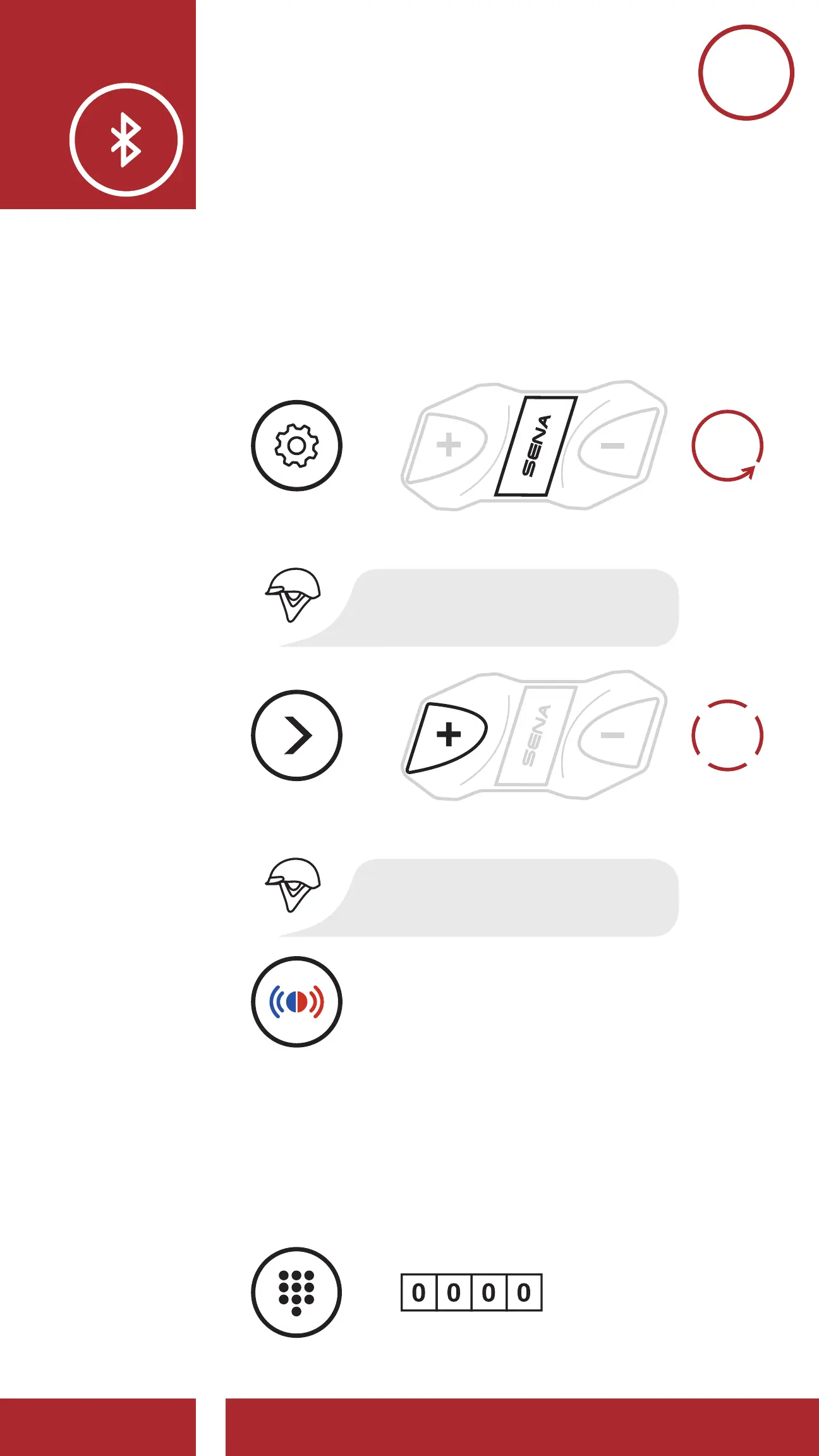
1. Execute Phone Pairing in the Configuration
Menu.
1x
TAP
Access Phone Pairing in the Confi guration Menu
Alternating blue and red
fl ashing lights indicate
device is now discoverable.
NAVIGATE
FORWARD
1X
=
=
=
ACCESS
CONFIG.
MENU
“Phone pairing”
“Confi guration menu”
10s
HOLD
2. With your mobile phone in Bluetooth-pairing
mode, select Cavalry Lite in the list of devices
detected.
3. If your mobile phone asks for a PIN, enter 0000.
1x
TAP
Access Phone Pairing in the Confi guration Menu
Alternating blue and red
fl ashing lights indicate
device is now discoverable.
NAVIGATE
FORWARD
1X
=
=
=
=
ACCESS
CONFIG.
MENU
LED STATUS
PIN NUMBER
“Phone pairing”
“Confi guration menu”
10s
HOLD



 To Next Page