Button
Functions
Powering
On and Off
Charging
Checking the
Bluetooth
Battery
Level
Volume
Adjustment
Downloadable
Sena Software
Configuration
Menu
Sena Cavalry Lite Bluetooth
®
Half Helmet | 16
2. GettinG started:
built-in bluetooth
system
MENU
2.4 Checking the Bluetooth Module’s
Battery Level
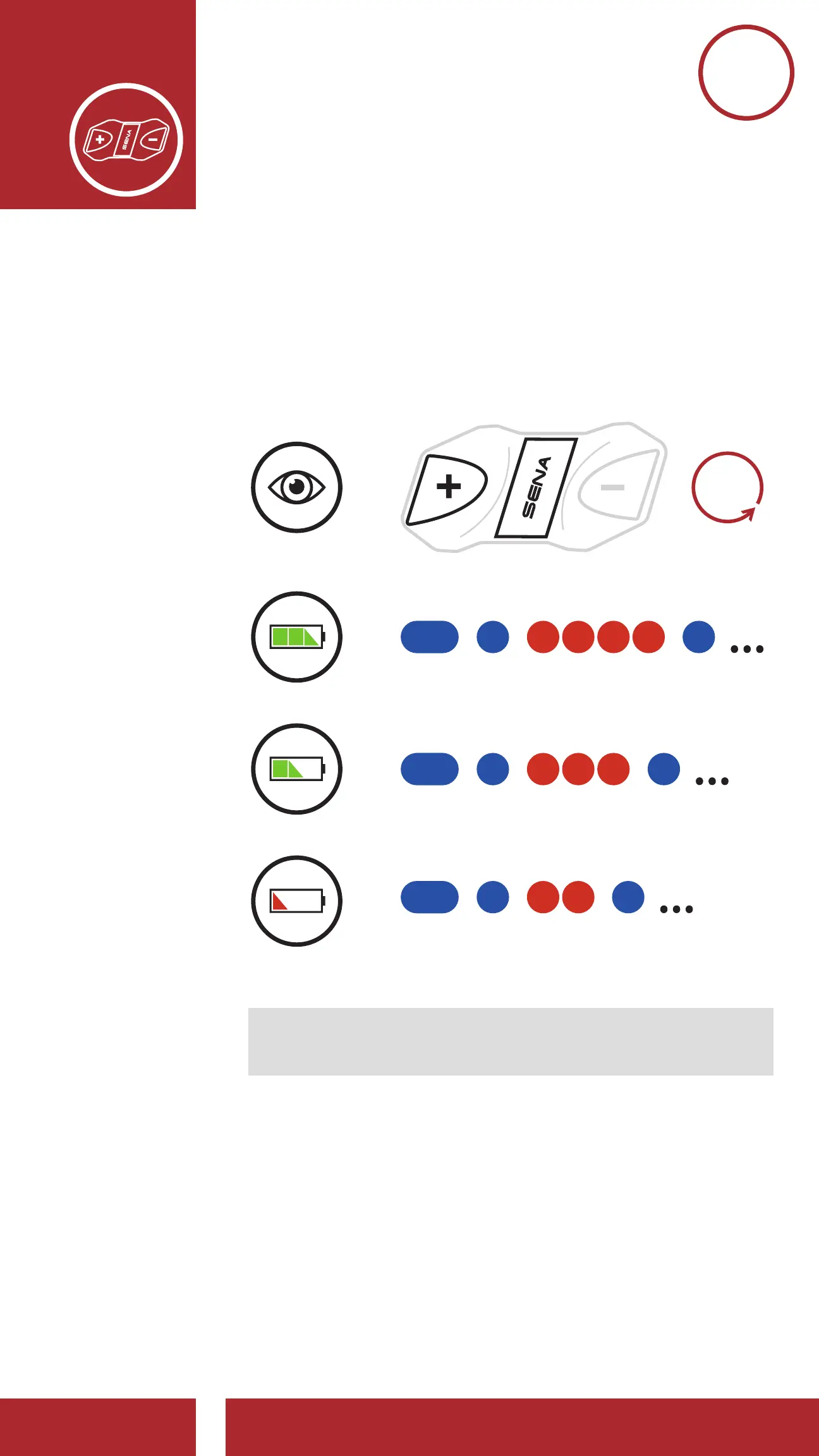
There are two ways to check battery level:
1. Visually, with LEDs when powering on.
Battery Level — Visual Method
Battery Level — Audible Method
=
=
=
=
VISUAL
METHOD
HIGH
MEDIUM
LOW
“Battery level
(high/medium/low)”
1s
HOLD
Note: Blinking LEDs alternate from blue to red
when battery power is low.
2. Audible method: Press and hold the Center
Button and the (+) Button for 3 more seconds
as the headset powers on. A prompt will
announce the remaining battery level.



 To Next Page