eMotion in-depth guide
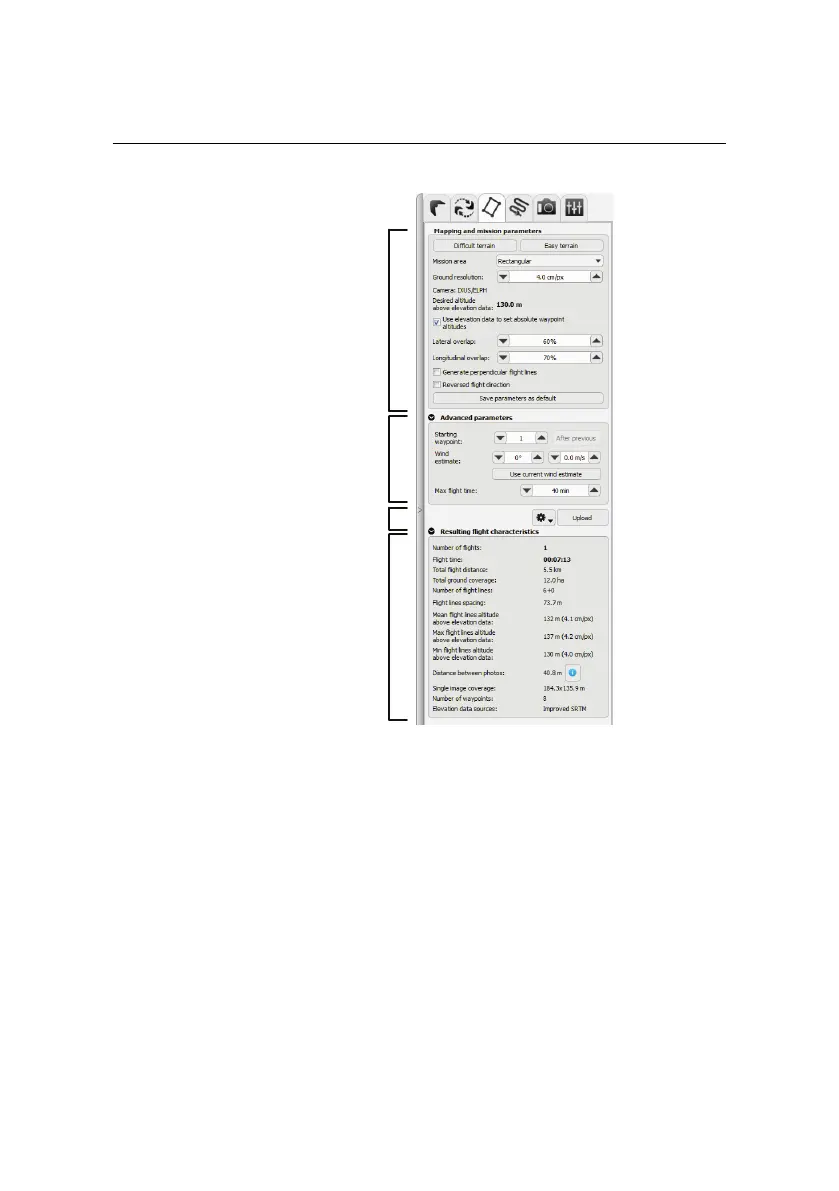
Mapping and
mission parameters
Resulting flight characteristics
Mission plan actions
Advanced parameters
The Mission Planning tab is divided in several panels. The first panel, Mapping
and mission parameters, contains the parameters that define the requirements
of a particular mission:
• Difficult terrain: Clicking this button will fill in preset values to the rest
of the parameters. The Difficult terrain preset is meant for imaging terrain
with complex featuressuch as forests. High image overlapis recommended
to increase the amount of features that can be matched between images,
though at the cost of lower image resolution (due to higher altitude).
• Easy terrain (default): This preset is meant for simple terrain such as quar-
ries or agricultural areas where high-resolution images can be taken with
101



 To Next Page