Advanced functionalities
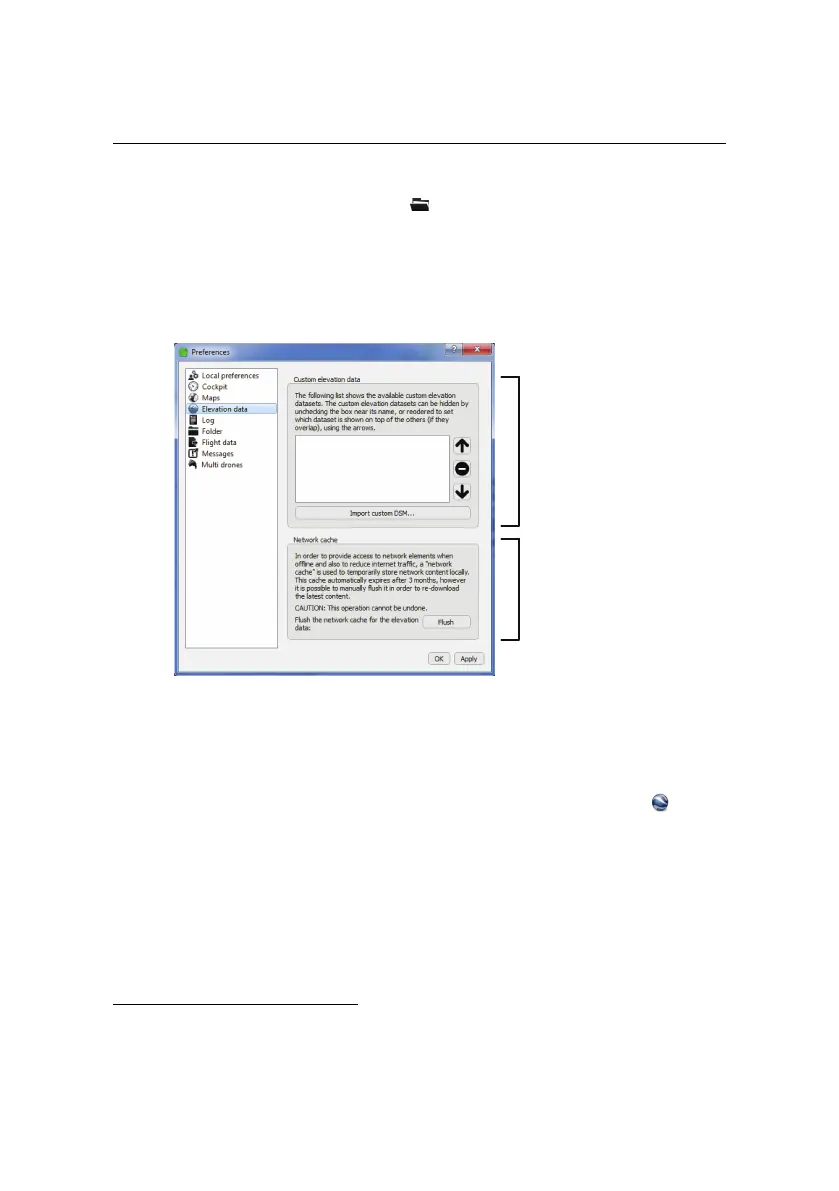
panel of the Preferences pane of the menu. From this panel you can add,
remove, activate/deactivate or reorder overlays. eMotion uses the top-most el-
evation data layer to calculate altitude for each waypoint and flight line, with
eMotion’s default Improved SRTM elevation dataset always considered the bot-
tom layer.
Custom elevation
data
Network cache
4.4 Flight visualization in Google Earth
TM
eMotion includes an interface with Google Earth
TM
to help with flight plan verifi-
cation and visualization, particularly in uneven terrain. Clicking on the button
in the Toolbar will open Google Earth
TM
and zoom to the current position of the
drone. The current position of drone, its planned trajectory, the working area cir-
cle and all waypoints currently uploaded to the drone (including Take-Off, Start
and Home) are displayed within Google Earth
TM
. Any changes to waypoints or
flight parameters within eMotion are updated accordingly within Google Earth
TM
.
The interface with Google Earth
TM
is particularly useful to check the drone’s trajec-
tory with respect to obstacles in the area¹⁹. The flight plan is projected onto the
¹⁹ While checking flight plans in Google Earth
TM
is a good safety practice, senseFly Ltd provides no
64



 To Next Page