Executing a flight
tude transition behaviours and how to modify them.
2.4 Take-off
Once you’ve planned your mission and the eBee status LED is solid green you can
launch it using the procedure on the following pages.
Caution: Make sure to keep the propeller area free of all obstructions
at all times during the launch procedure.
n
o
h
o
l
d
i
n
g
z
o
n
e
d
a
n
g
e
r
z
o
n
e
green
solid
status LED:
blue
pulse
status LED:
Not horizontal!
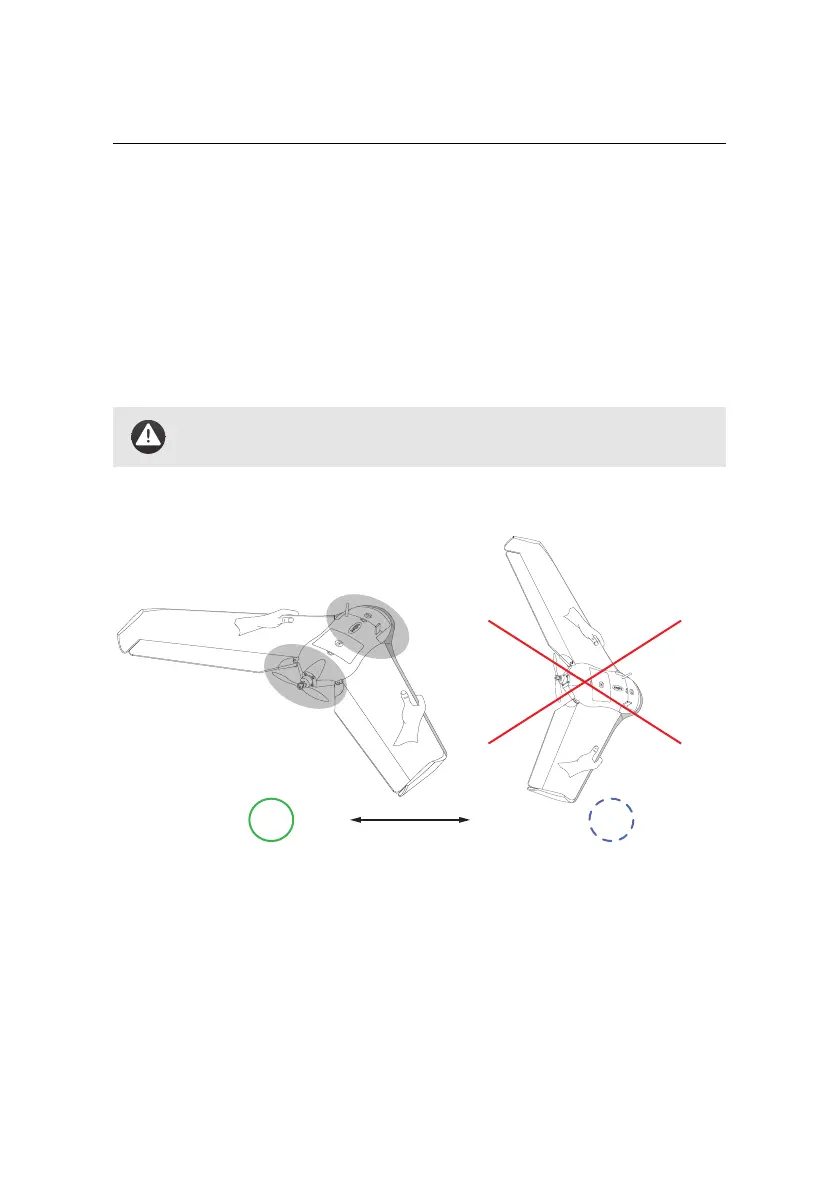
Step 1: Orient horizontally and against the wind
Orient yourself against the direction of the wind, and confirm that the take-off
direction in front of you is free of obstacles. Firmly grasp the drone with both
hands, one hand on the front of each wing as shown in the figure. Hold the drone
horizontally with the nose pointed against the wind and level wings.
41



 To Next Page