Planning and simulating a flight
and letting it acquire GPS signals. You can test your flight plan by clicking the
icon, simulating a take-off manoeuvre. The eBee will then go through its flight
plan in the same way it would in the field. You can pause, play or speed up the
simulation by clicking the corresponding buttons in the Toolbar. You can monitor
the stateof the drone while in flight using the Flight Monitoring tab and the Status
Panel⁴. You may also monitor the flight in 3D in Google Earth
TM
by clicking on the
button in the Toolbar.
Caution: The simulator is a tool designed to aid with flight planning
and to familiarise you with the advanced functions of your eBee. The
simulated physics, however, are basic and do not always accurately
reflect the true behaviour of the drone in flight. In particular, esti-
mates of battery level and reactions to wind are difficult to simulate
with high accuracy. You should in no case depend on behaviours
seen with a simulated drone to be reproduced exactly in real flight.
1.6 Getting ready for a mission
Before leaving for the field to perform a flight, be sure to fully charge all your eBee
batteries⁵. When delivered, the eBee battery may not be fully charged.
eBee battery pack
power cable
3
2
1
Status
LiPo Balance
Charger
balance LEDs
(not to scale)
status LEDs
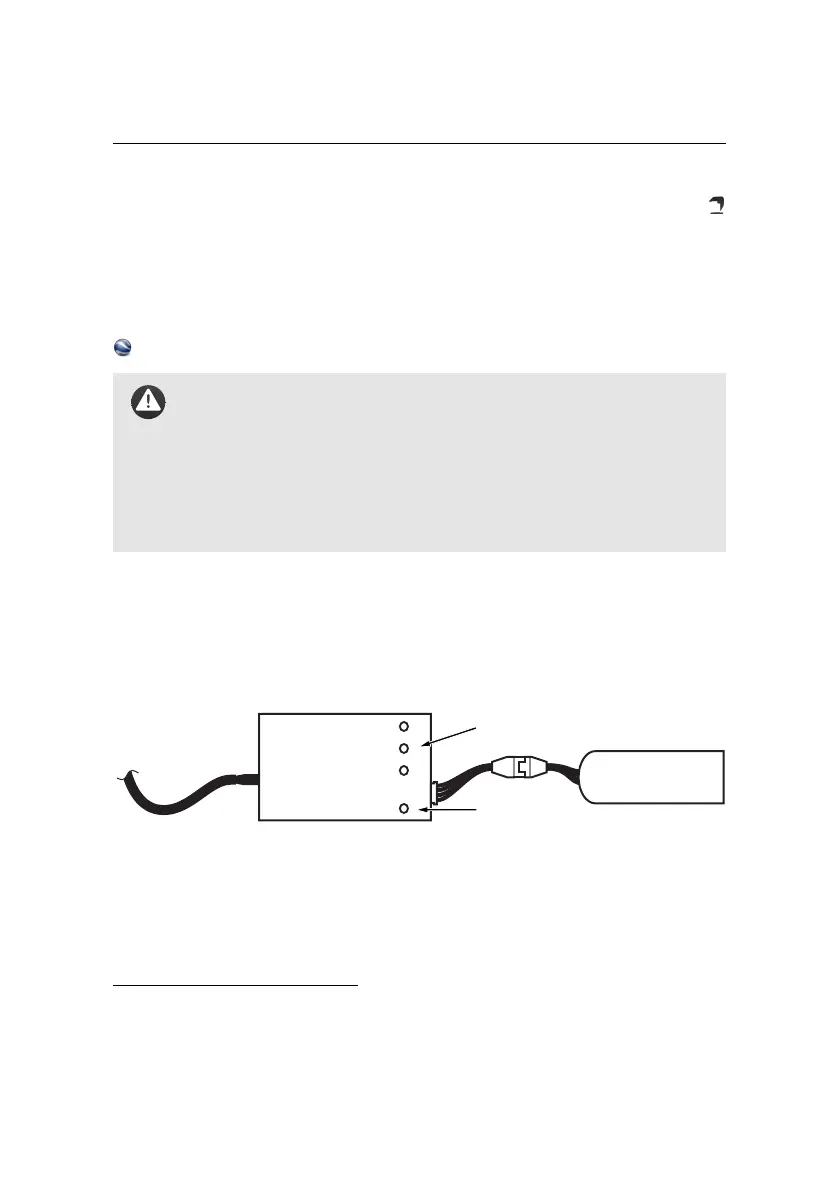
To charge an eBee battery pack, connect it to the battery charger as illustrated
above. During charge, the status LED on the charger is solid red. Charging is com-
plete when the status LED turns green.
The charger provided independently balances the voltage of each of the 3 cells
contained in the battery pack to ensures optimal performance and battery life. If
⁴ see section ‘In-flight monitoring and control’ on page 44
⁵ Consult your payload user manual to know if the payload battery is necessary for the flight
25



 To Next Page