Quick start guide
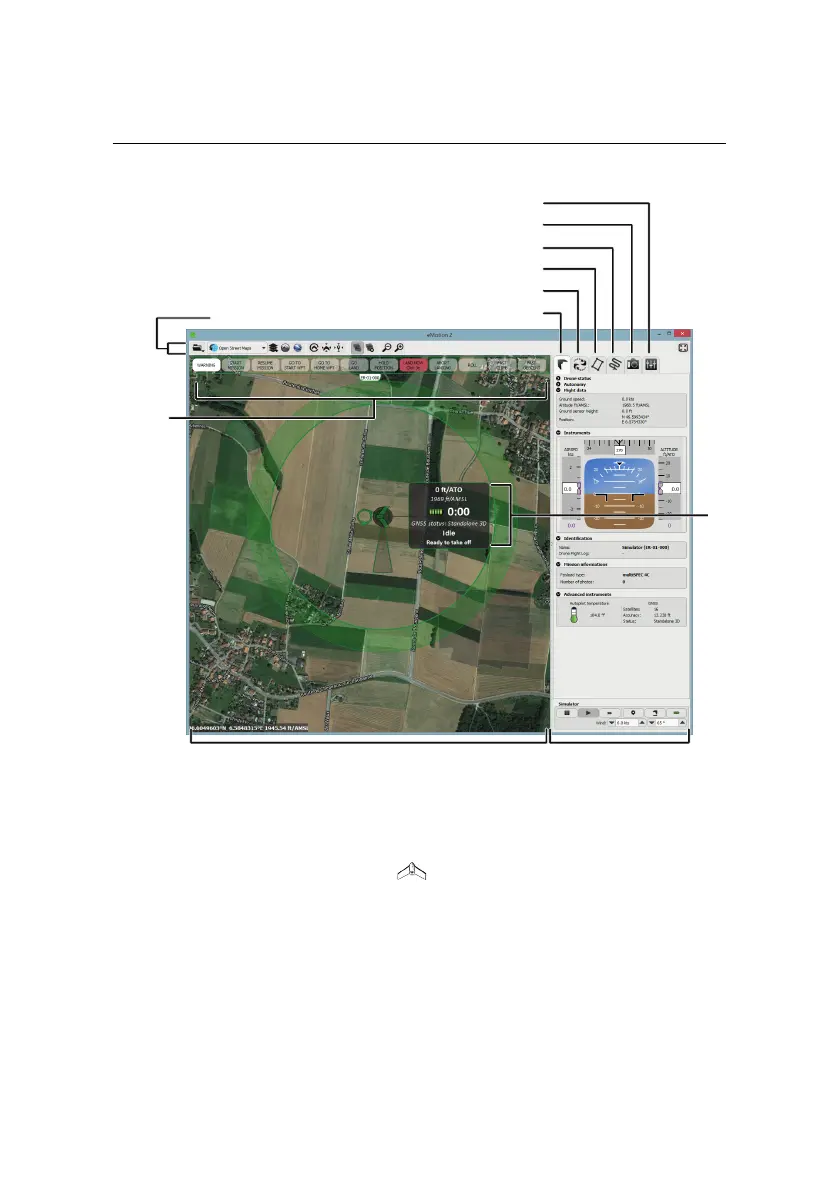
SidebarMap Area
Control
Bar
Toolbar
Status
Panel
Flight Parameters tab
Camera tab
Mission Waypoints tab
Mission Planning tab
Setup Phase tab
Flight Monitoring tab
• Map Area: The Map Area of eMotion displays a map with the drone’s cur-
rent position, indicated by the symbol. A small Status Panel floats be-
sidethe symbol, indicating important status informationincluding theeBee’s
currentaltitude (bothAbove theTake-off Altitude, marked as ATO,and Above
Mean Sea Level, marked as AMSL), battery level, flight time, and status. The
Status Panel can be hidden by clicking on the drone. Moving around the
map is done by clicking and dragging at any place not occupied by a sym-
bol (such as a waypoint or the drone symbol).
20



 To Next Page