eMotion in-depth guide
altitude. To enable this feature, expand the ‘Take-off parameters’ box and
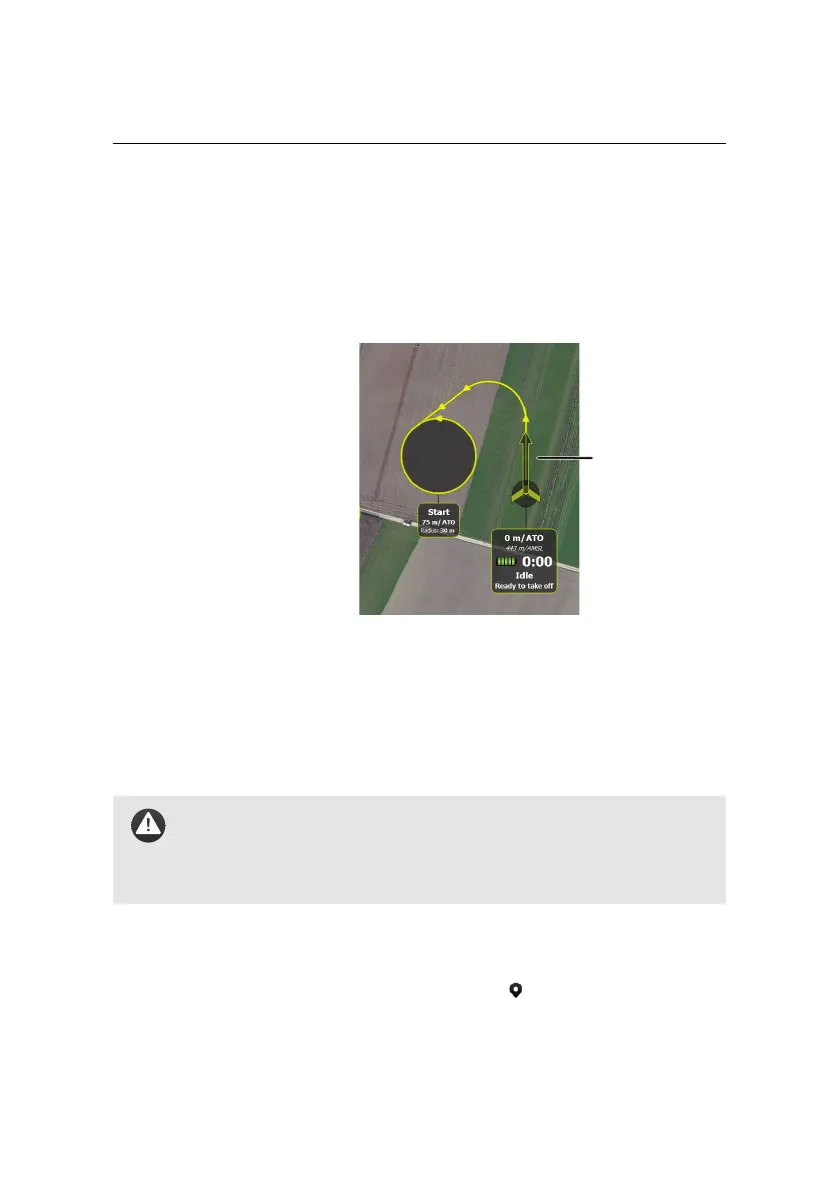
check the ‘Activate directional take-off’ check box. A new arrow is now dis-
played on the map. This arrow defines the take-off heading, the drone will
try to stay on the track defined by the arrow.
You can now grab the arrow on the map in order to modify the take-off
heading. Furthermore you can also pre-set the take-off direction and the
take-off transition altitude in the Setup Phase tab.
Default value: Unchecked, Heading: 0
◦
, Transition altitude: 20m/ATO
Caution: Setting the take-off transition altitude too low may cause
the drone to perform a change of direction too early and may result
in a crash. Setting the take-off transition altitude too high may cause
the drone to drift sideways after take-off if there is too much wind.
• Start waypoint: Here you set the position, change altitude parameter, al-
titude above take-off (m/ATO), turn direction and radius of the Start way-
point. You can set the location by clicking the button and clicking on the
desired location in the Map Area.
97



 To Next Page