SCORPIO 38’ - 45’ - PARTS AND COMPONENTS DESCRIPTION - Electronic box
Version 1.02 May 27, 2022
SERVICEVISION BIS SL
Ríos Rosas, 20 · 08940 CORNELLA DE LLOBREGAT (Barcelona) Spain · Tel. 34 93 223 86 30 · Fax 34 93 223 86 31 33
comercial@servicevision.es · www.servicevision.es
attached in the tracks in order to display the position of the crane along the track (To know more about
this, go to chapter 8 Special configurations).
CONTROL INTERFACE: This connector communicates the Electronic box with a Scorpio Control in
case there is a Scorpio Head mounted. It sends information of the position of the crane to use
functions as Back Pan or Tracking (To know more about this, go to chapter 8 Special configurations).
ENCODERS OUT: This connector gives an output of the encoder data used in augmented reality
scenarios (To know more about this, go to chapter 8 Special configurations).
.
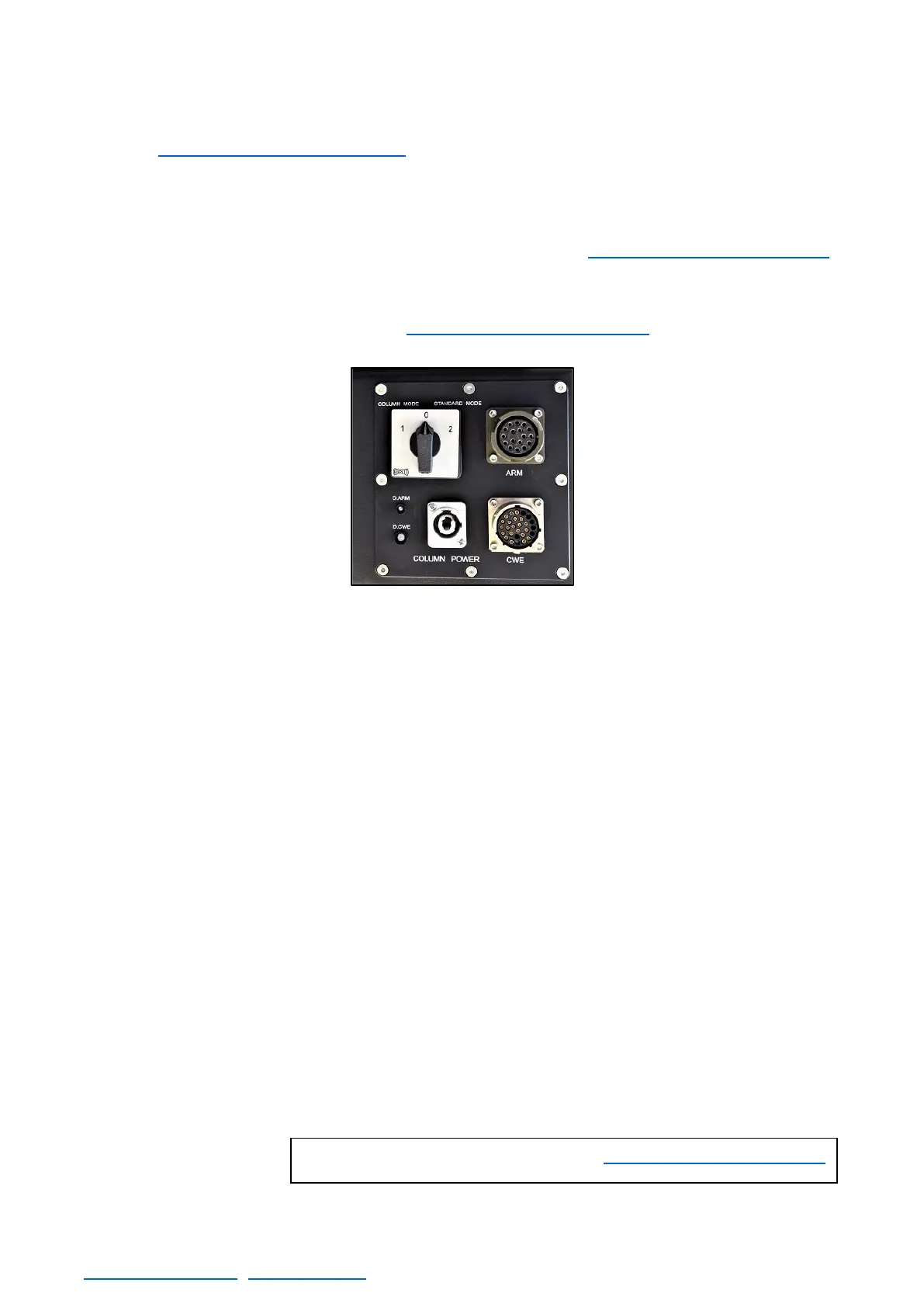
COLUMN SWITCH: it allows the user to activate the column mode to lift the column with the hand
command or go to the standard mode where the hand command controls the telescopic movement.
There is a 0 position that disables the movement of the crane.
ARM: The motor for the telescopic movement and the magnetic limits of the crane are connected
here.
D. ARM: This LED indicate the status of the Amplifier of the telescope motor. There are three possible
status: OFF (there is no power in the amplifier), RED (the amplifier has power but the motor is
disengaged) and GREEN (the motor is engaged and controlled by the system).
D. CWE: This LED indicate the status of the Amplifier of the counterweights motor. There are three
possible status: OFF (there is no power in the amplifier), RED (the amplifier has power but the motor
is disengaged) and GREEN (the motor is engaged and controlled by the system).
COLUMN POWER: connects the column motor to the electronic box.
CWE: The motor for the Dynamic CWE and the physical limits of this are connected here.



 To Next Page