SCORPIO 38’ - 45’ - CONTROL DISPLAY INFORMATION - Operation menu
Version 1.02 May 27, 2022
SERVICEVISION BIS SL
Ríos Rosas, 20 · 08940 CORNELLA DE LLOBREGAT (Barcelona) Spain · Tel. 34 93 223 86 30 · Fax 34 93 223 86 31 53
comercial@servicevision.es · www.servicevision.es
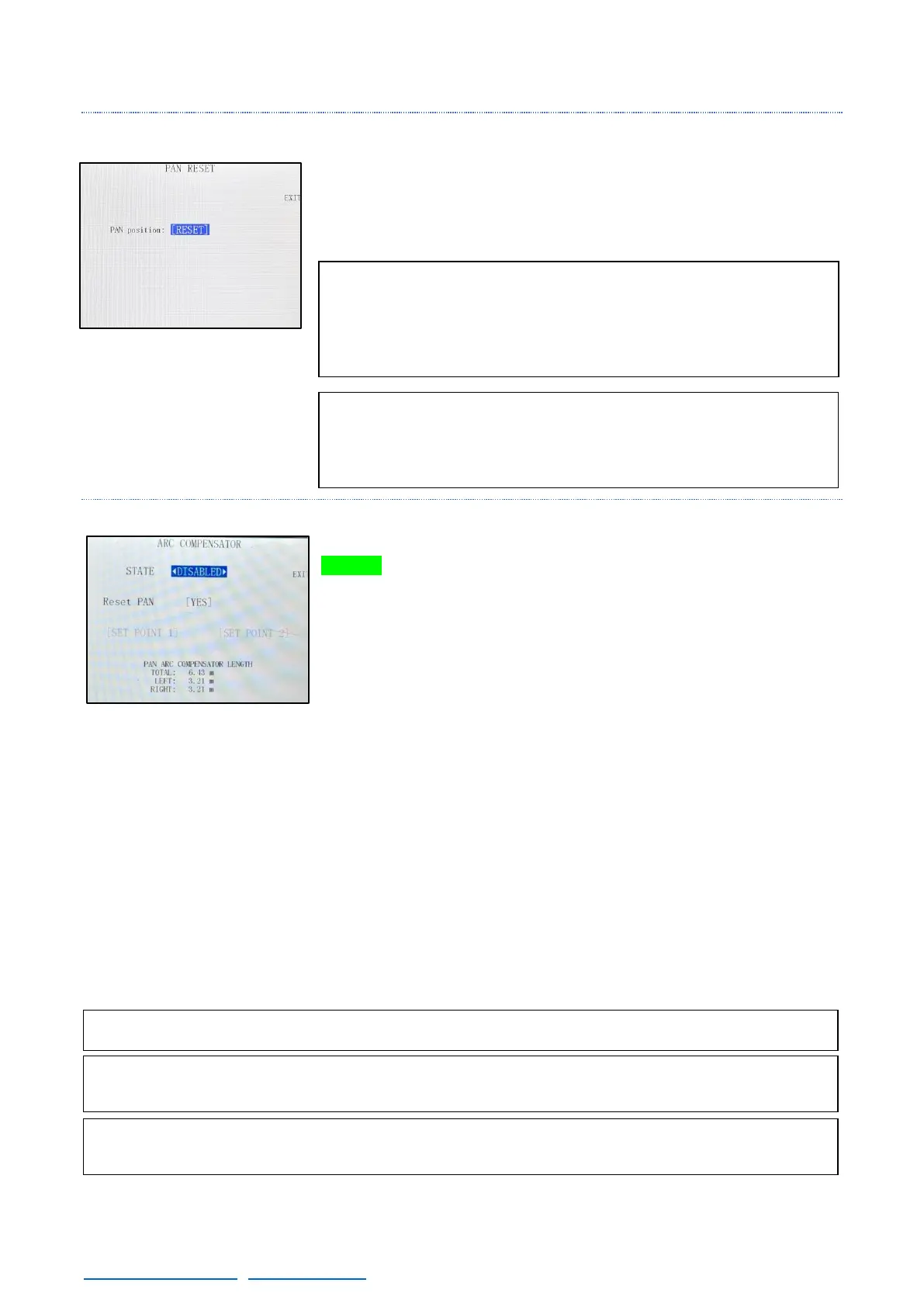
4.2.3.4 RESET PAN
The reset pan feature is used to set the 0º in the actual position of the
crane. If the 0 position of the crane is not done, the position that the
crane has when the system was started will be taken as the 0 position.
4.2.3.5 ARC COMPENSATION
The Arc Compensator feature can be activated by pressing the
GREEN button in the Hand Command, by pressing the [Arc Comp]
button in the main screen or by changing the STATE in this screen
(fig. 04.24).
This feature compensates for the arc generated when both the Pan
and/or Tilt are moved. The compensation is automatic, works in any
arm position and does not affect the normal operation of the arm. The
arm will telescope by itself correcting the arc generated by the Pan
and/or Tilt movement but the user can still control it. There might be a
small error due to the mechanics tolerances.
The Tilt compensation will always be vertical, but the Pan compensation is respecting the 0º position
in PAN axis. If the Reset PAN of this menu is in [YES], every time the Arc Comp feature is activated
it will reset the 0º position in the PAN axis of the arm and it will set it in the actual position of the crane.
It is also possible to set this 0º PAN position using two points: Move the arm to one end of the desired
horizontal correction and set point 1. Move the arm to the other end of the desired horizontal correction
and set point 2. The system will change the 0º PAN position in order to correct on the line marked by
those two points. The Pan arc compensation length will be displayed on this screen to inform the user
where is the end of the pan compensation. The maximum correction for Pan is +-80 degrees from 0º
position.
Note: The 0 position of the Pan axis is used for different
features such as Arc Comp, Motion Gen, or the Integration
with the Scorpio Heads. Please physically mark the 0 position
before using these features.



 To Next Page