SCORPIO 38’ - 45’ - CONTROL DISPLAY INFORMATION - Operation menu
Version 1.02 May 27, 2022
SERVICEVISION BIS SL
Ríos Rosas, 20 · 08940 CORNELLA DE LLOBREGAT (Barcelona) Spain · Tel. 34 93 223 86 30 · Fax 34 93 223 86 31 57
comercial@servicevision.es · www.servicevision.es
4.2.3.10 HAND COMMAND (H.C.) BUTTONS
The GREEN button is the main action button, below is detailed the different functions of this button
depending on the screen shown in the display.
*If the Stop Sequence mode is Enabled, the short press increases current stop point number
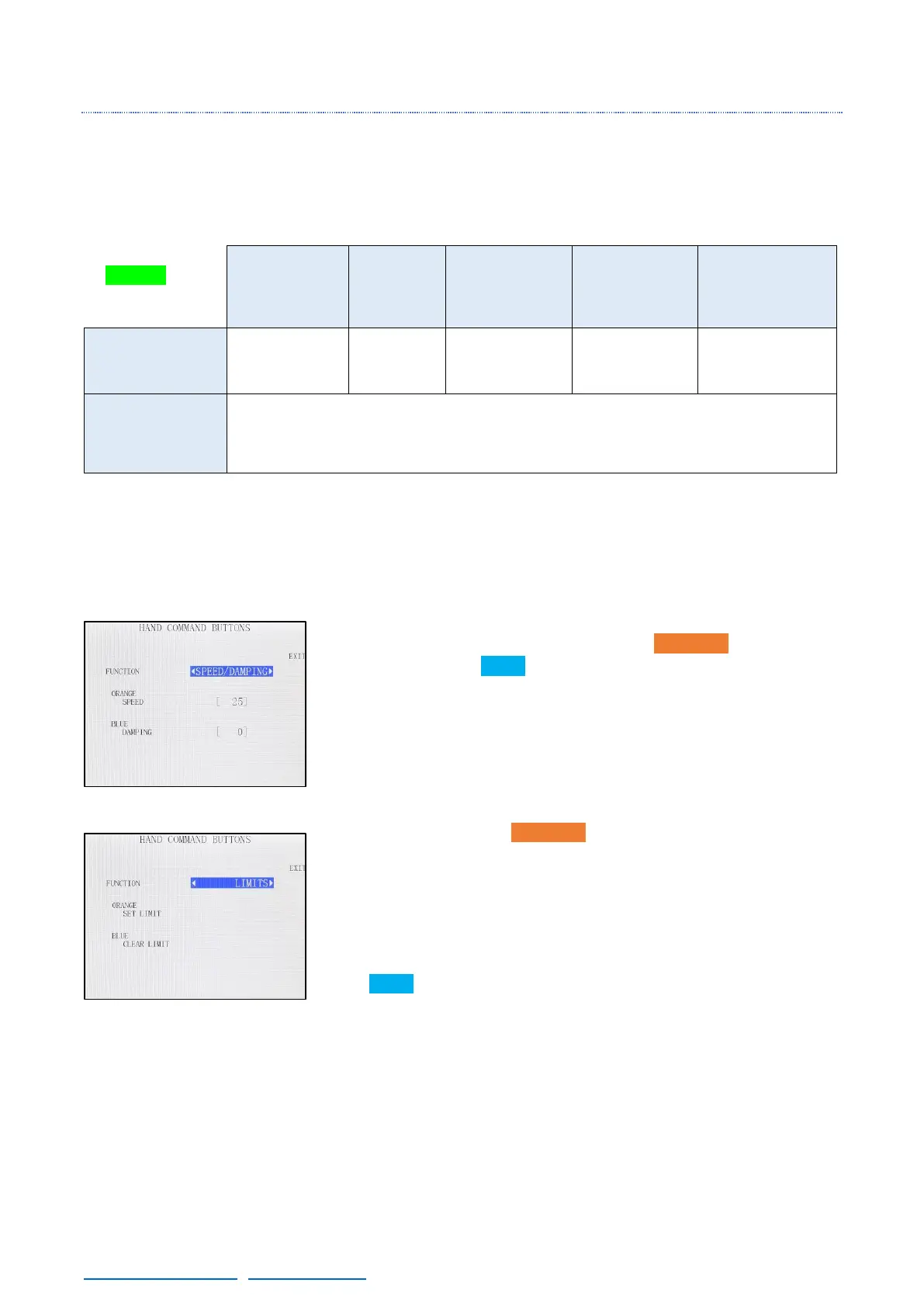
The ORANGE & BLUE buttons can be configured in different modes as shown:
SPEED/DAMPING MODE: Configures the ORANGE button to set a
Speed value and the BLUE button to set a Damping value when they
are pressed. If any of these buttons are pressed, in the main screen
the speed and the damping will change to these presets and a purple
background will be displayed.
If the buttons are pressed & hold, the preset of this screen will be set
as long as the button is being hold.
LIMITS: Configures the ORANGE button to Set a limit at the current
point when pressed. Once one limit is set, it is still not decided if is the
extended or the retracted limit. When the crane is moved from that
point, the type of limit is defined and another limit can be set. The LED
(if present) or the brackets around the word “Limits” can be seen in
the main screen once they are set.
The BLUE button clears the nearest limit when pressed.



 To Next Page