SCORPIO 38’ - 45’ - MAINTENANCE & SERVICE - Loading software to the SERVO/CCU
Version 1.02 May 27, 2022
74
6.4.1 CCU SOFTWARE UPDATE
The CCU controls all the functions that the head/crane can perform. There are two different kind of
software for the CCU depending if it is inside a crane or in a control for the head. To identify them, on
the name of the file there is an H or a C depending on this (“CCU_C.v05.68xxxxx.bin” for example).
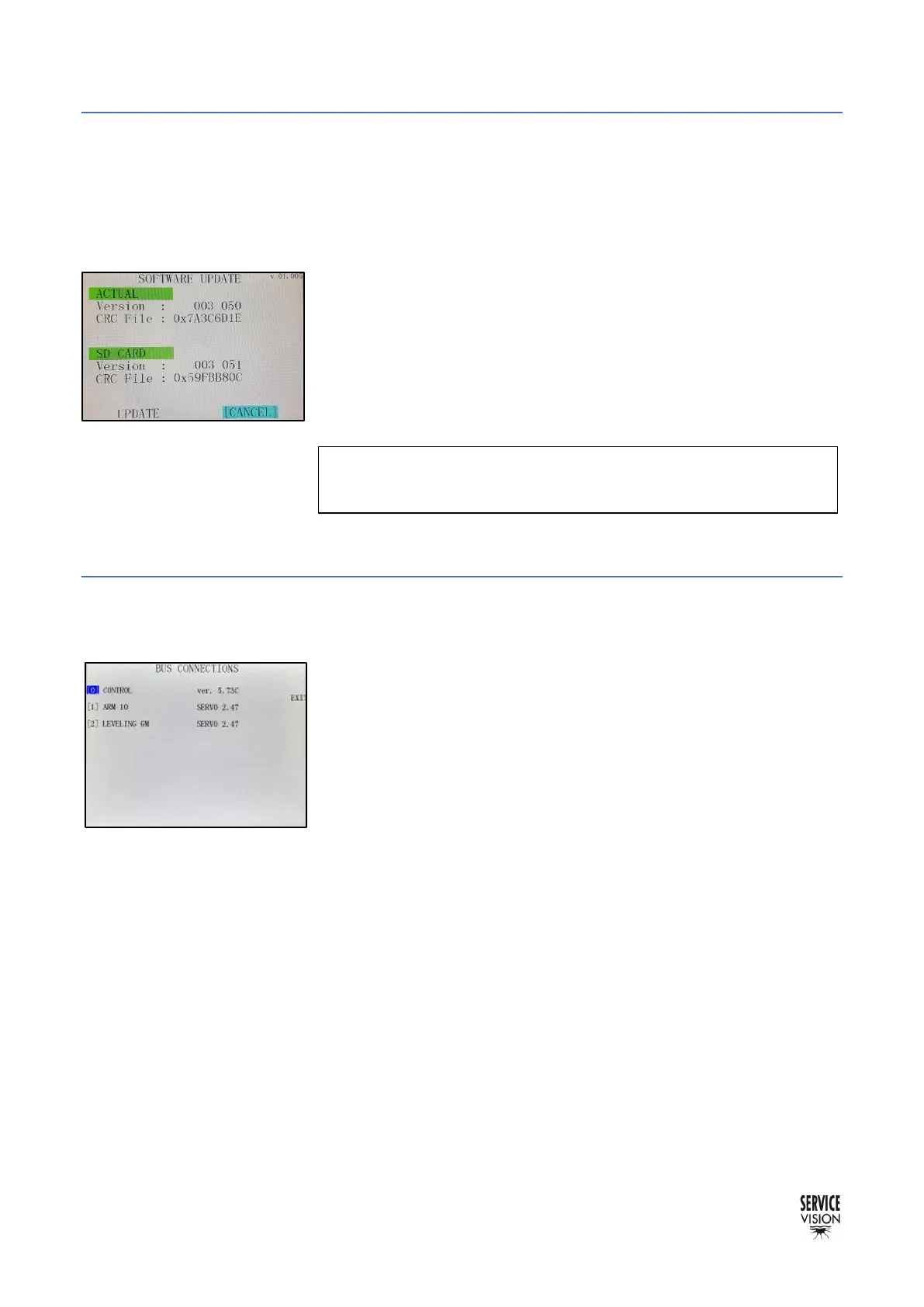
With the software for the CCU inside the SD Card and the SD Card
reader connected into the CCU, start the crane. The system will
identify the new software and it will use the display to ask if the user
wants to complete the update.
Once the software has been updated remove the software from the
SD Card.
6.4.2 SERVO I SOFTWARE UPDATE
The servo controls the movement of the motor connected to it. It is not common to update it but it
can be done with the SD card reader connected into the SD card connector.
With the software for the SERVO inside the SD Card, connect the
SD card reader to the SERVO. Once it is connected, start the crane.
The Servo Board will make a LED sequence inside. Once the Outside
LED of the SERVO flashes fix RED, the new software would have
been UPDATED and the system may start booting as normally. To
ensure that the new software is loaded, verify it in the
menu→auxiliary→Bus connections.



 To Next Page